Everything EngineMiles does
Every feature in the iPhone app for plug-in hybrids, grouped the way you’d use it, with the real screens. Each one says whether it’s free or Pro.
Jump to a group
- Setting up5
- Home and the estimate7
- Fill-ups and the log8
- Month-end check-in6
- Oil changes7
- Insights18
- Year recap4
- Widgets6
- More than one car5
- Notifications4
- Import and export6
- Privacy3
- Settings and dark mode5
- Free vs Pro$1.99
- Free
- In the free download.
- Pro
- $1.99 a month, $9.99 a year or $29.99 once, bought in the app.
Setting up
Four short screens and no account. Pick your car, say where its engine miles start, and log your next fill-up.
How to find your car’s gas-only MPG
Guides by car: RAV4 Prime engine milesPrius Prime engine milesFord Escape PHEV engine milesPacifica Hybrid engine milesMazda CX-90 PHEV engine milesWrangler 4xe engine milesVolvo Recharge engine milesOutlander PHEV engine miles
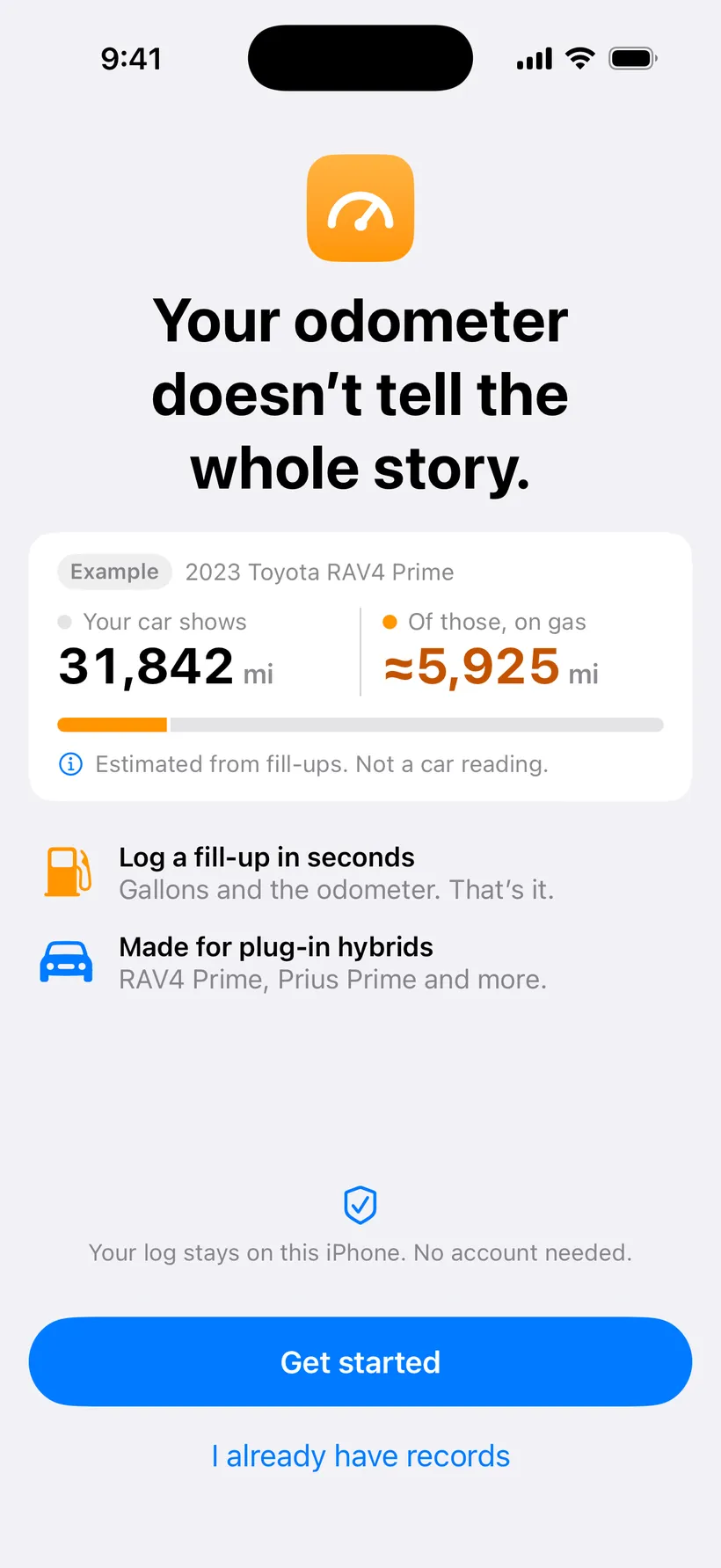
The first screen. The odometer and the engine tell different stories. 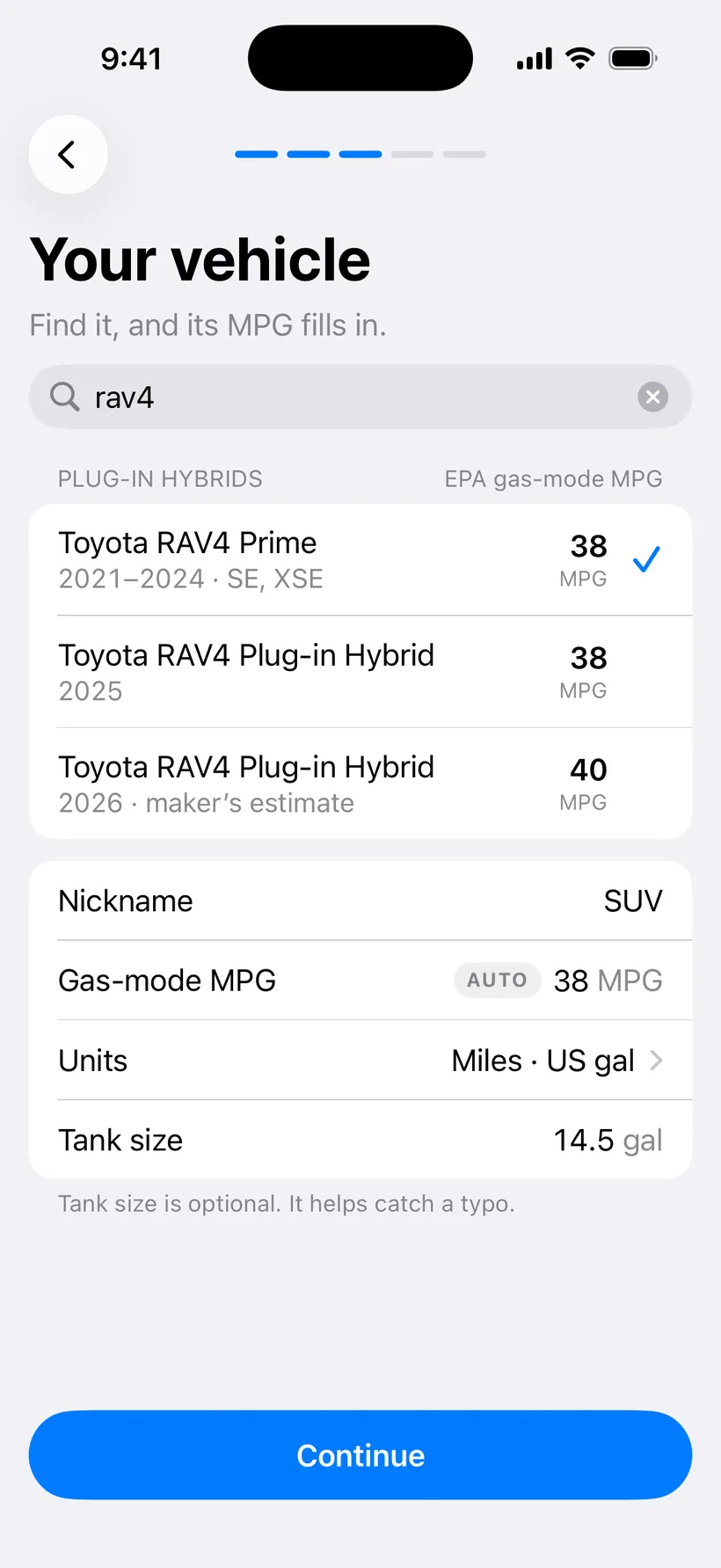
Search for your car. The EPA gas-only MPG fills in. 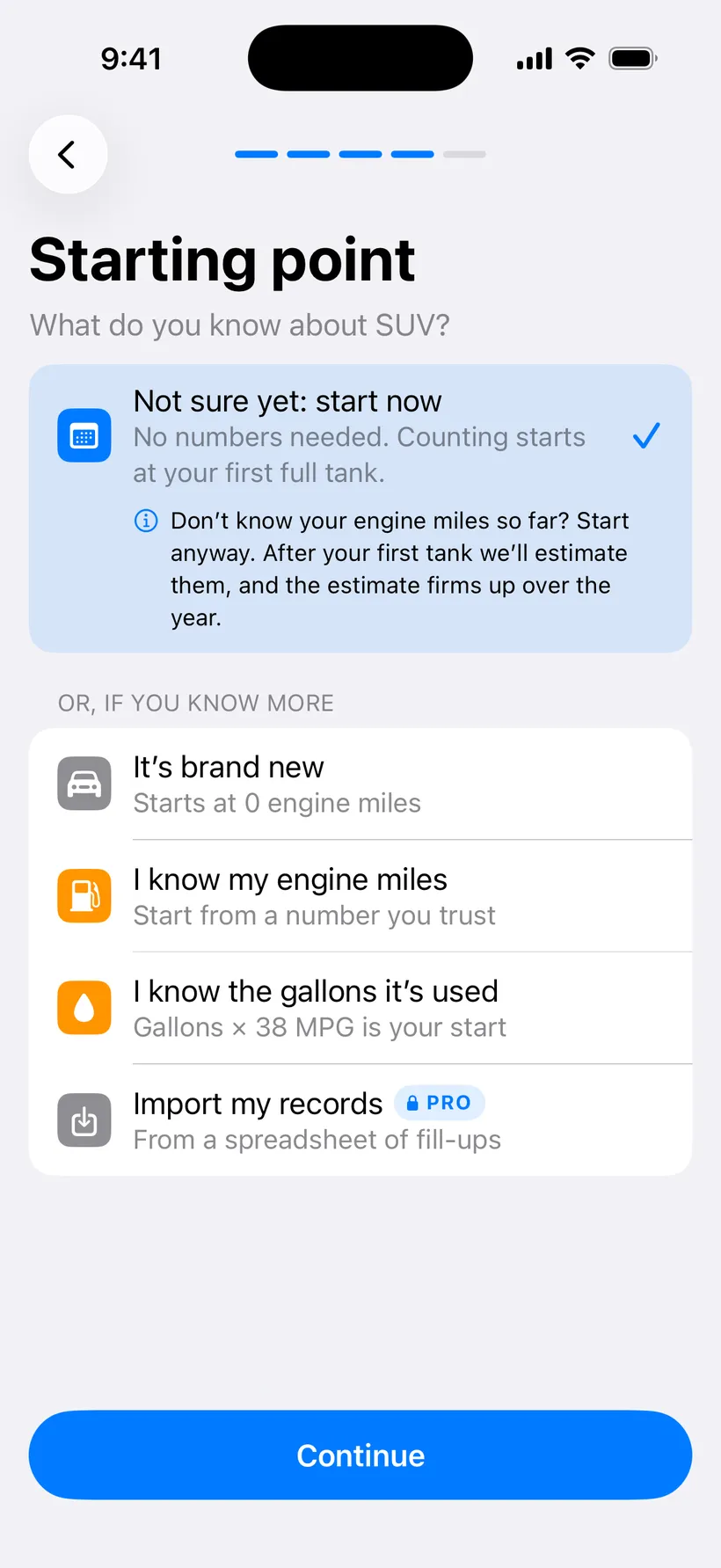
“Not sure yet” is fine. Counting starts at your first full tank. 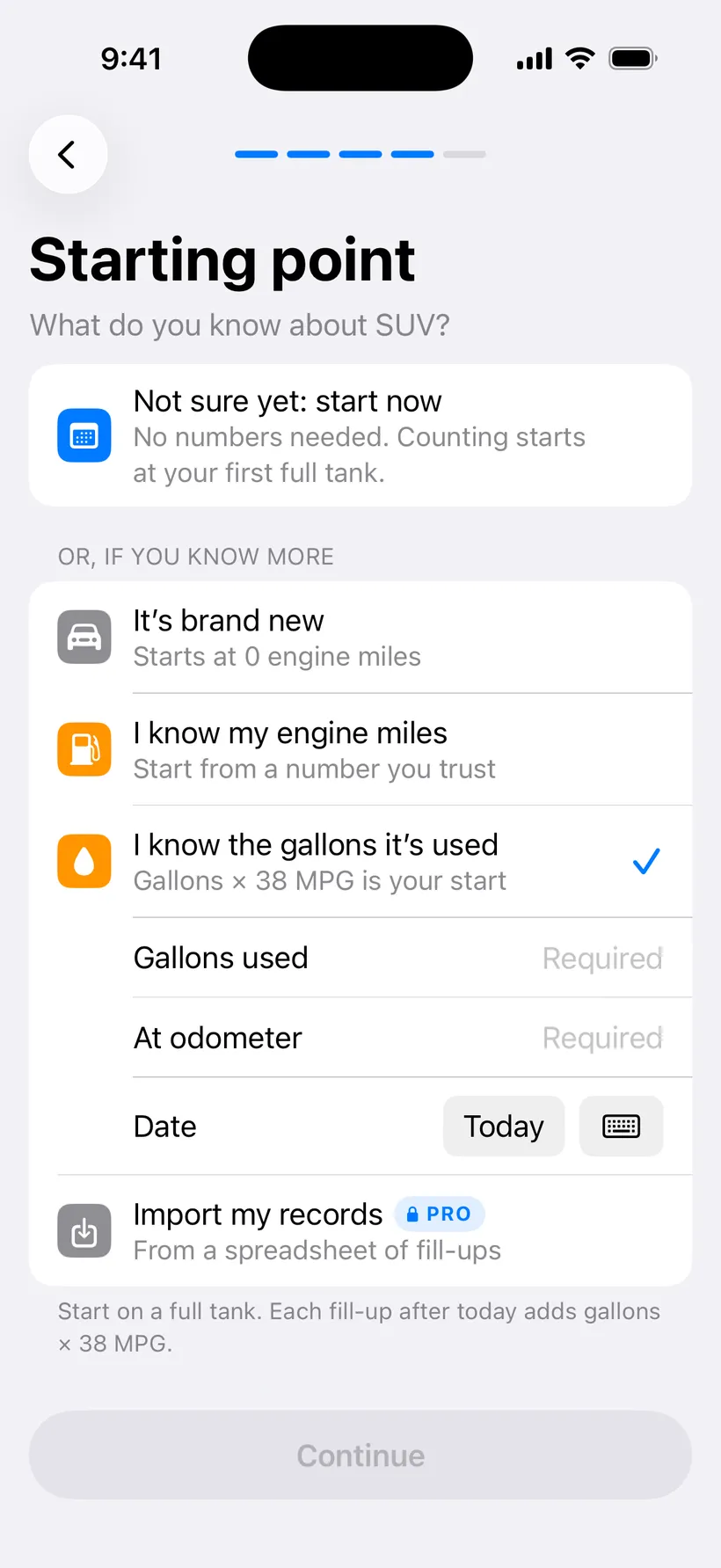
Or start from what you know.
- No account
- Open the app and start. There’s nothing to sign up for.
- Your car, with its EPA number
- Pick from 20 plug-in hybrid models and the EPA gas-only MPG fills itself in. Any other car, type it in.
- Where you start
- Brand new starts at zero. Had it a while? Start from engine miles you know, or the gallons it has used.
- “Not sure yet: start now”
- No numbers needed. Counting starts at your first full tank, and the app estimates the miles before it once it knows how you drive.
- Start from an old gas log
- Have a spreadsheet of fill-ups? Import it during setup and start with your history in place.
Home and the estimate
The main number. Every gallon you log, times your car’s gas-only MPG, added to a running total.
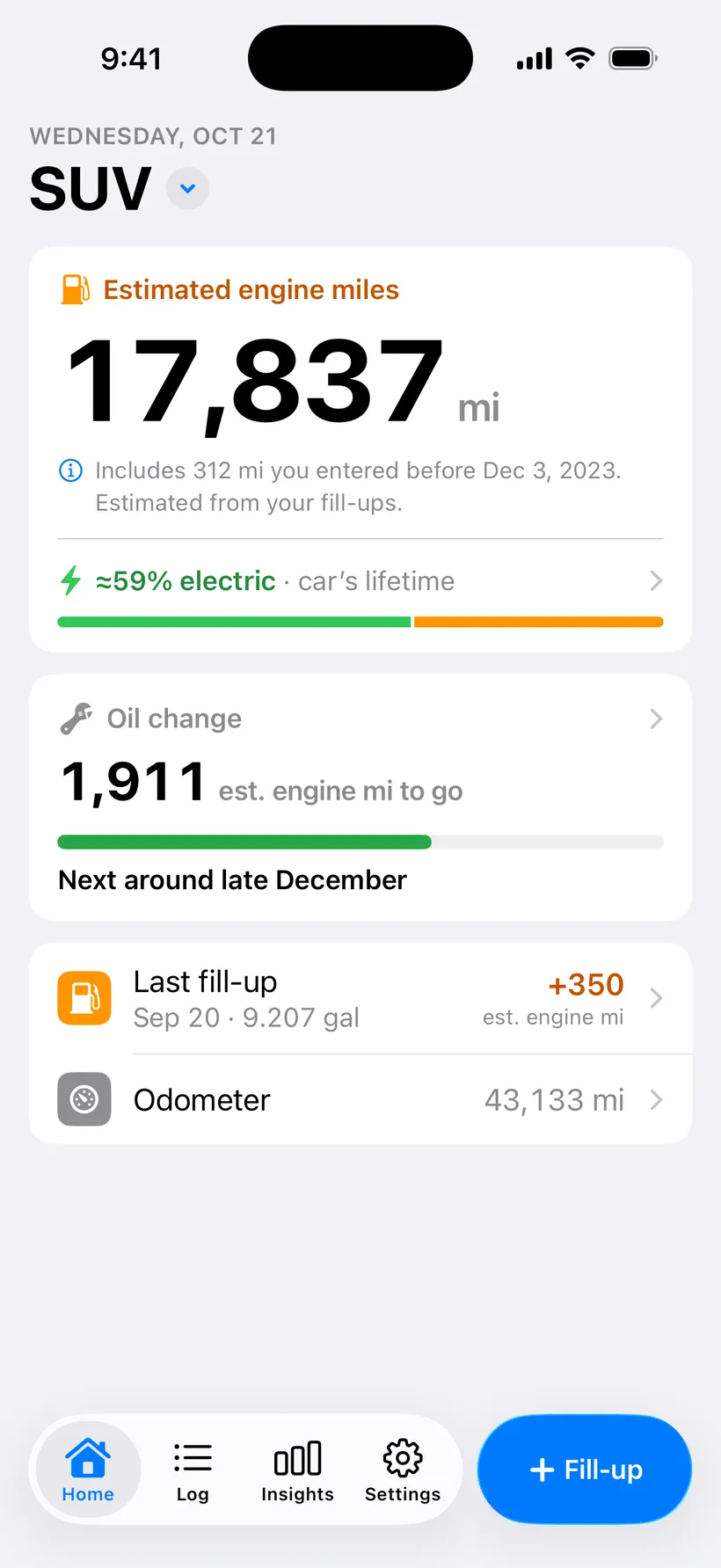
Home. The big number is the estimate. The electric share under it is Pro. 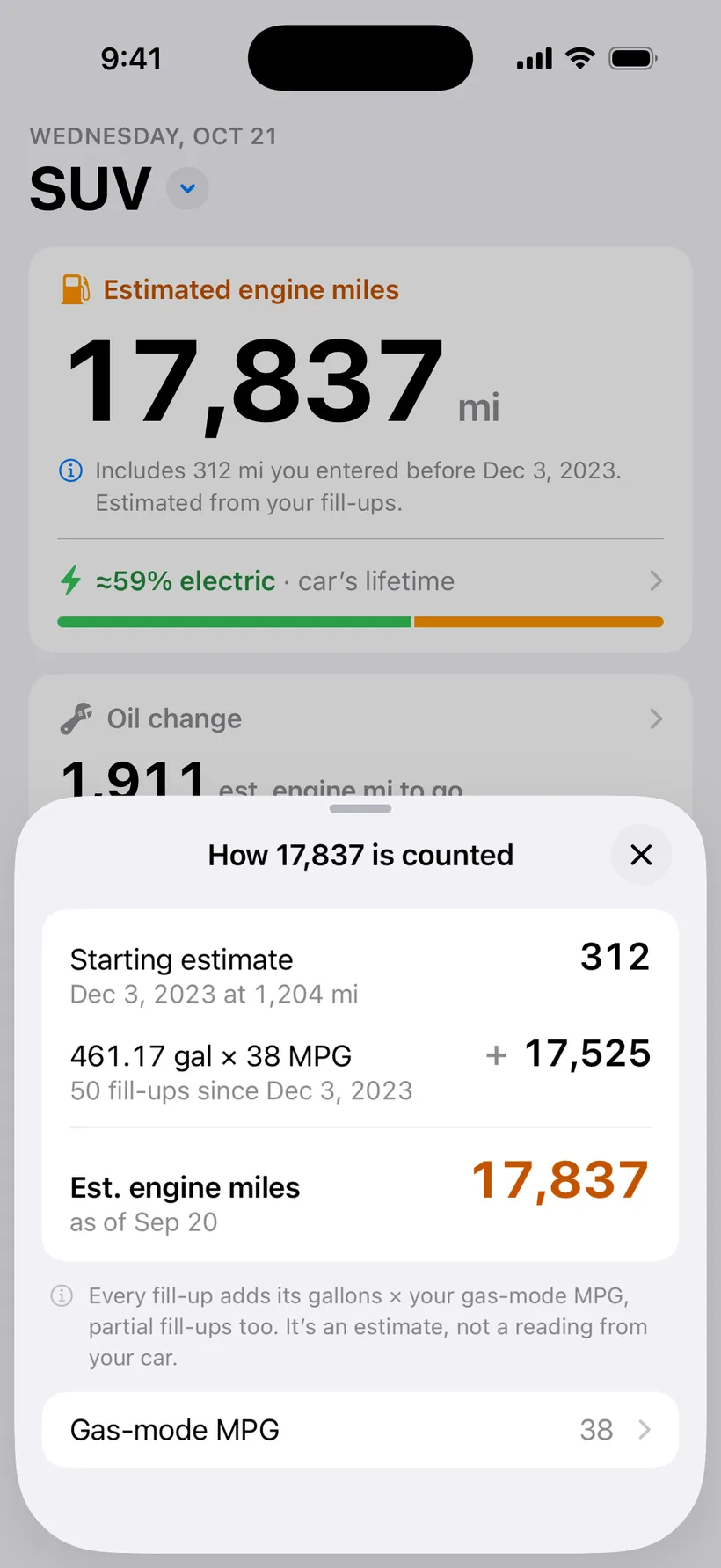
Tap the number and it shows its work. 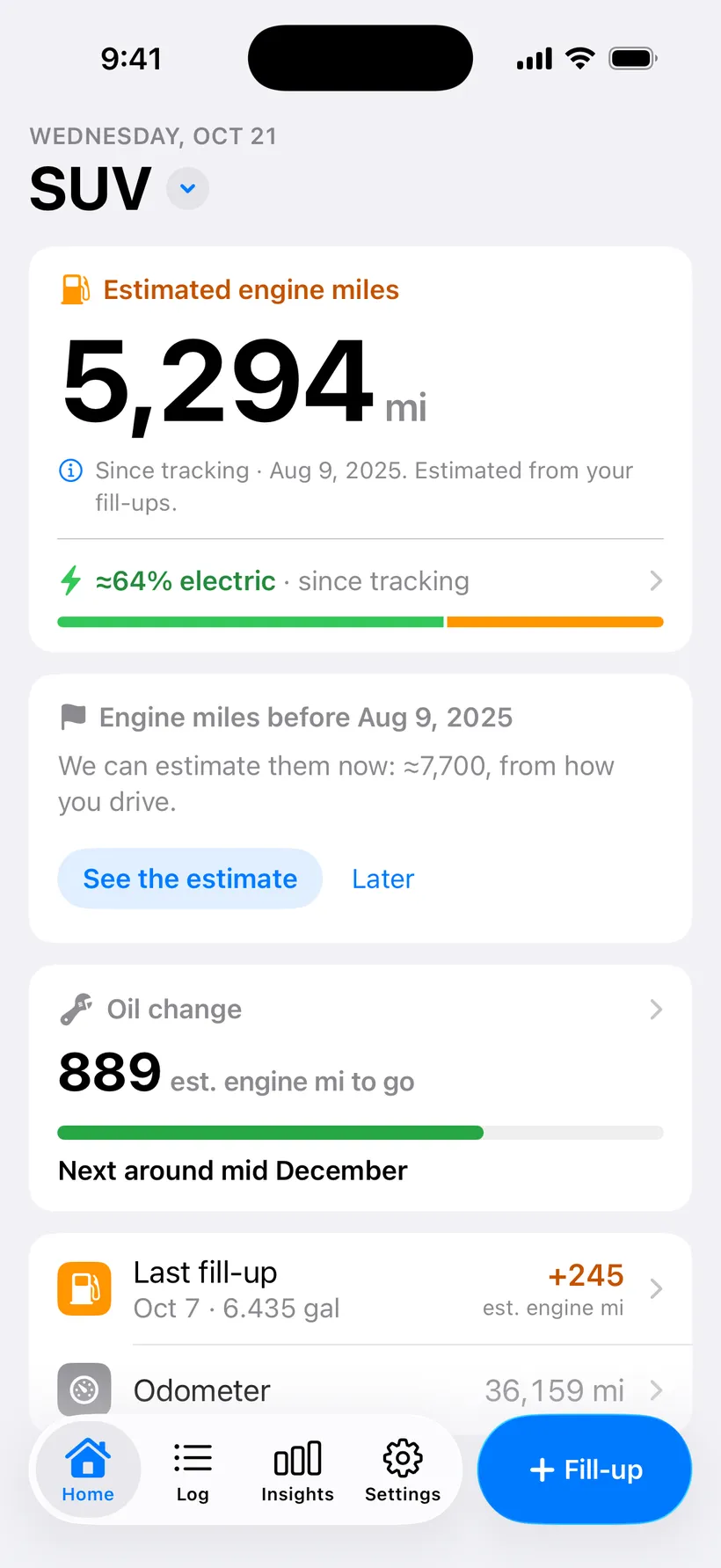
Started with “Not sure yet”? Home offers an estimate of the miles before. 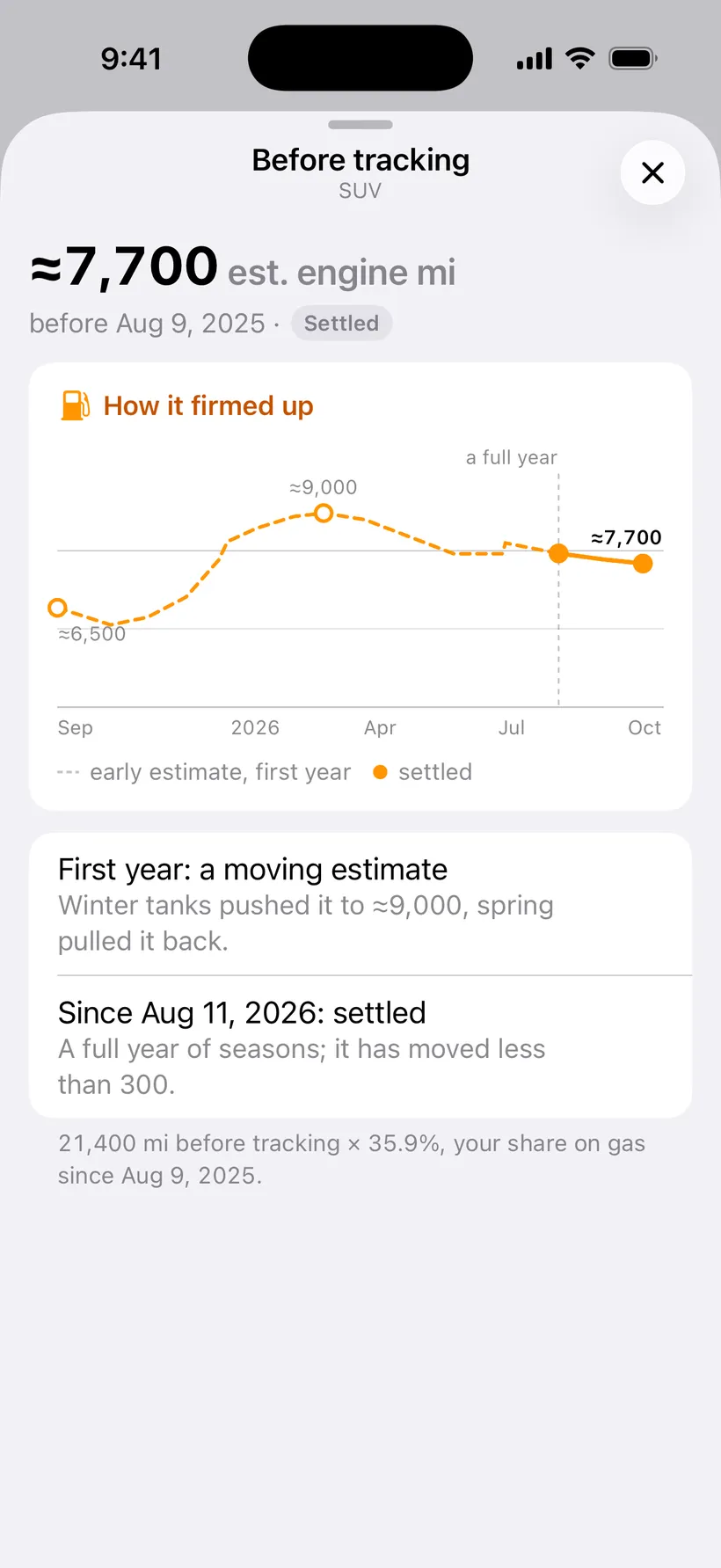
How that estimate firmed up, tank by tank. 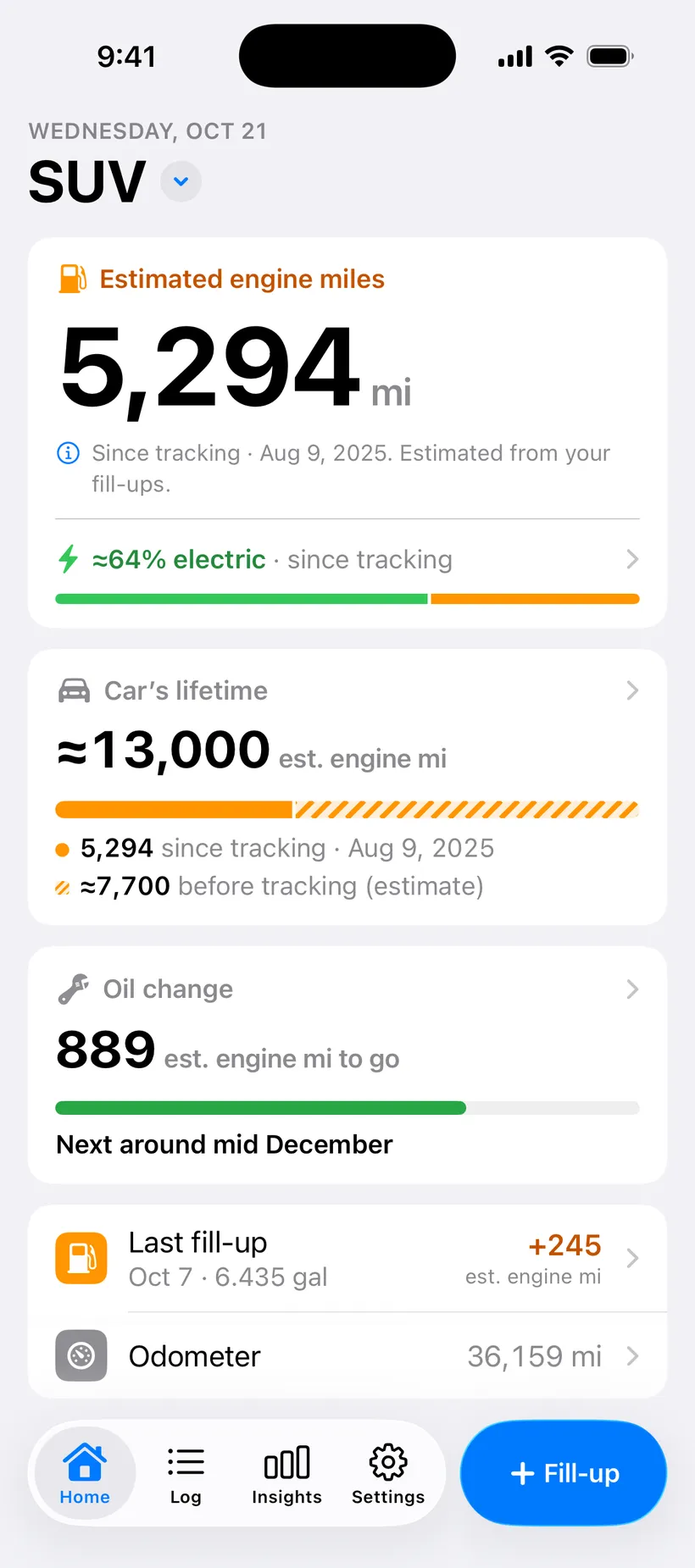
Accept it and Home shows the car’s lifetime too. 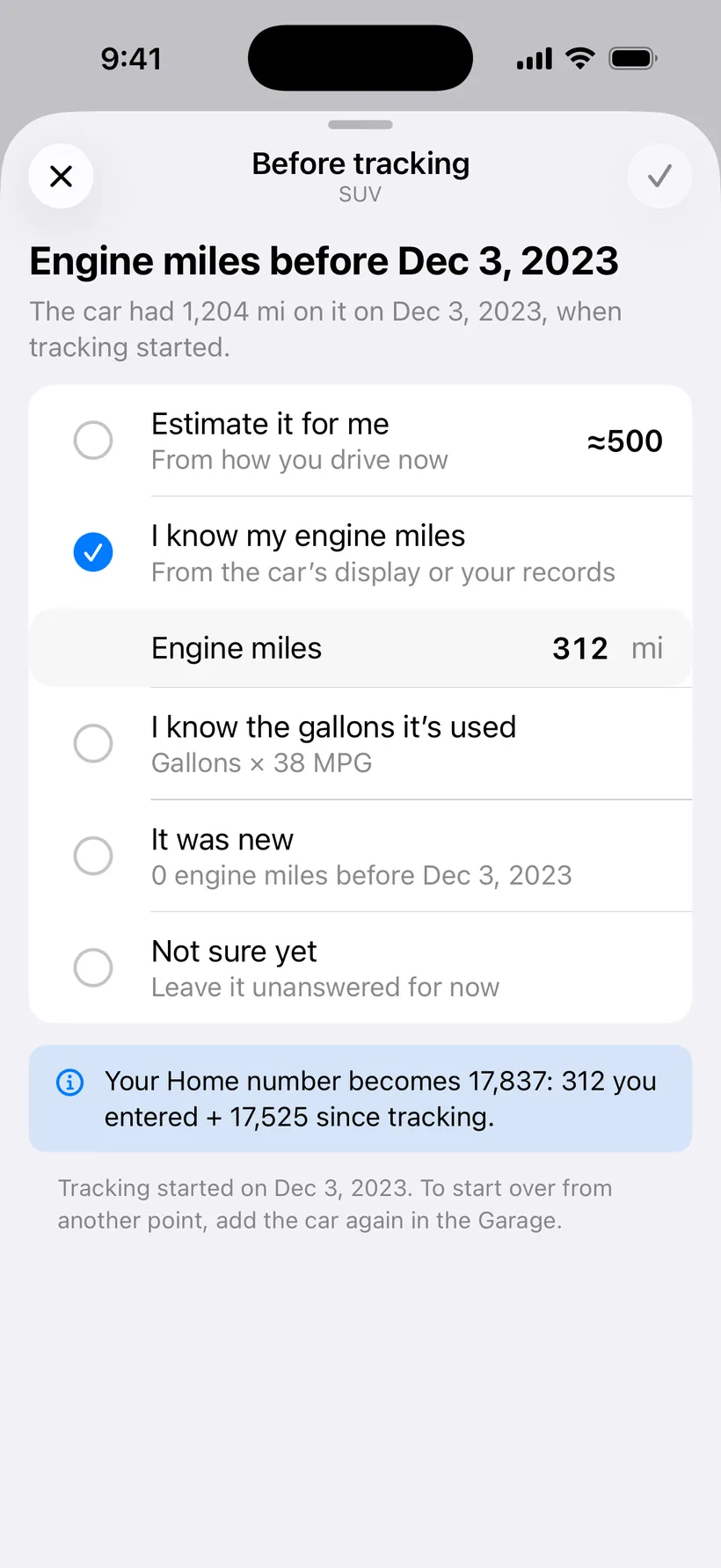
Found the real number later? Change the starting point in Settings.
- The engine-mile estimate
- Gallons times gas-only MPG, added up every time you buy gas. It’s an estimate; nothing plugs into the car.
- How it’s counted
- Tap the total and the app shows its work: where you started, plus every gallon times the MPG.
- Gas-mode MPG with a history
- Change the MPG from a date. Fill-ups before it keep the number they were counted with.
- An estimate of the miles before
- Started without a number? After a few tanks the app offers an estimate of the engine miles before you started, and shows how it settled.
- Change the starting point later
- Settings has the starting point, so a guess can become a real number when you find one.
- Electric share under the total
- How much of your driving ran on electricity, right under the total on Home. Plug-in hybrids only.
- Regular hybrids
- They work too, with their EPA combined MPG. There’s no electric split, and a short note says why.
Fill-ups and the log
Two numbers at the pump. Everything else is optional.
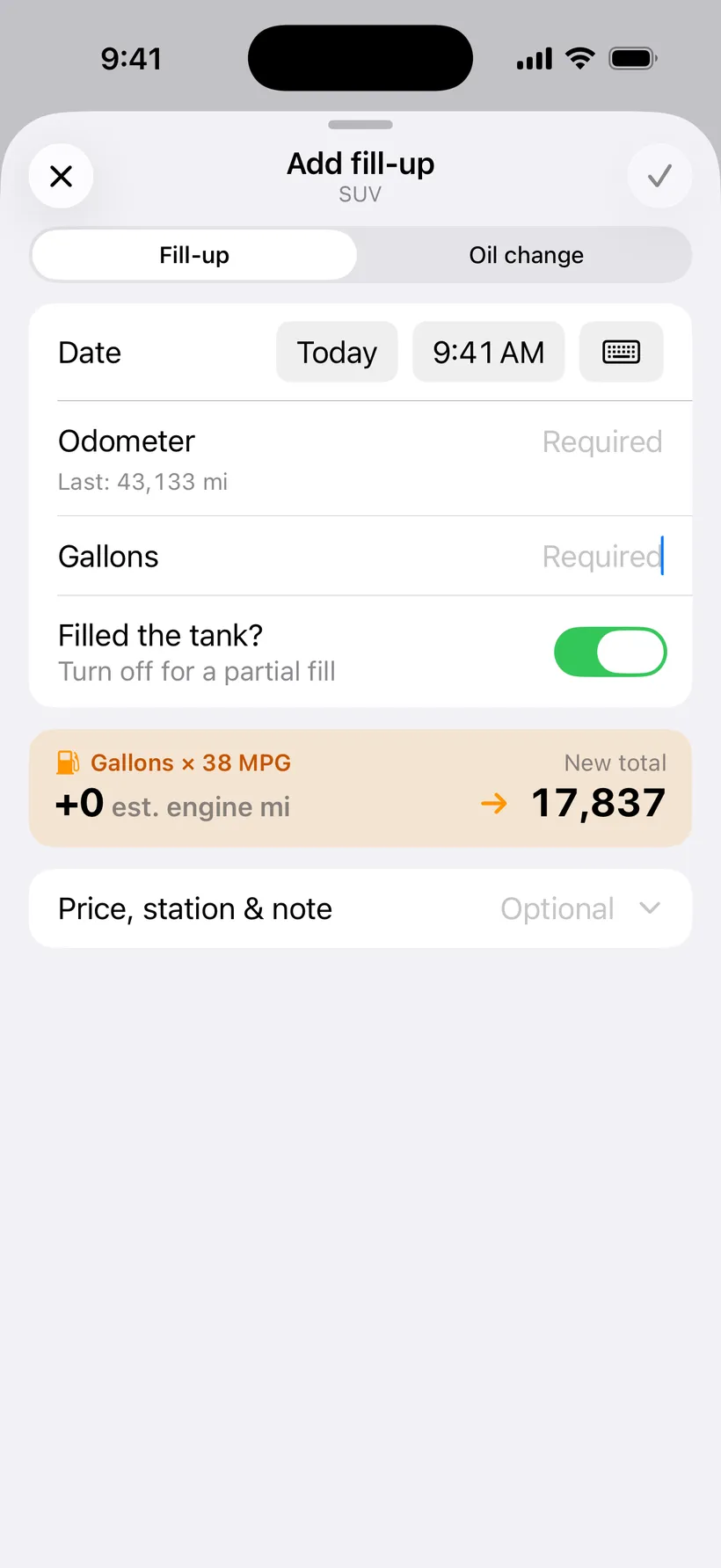
Add a fill-up. The odometer and the gallons. 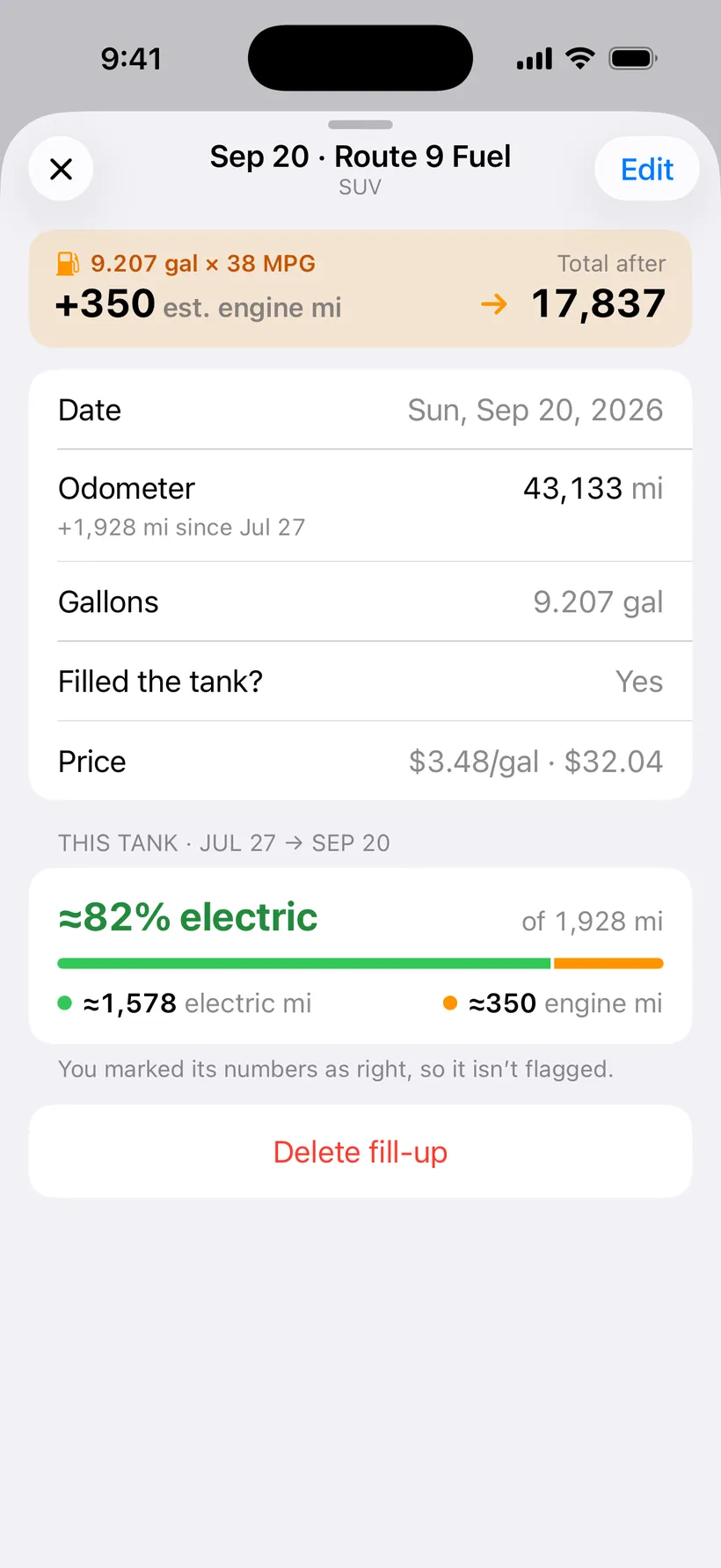
One fill-up and what it added. 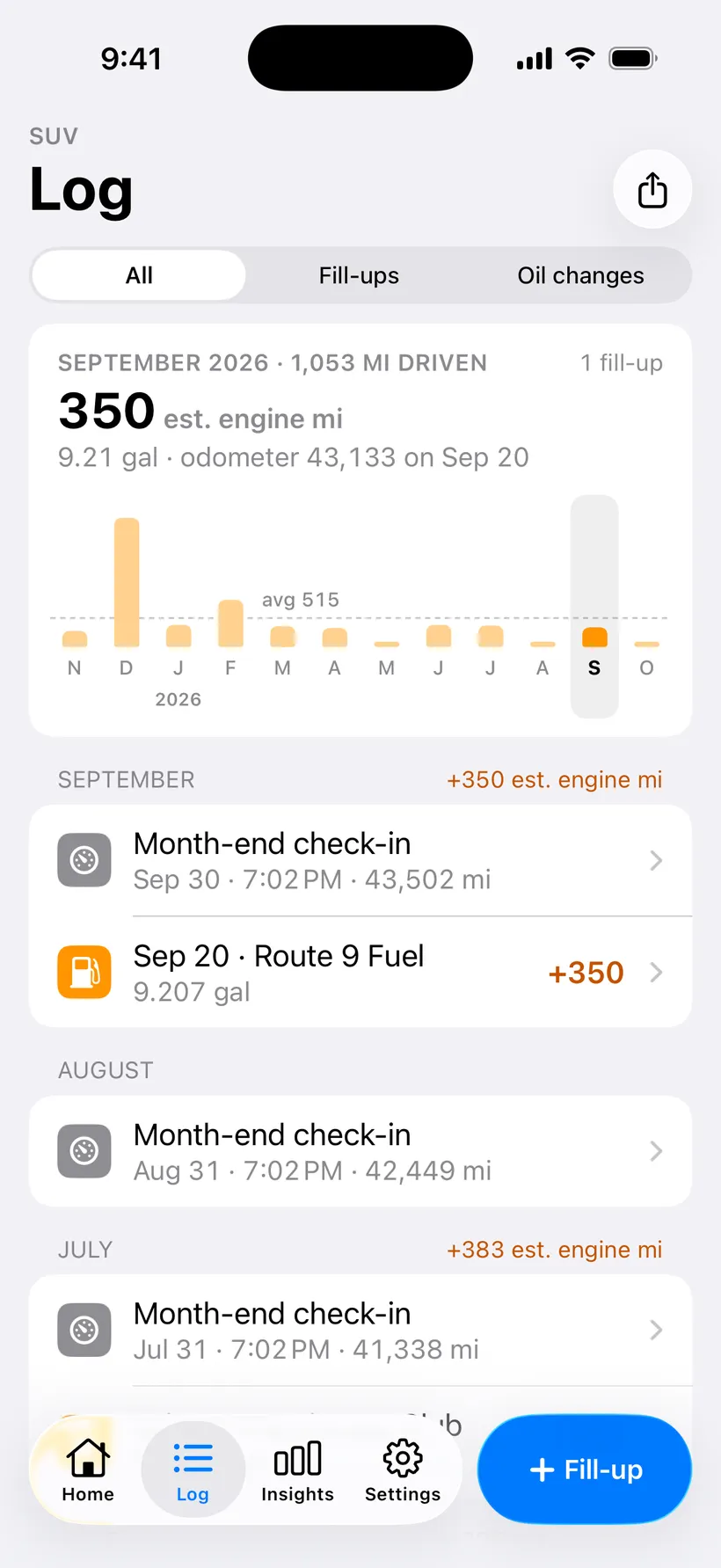
The log, month by month, with bars for the last 12 months.
- Log a fill-up in two numbers
- The odometer and the gallons. Tap “+ Fill-up” at the pump. No limit on how many.
- Full or partial
- Say whether you filled the tank. Partial fills still count; tank stats wait for the next full one.
- Price, station and note
- Optional. The price per gallon or the total, where you bought it, and a note like “road trip”.
- Type the date
- Pick a day on the calendar, or type it: 10/20, Oct 20 2026, or “yesterday”.
- Undo
- After you save, Home shows what the fill-up added, with an Undo button.
- Typo checks
- It flags an odometer that went backwards, more gas than your tank holds, a long gap, or a likely duplicate.
- The log
- Every fill-up, oil change and check-in by month, all editable. Deleting one shows the new total before it goes.
- Month bars
- Est. engine miles for each of the last 12 months, with the average. Swipe back through earlier years.
Month-end check-in
One number on the last day of the month, so every month’s miles land in the right month.
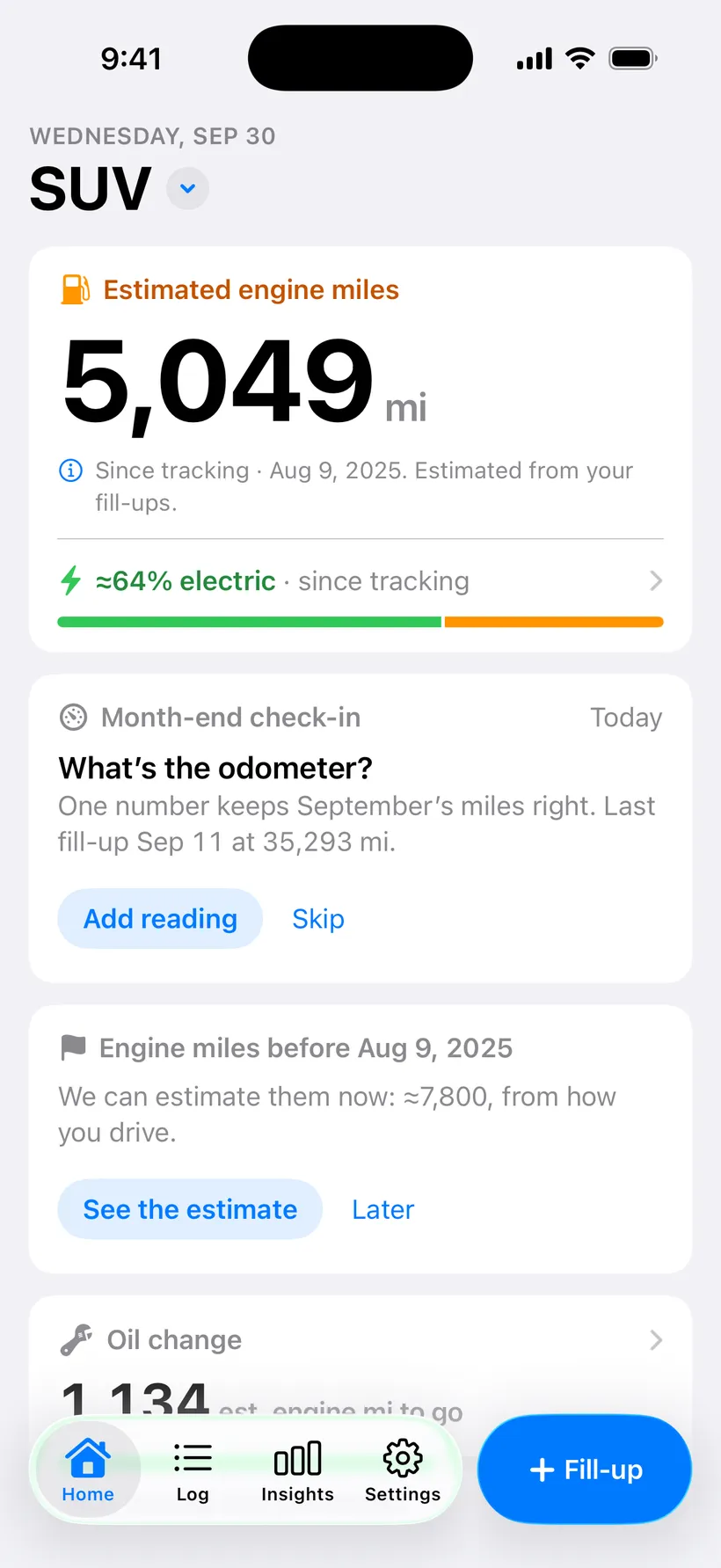
On the last day of the month, Home asks for the odometer. 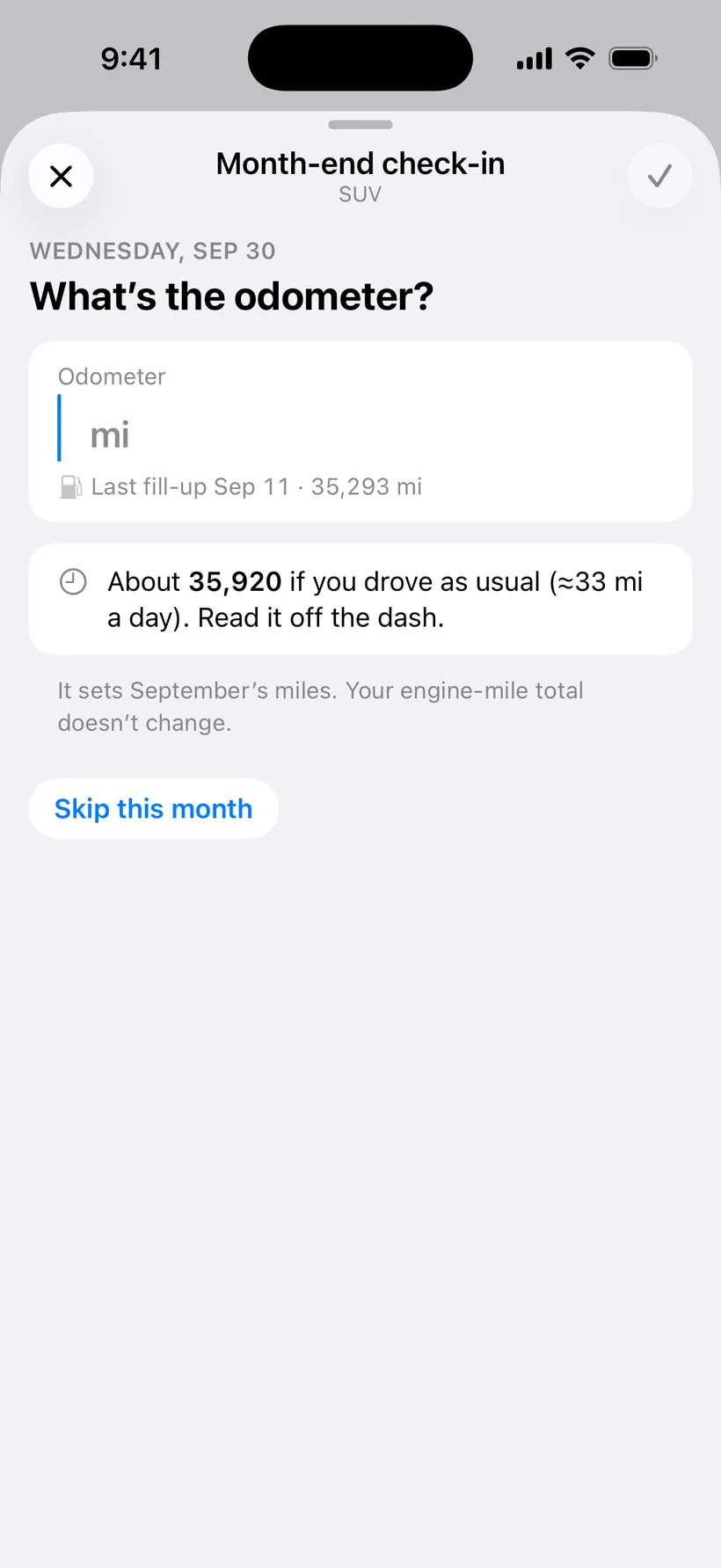
It suggests a number from how you usually drive. 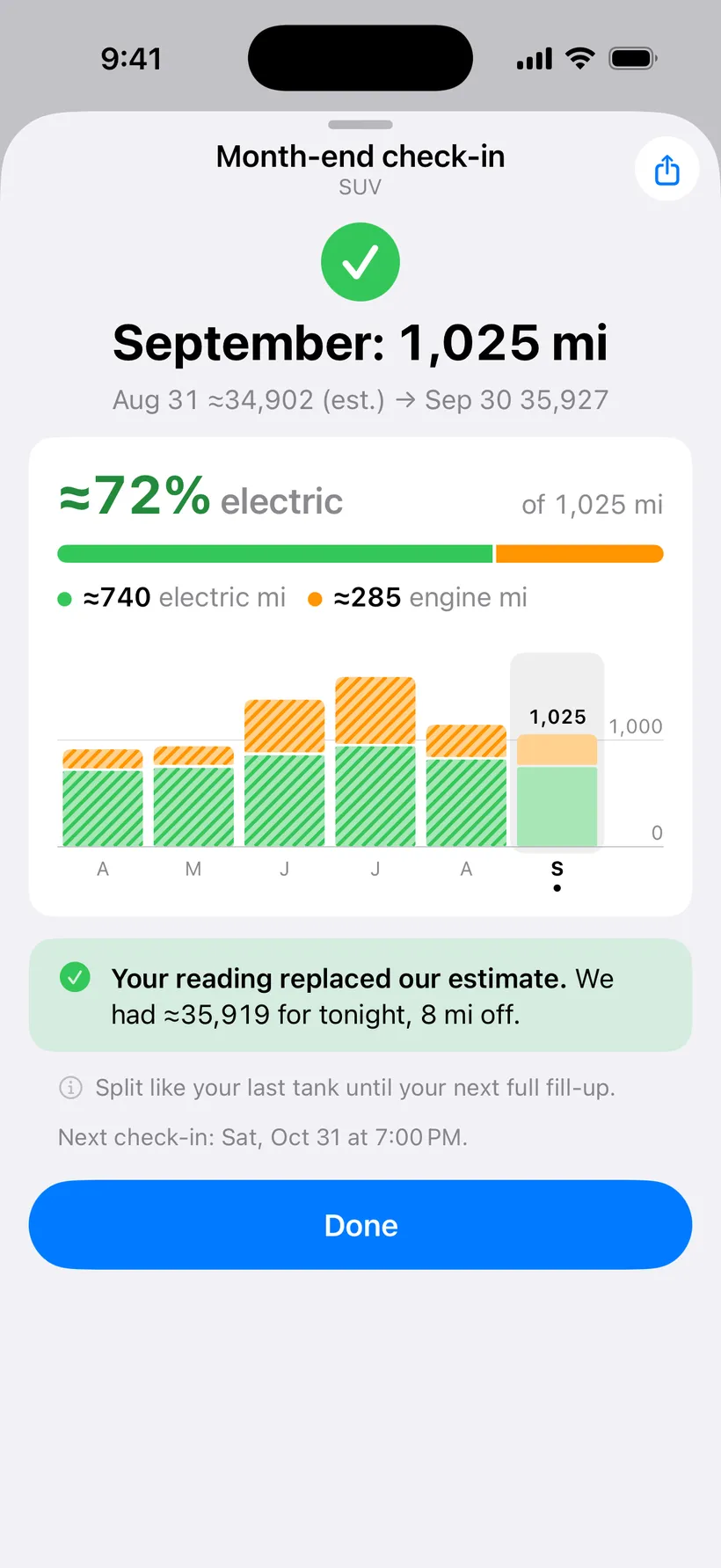
Save it and you get the month’s miles. 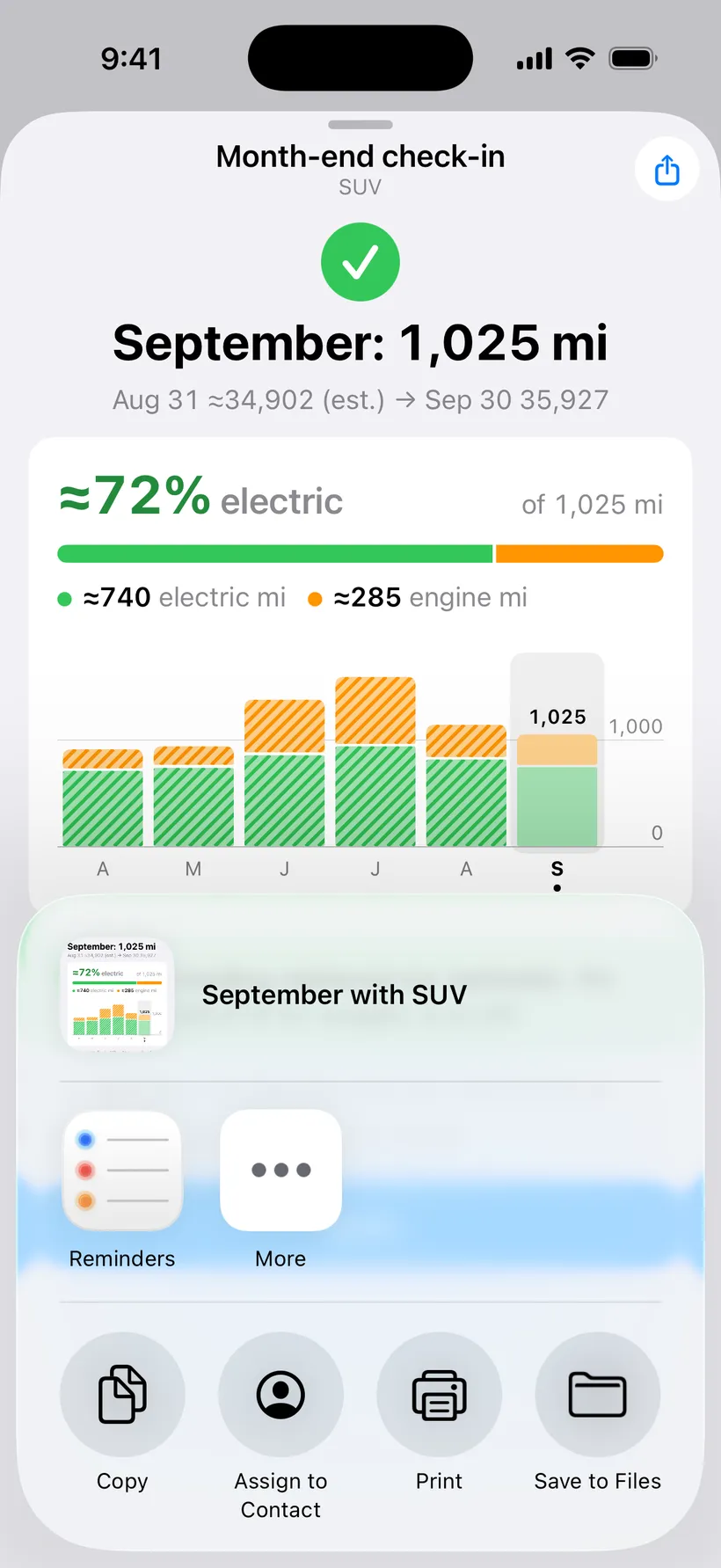
Share the month as a picture. 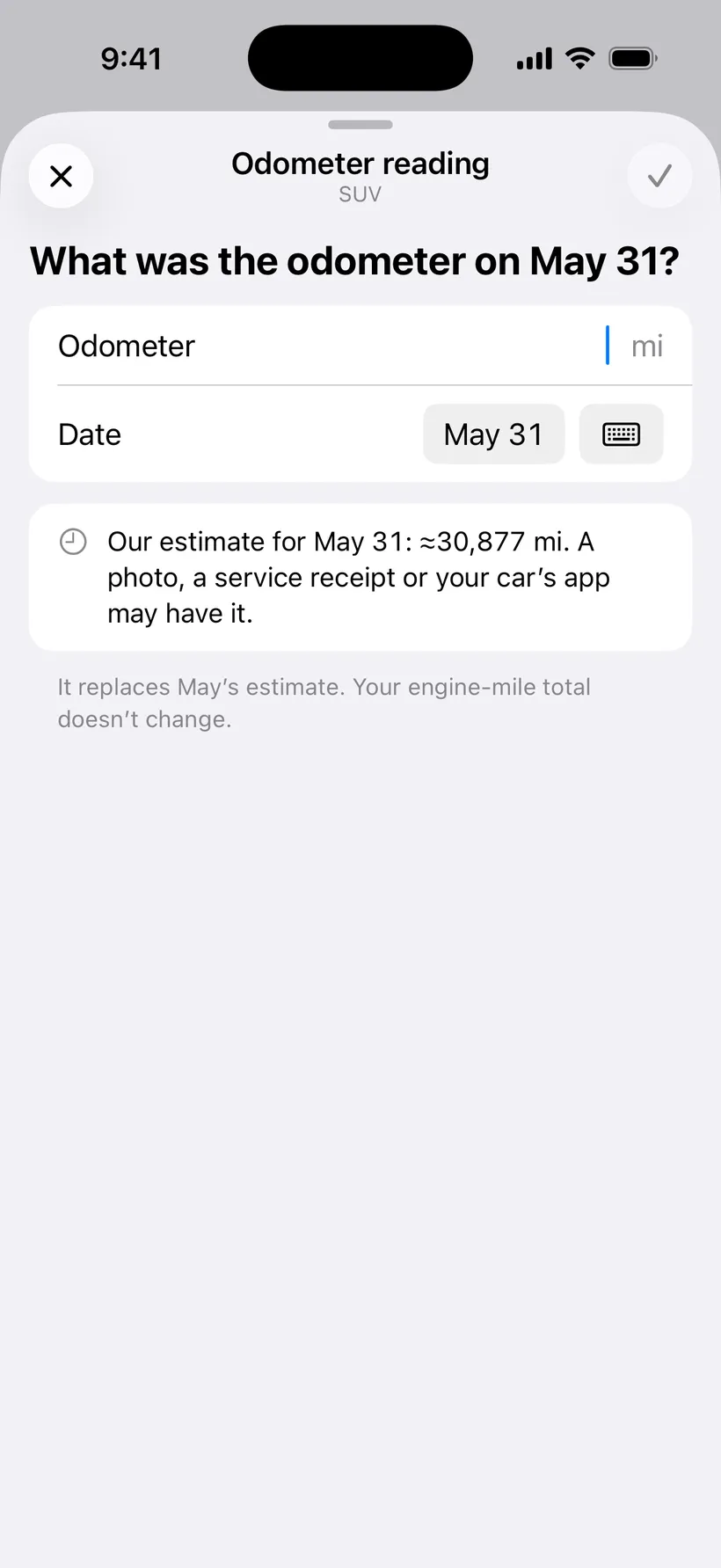
Know an old month-end reading? Add it later. 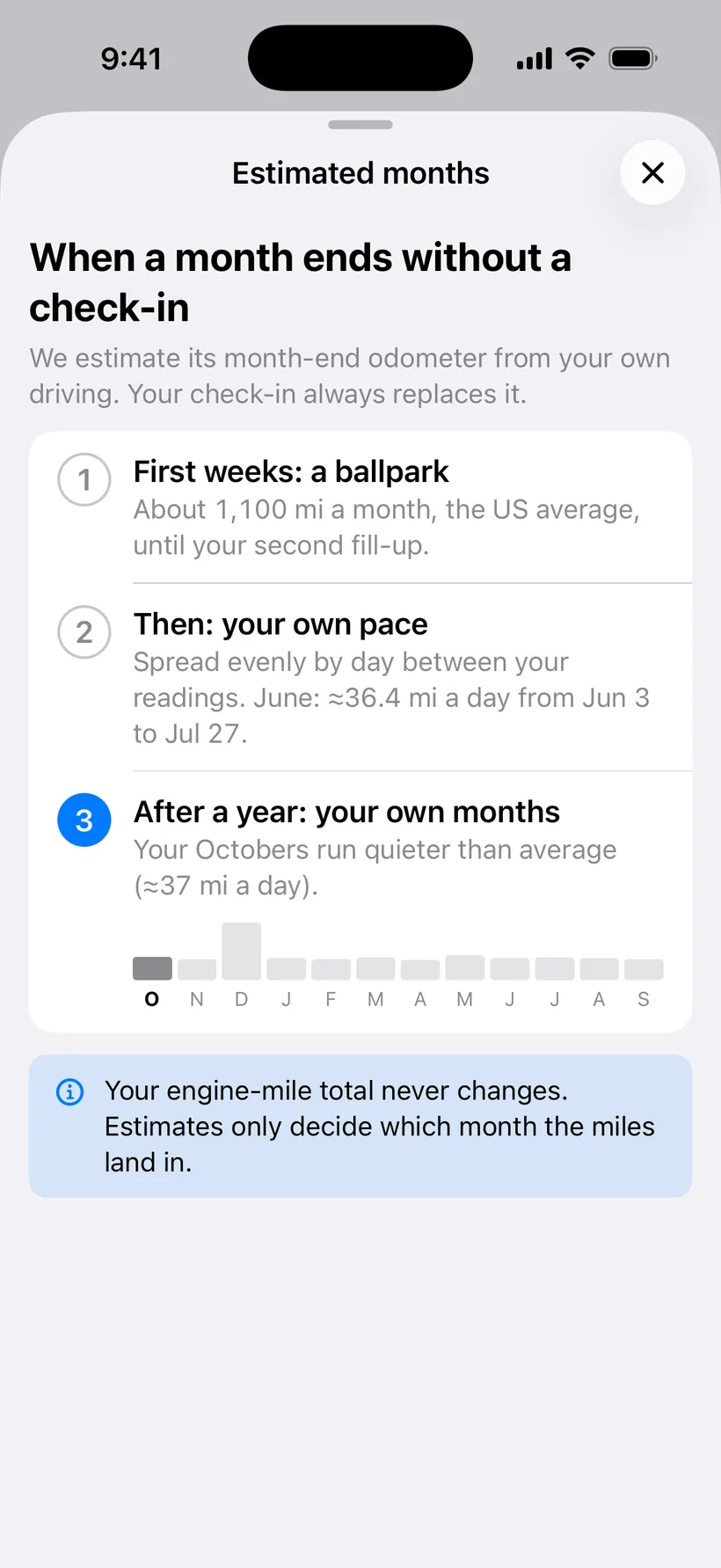
Months you skip get an estimate, and it says how.
- Month-end check-in
- On the last day of the month, at 7 pm or a time you pick, the app asks for the odometer.
- Answer from the Lock Screen
- Press and hold the notification, type the number, done. The app doesn’t need to open.
- A card on Home if you miss it
- Notifications off or missed? Home asks for a few days instead.
- The month’s miles, after you save
- Miles driven and est. engine miles for the month, with Share. It also says how close the app’s own guess was.
- Automatic month-end estimates
- A month with no reading gets an estimated odometer, split by day between readings, and is marked “est.” Your engine-mile total never changes.
- Fill in a month later
- “Know the odometer on May 31?” Type it on that month’s page and the months either side adjust.
Oil changes
A countdown that only counts the engine. Tracking is free; reminders are Pro.
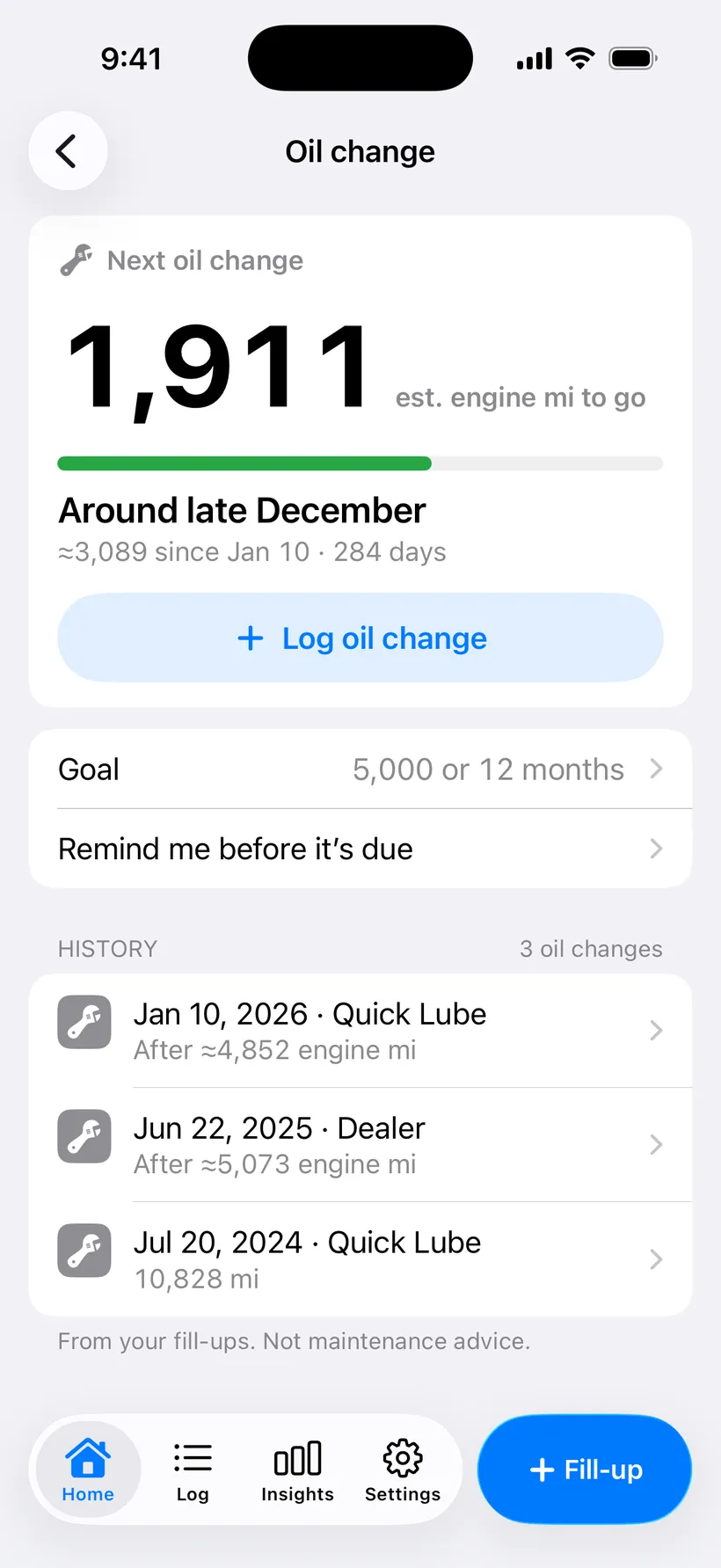
The countdown, on est. engine miles. 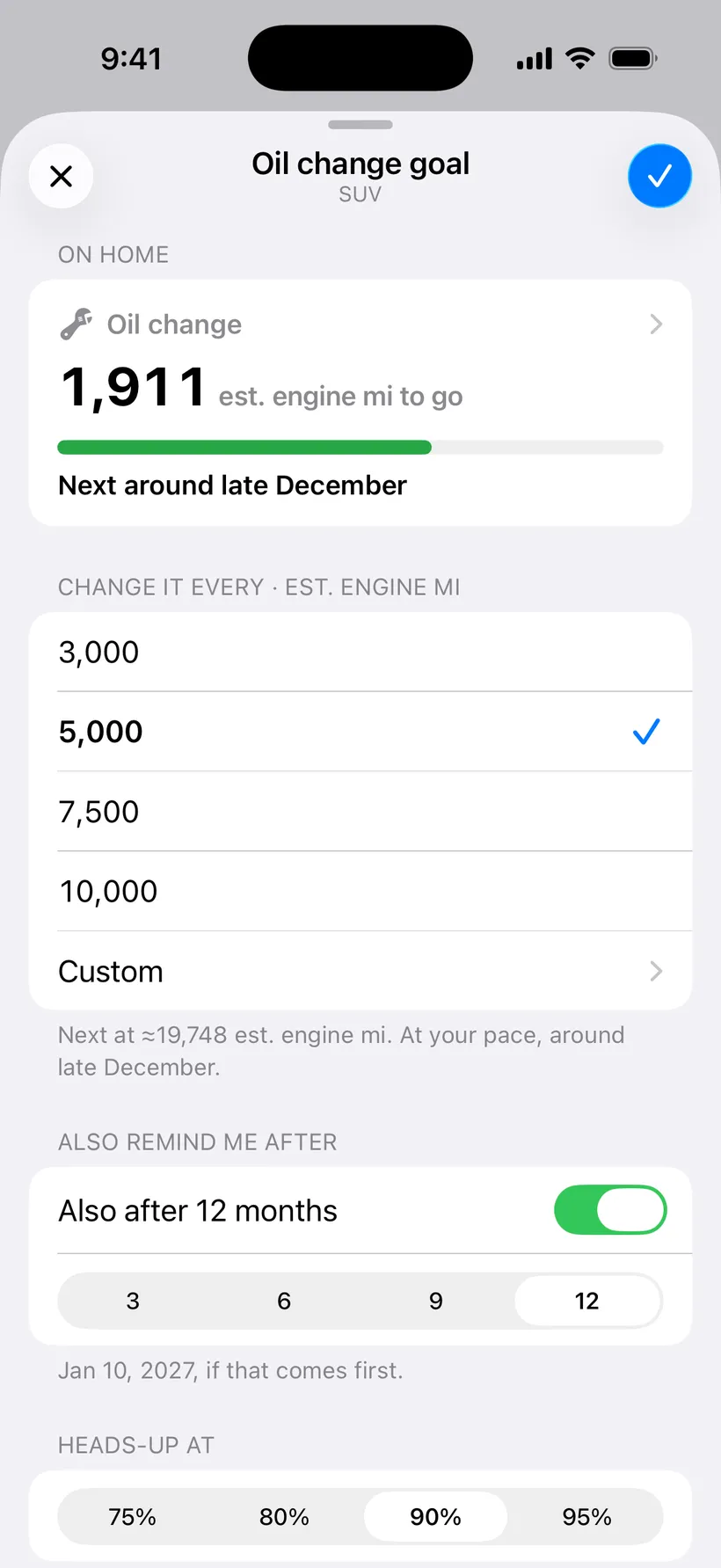
Pick the goal in miles, and a time limit. 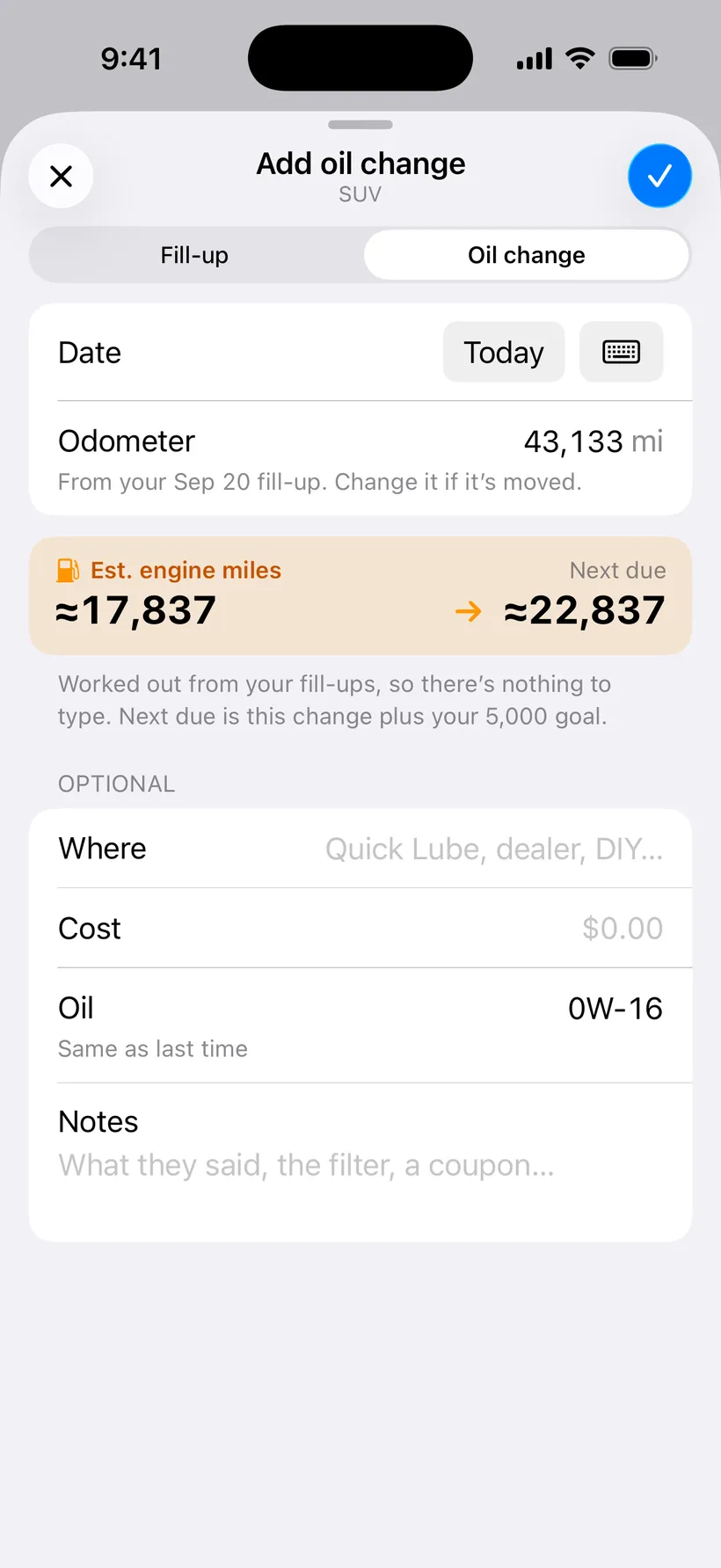
Log a change. The next one is worked out for you. 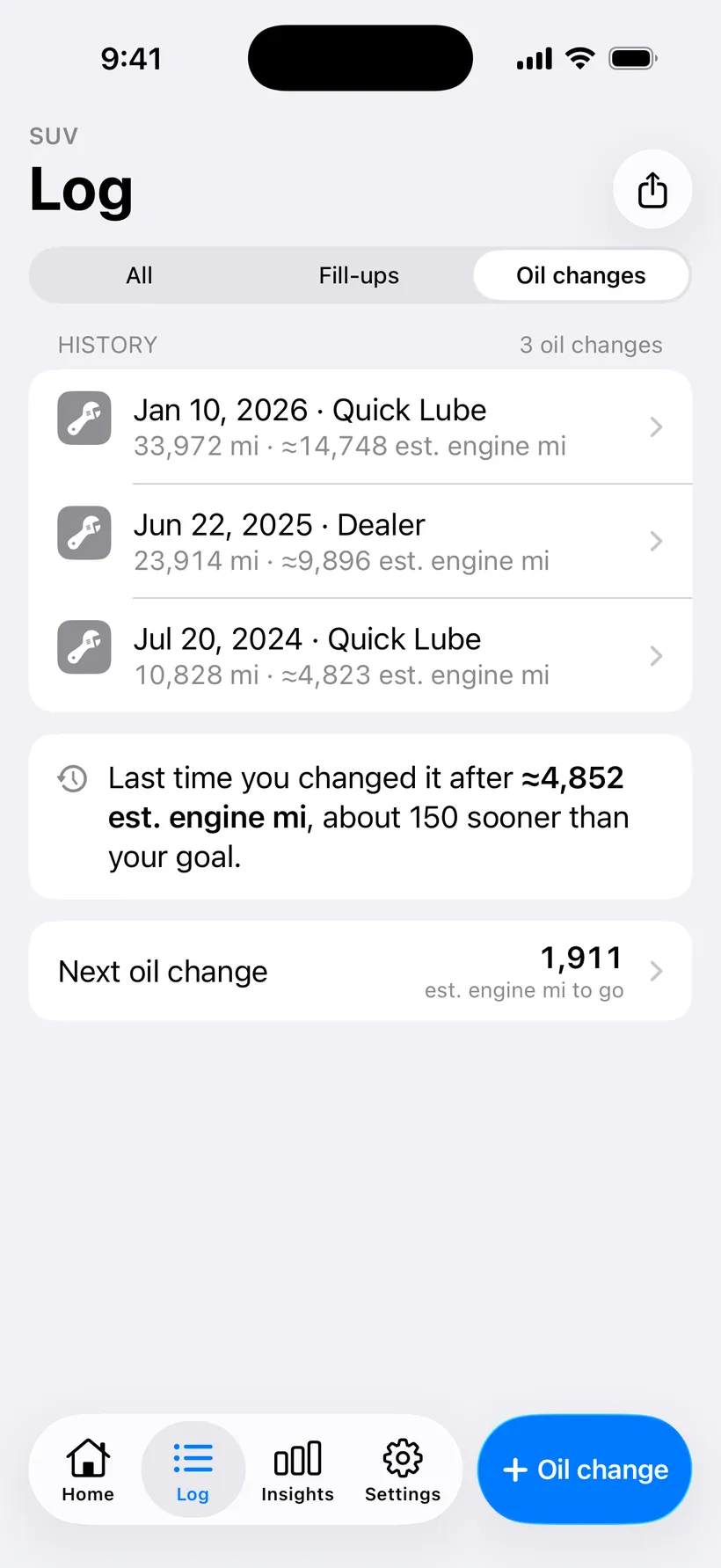
Every change, with the engine miles between them.
- Oil countdown on engine miles
- Miles to go until the next change, counted on est. engine miles instead of the odometer.
- A date, not just miles
- “Next around mid February”, from your pace and the time of year. It says “Early guess” until it has a few fill-ups.
- Your goal, in miles and months
- Every 5,000 est. engine miles to start; change it. Add 3, 6, 9 or 12 months so a car that hardly burns gas still gets fresh oil.
- A bar that changes color
- Green, then yellow from 75%, then red when it’s due.
- Oil change history
- Each change with its date, where, a note, and the engine miles since the one before.
- Changes from before you started
- Log an older oil change. Add the engine miles or gallons since then if you know them, to correct the first countdown.
- Oil change reminders
- A heads-up at a percentage you pick (90% to start), another when it’s due, and one when the months run out.
Insights
Charts of your own fill-ups, in four pages: Electric split, Fuel & MPG, Money and Oil. All of Insights is Pro; free users can look around a sample year first.
The hub and date ranges
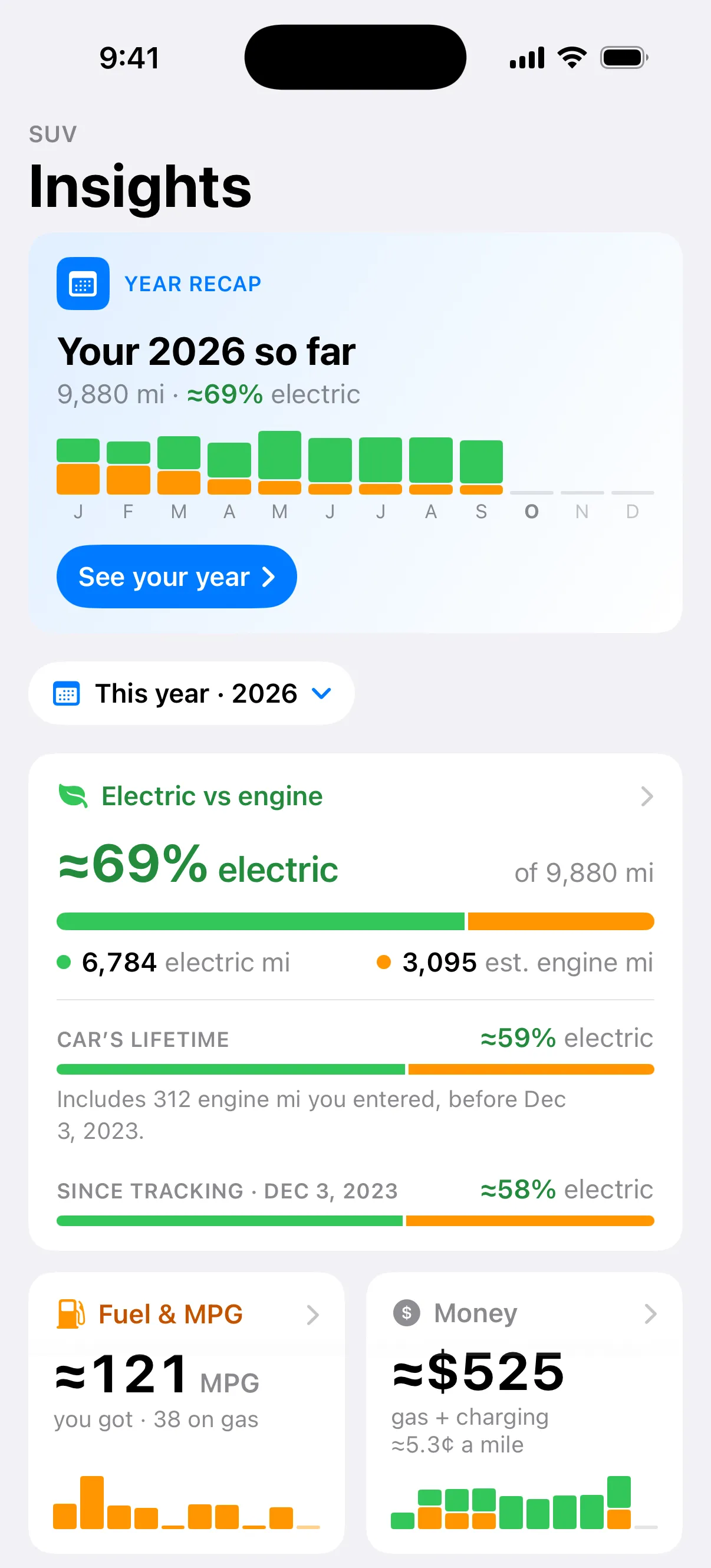
The hub. The year so far on top, then a card for each page. 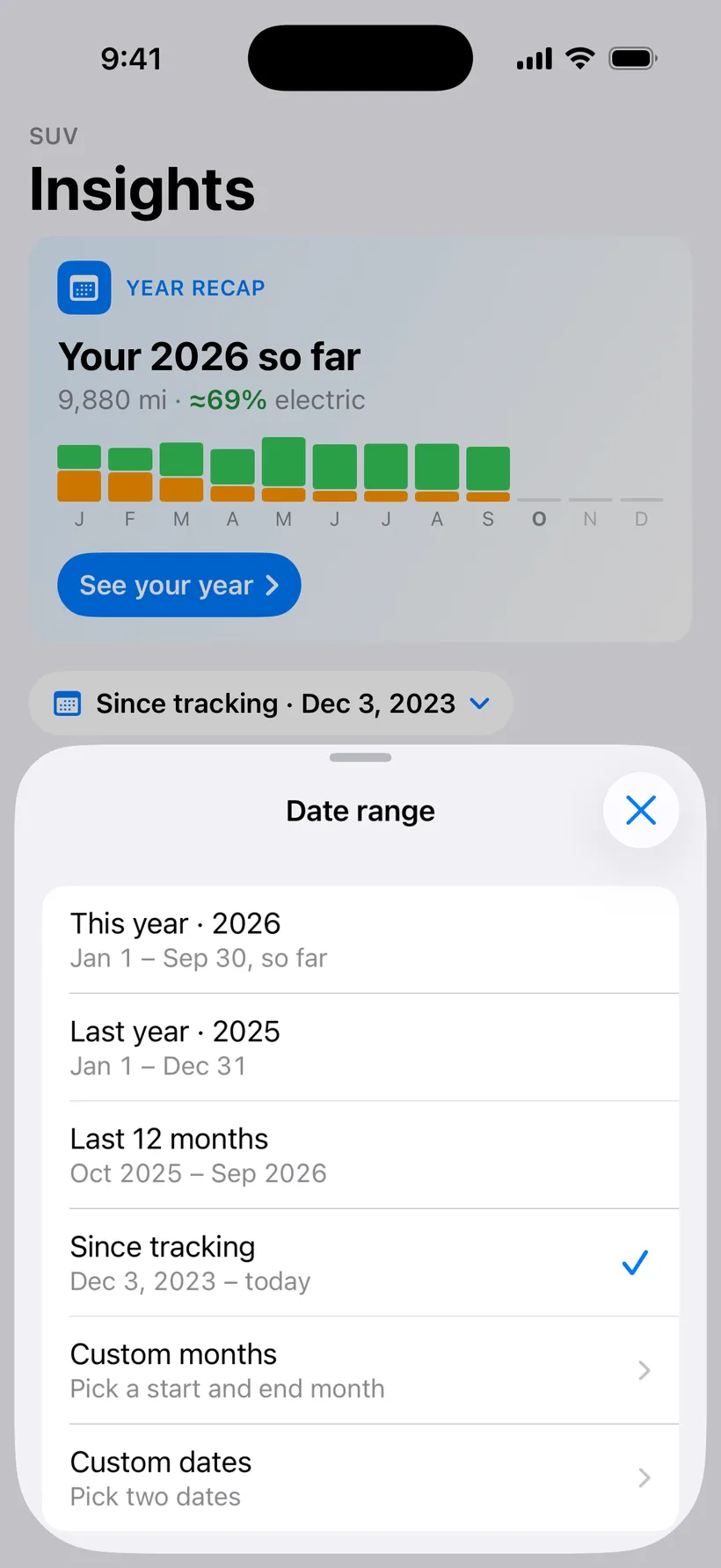
Pick the range: this year, last year, 12 months, or all of it. 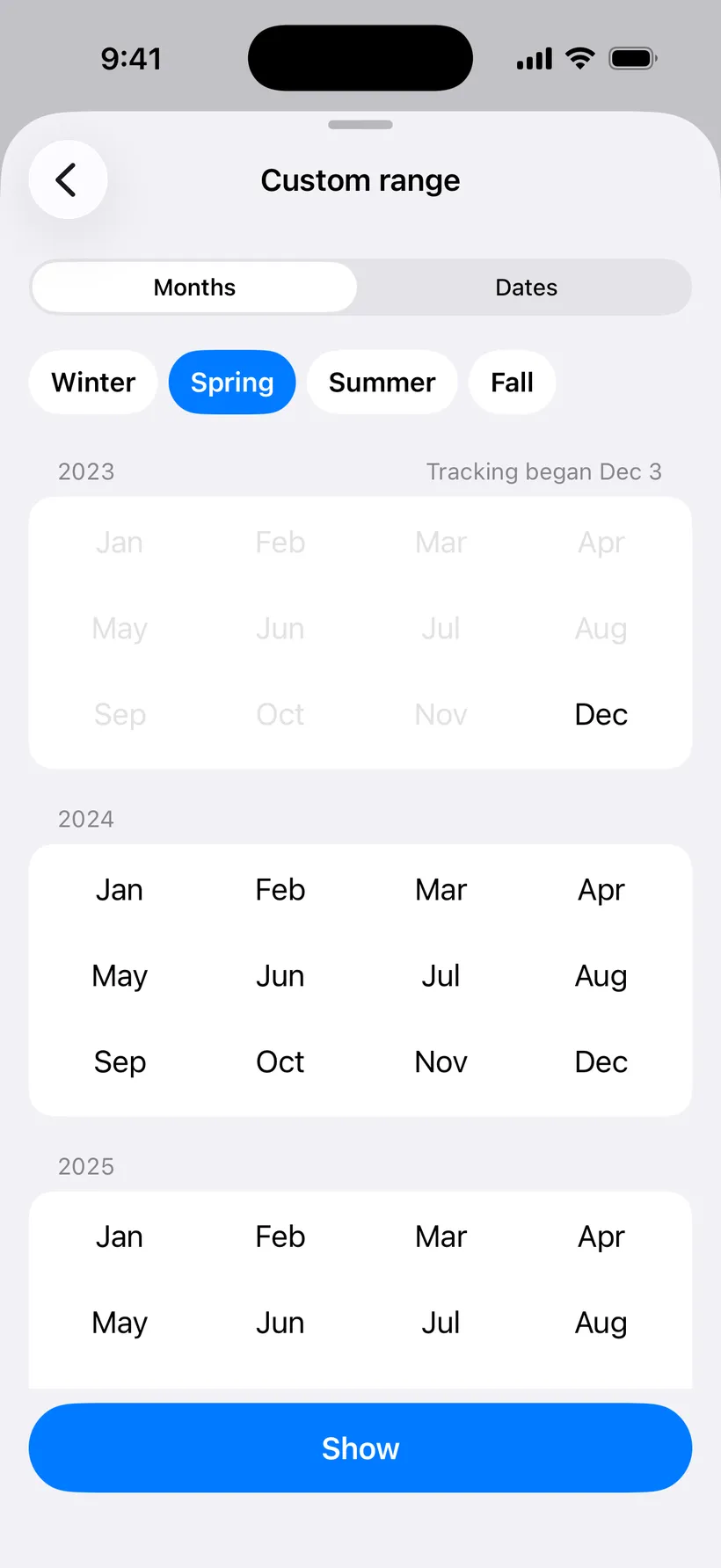
Or any months you like, with a shortcut for each season. 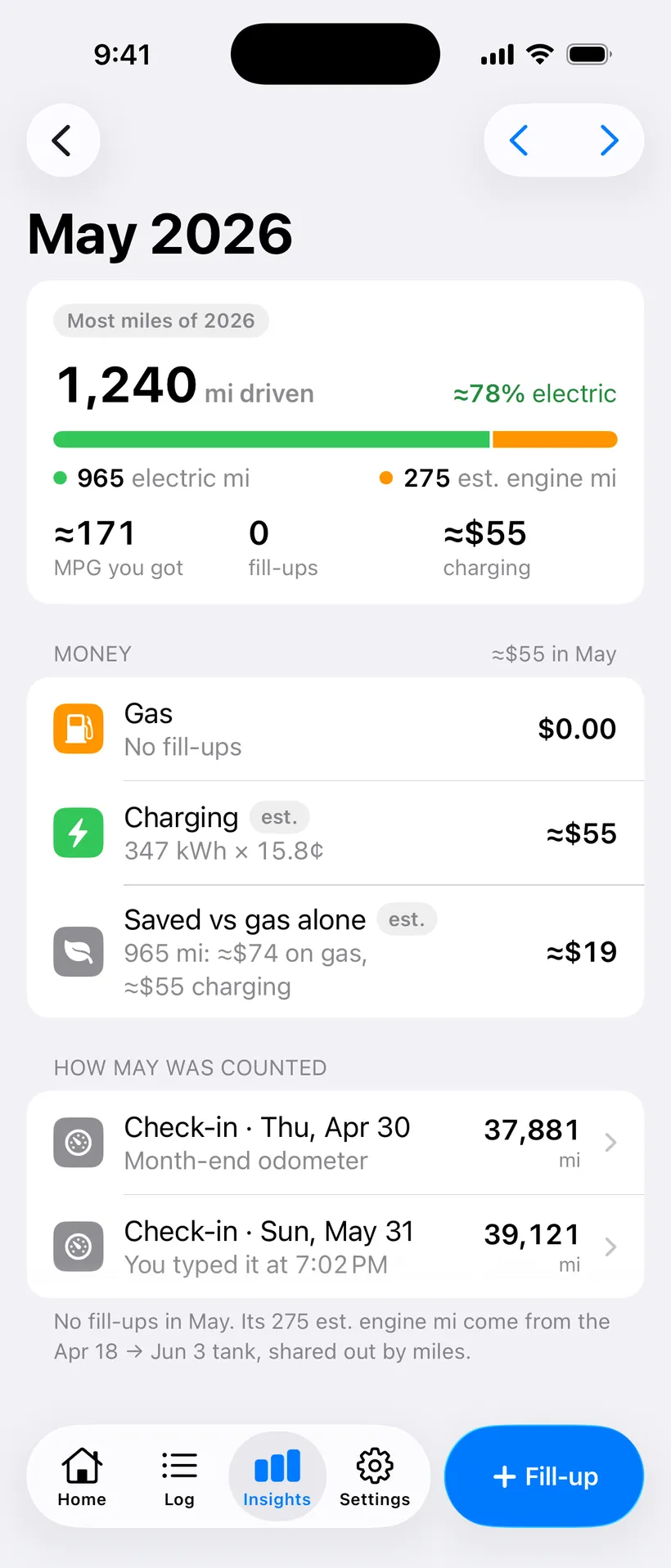
Tap a month on any chart for its own page.
- One hub, four pages
- Electric split, Fuel & MPG, Money and Oil, each a card that opens its own page. The year recap sits on top.
- Pick a date range
- This year, last year, the last 12 months, since tracking, or any months or dates you choose.
- A page for every month
- Tap a month on a chart for its miles, fill-ups and money, with ‹ › to the next one.
Electric split
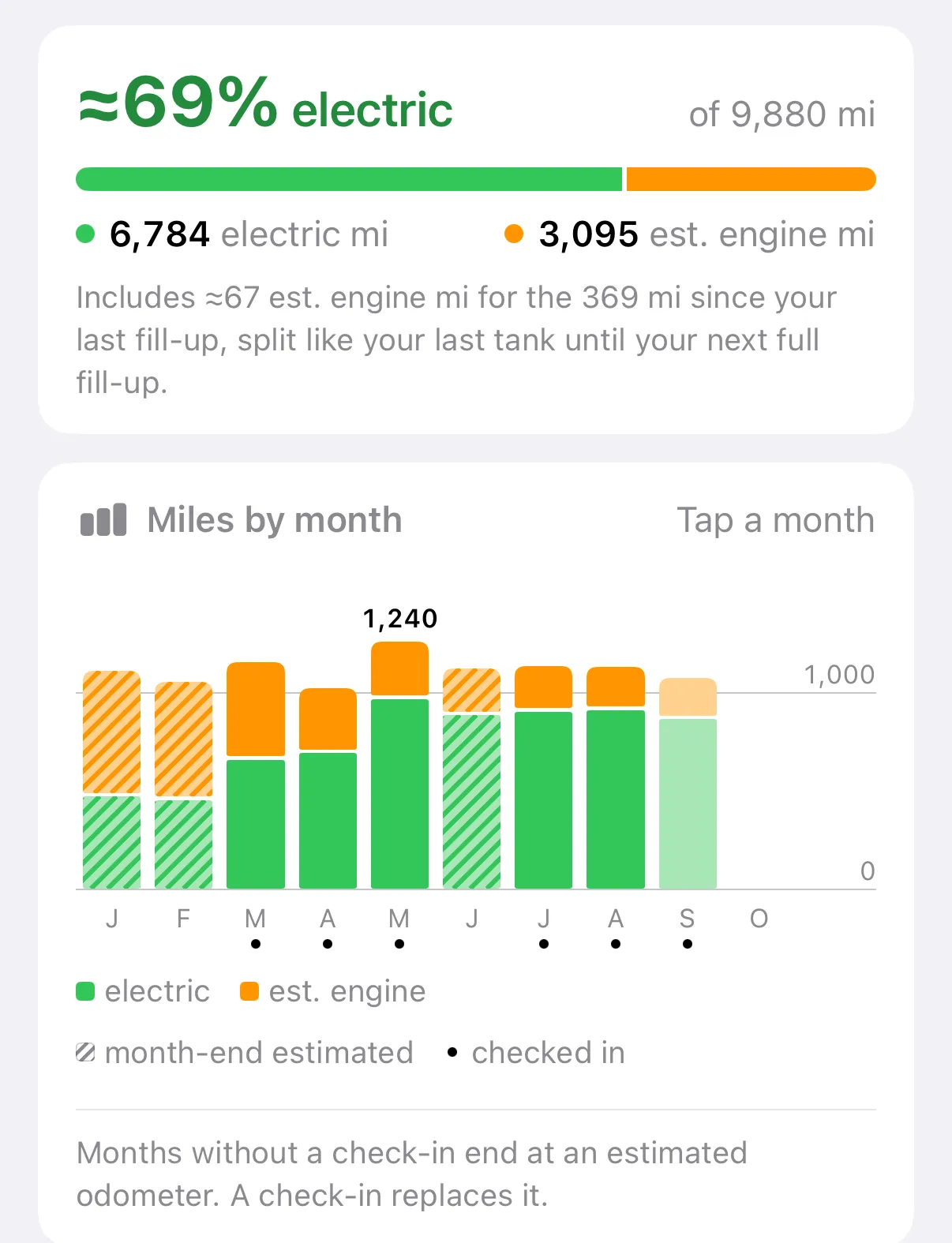
Miles by month this year. Striped months are estimated; a dot means you checked in. 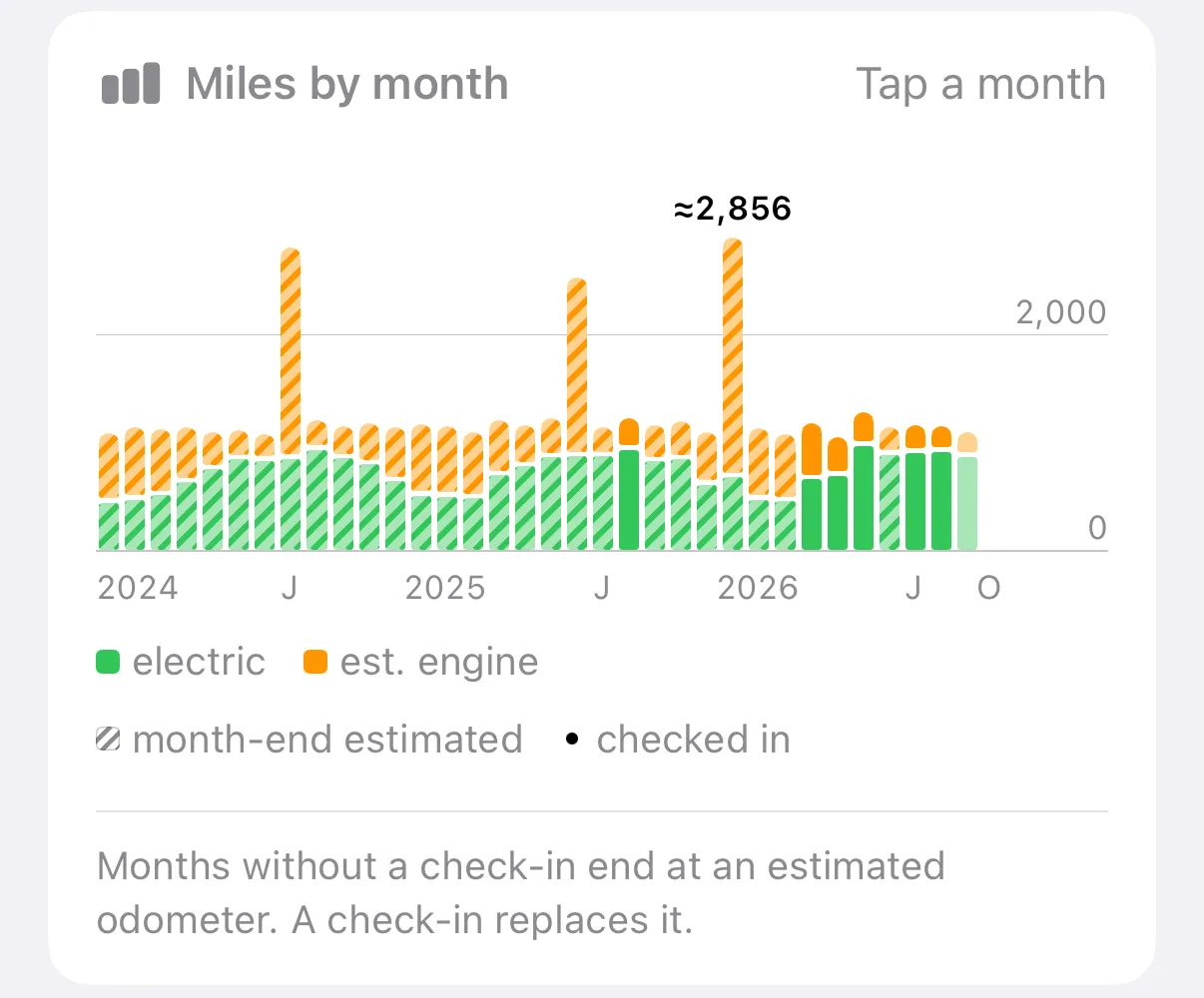
The same chart since tracking began, almost three years. 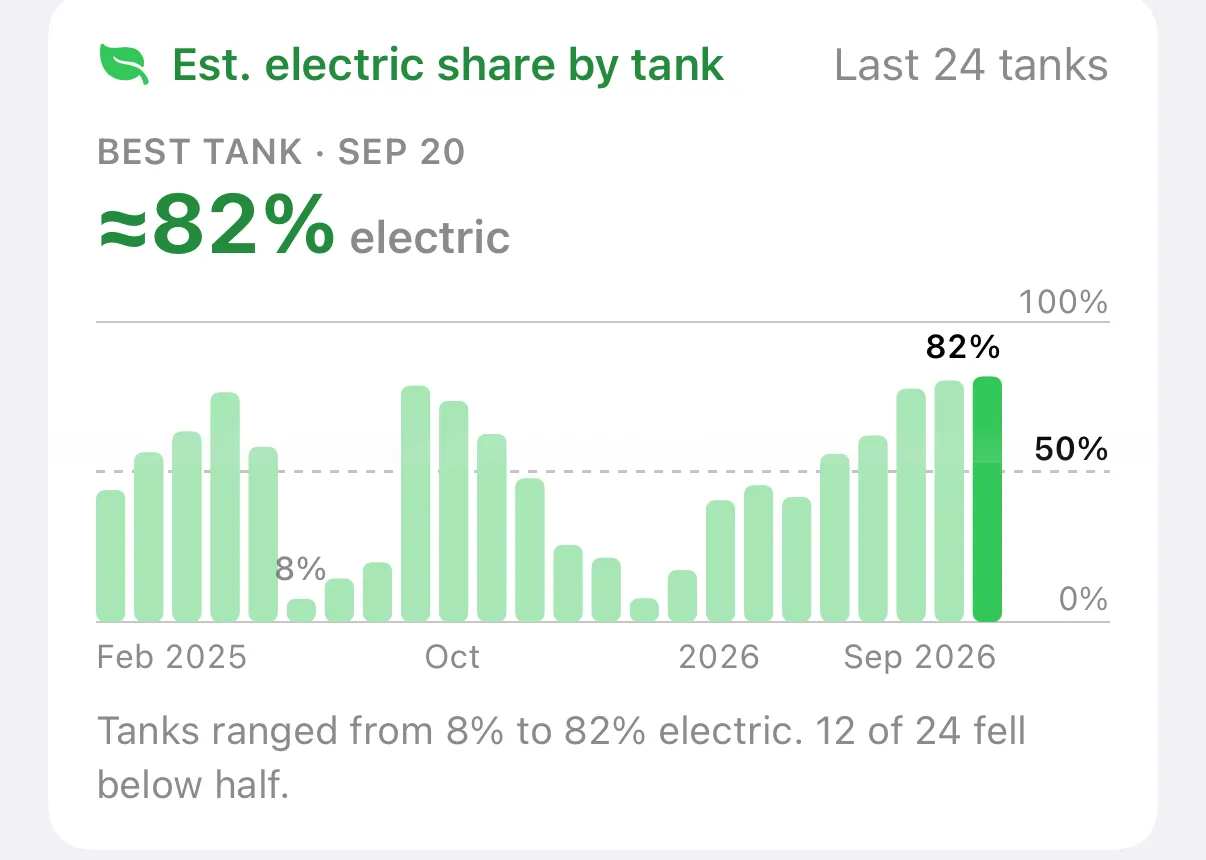
Every full tank’s split, with your most electric one. 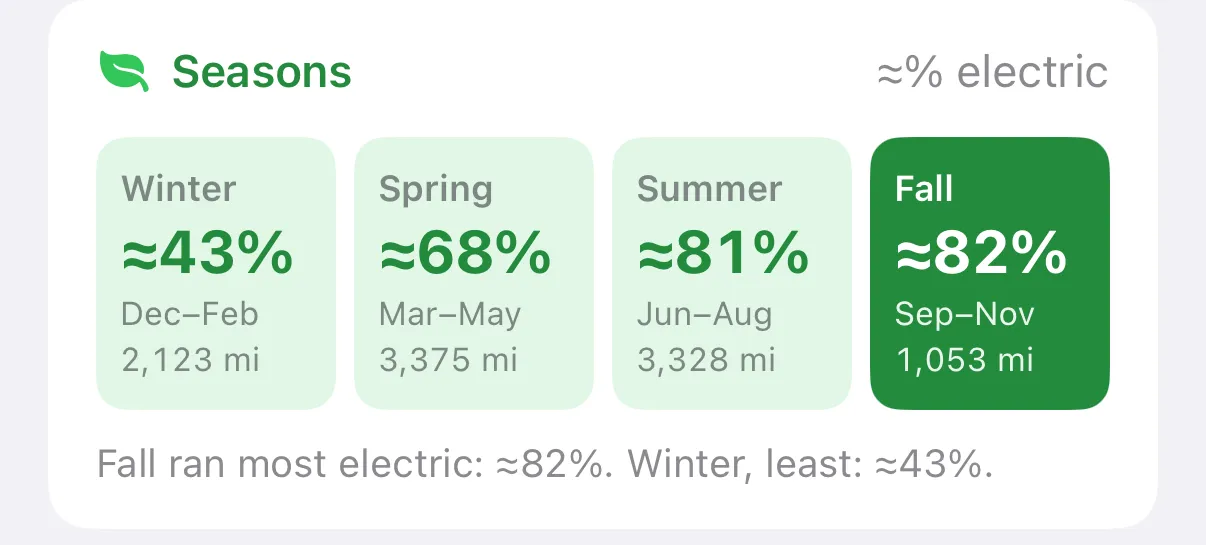
Seasons. Cold winters show up here. 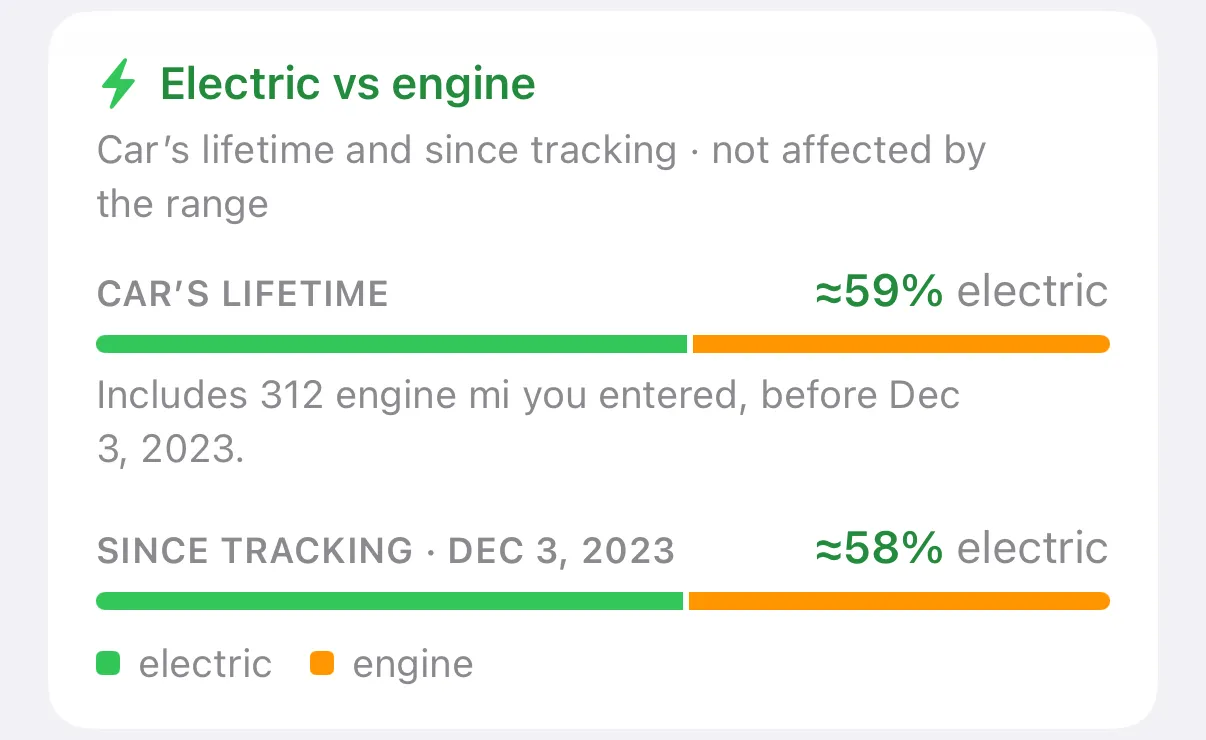
The car’s lifetime next to the time you’ve tracked it.
- Electric vs engine
- The share of your miles on electricity since you started tracking, and over the car’s life when its earlier miles are known.
- Miles by month
- Electric and engine miles for every month, with checked-in and estimated months told apart.
- Electric share by tank
- Each full tank’s split as a bar, with your most electric tank named.
- Seasons
- Which season ran most electric and which least.
- Before tracking: how it firmed up
- If the app estimated your earlier engine miles, a chart shows the estimate after every tank until it settles.
Fuel and MPG
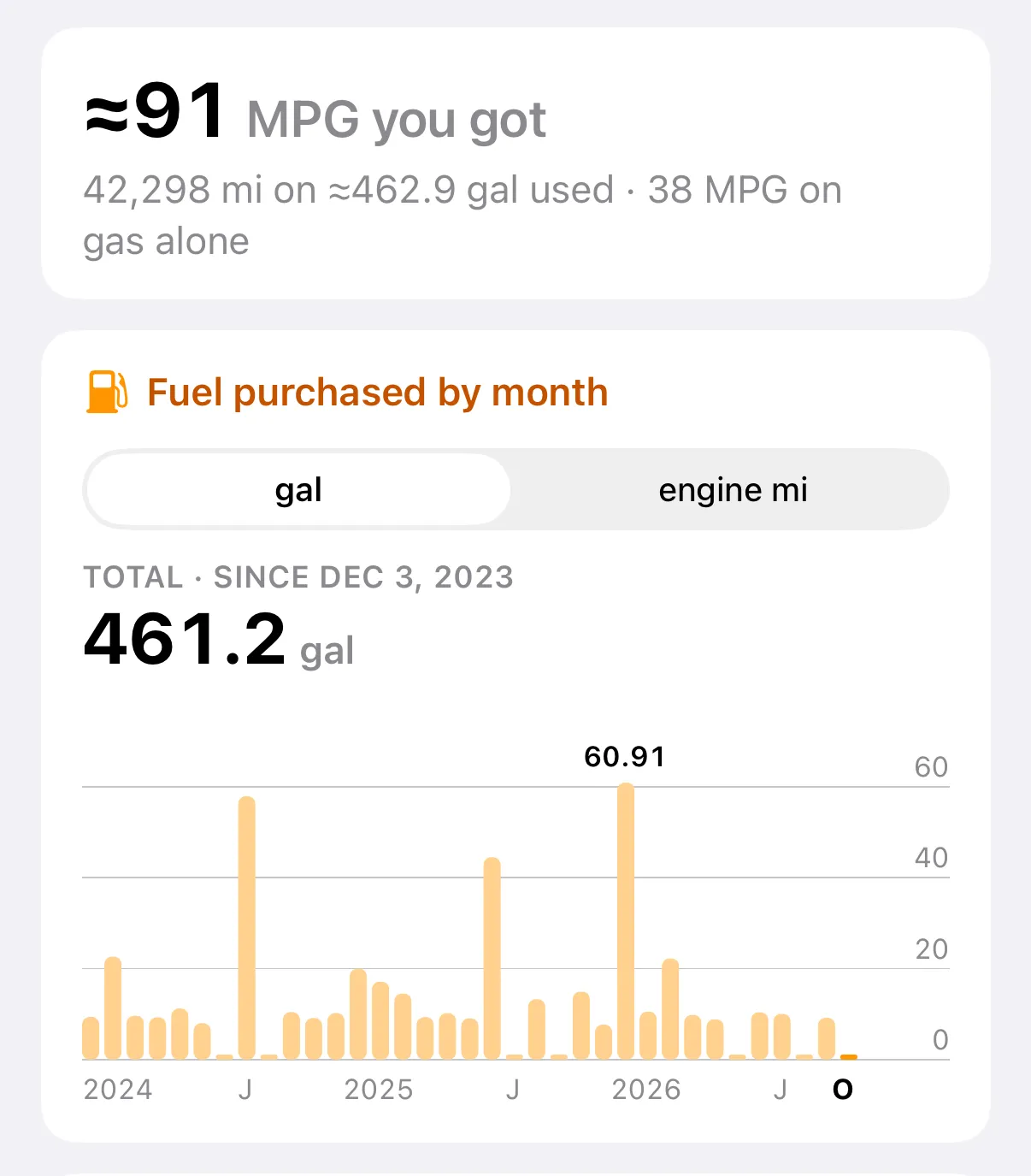
Fuel bought by month, in gallons or engine miles. 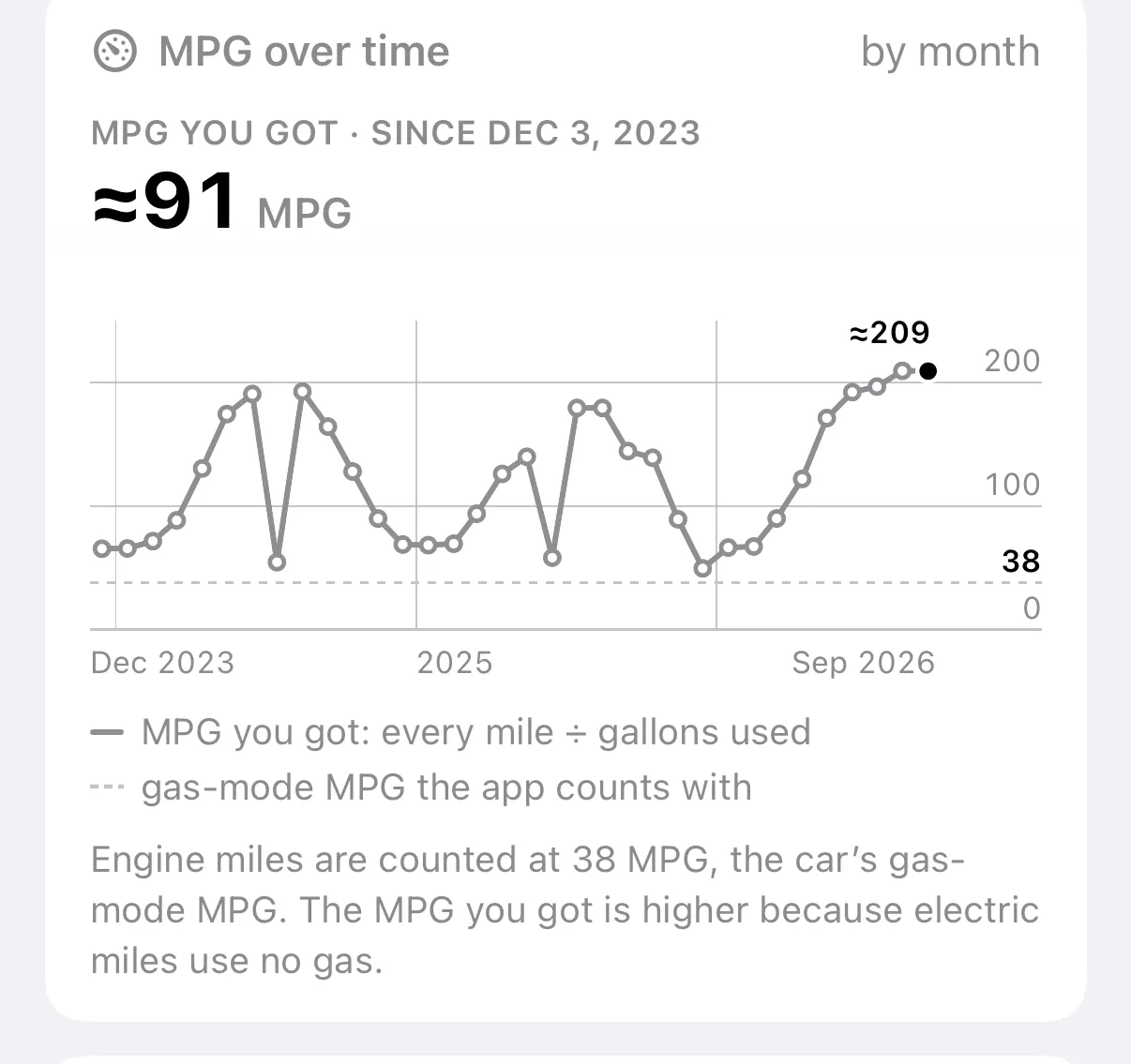
The MPG you actually got, month by month, against the 38 the app counts with. 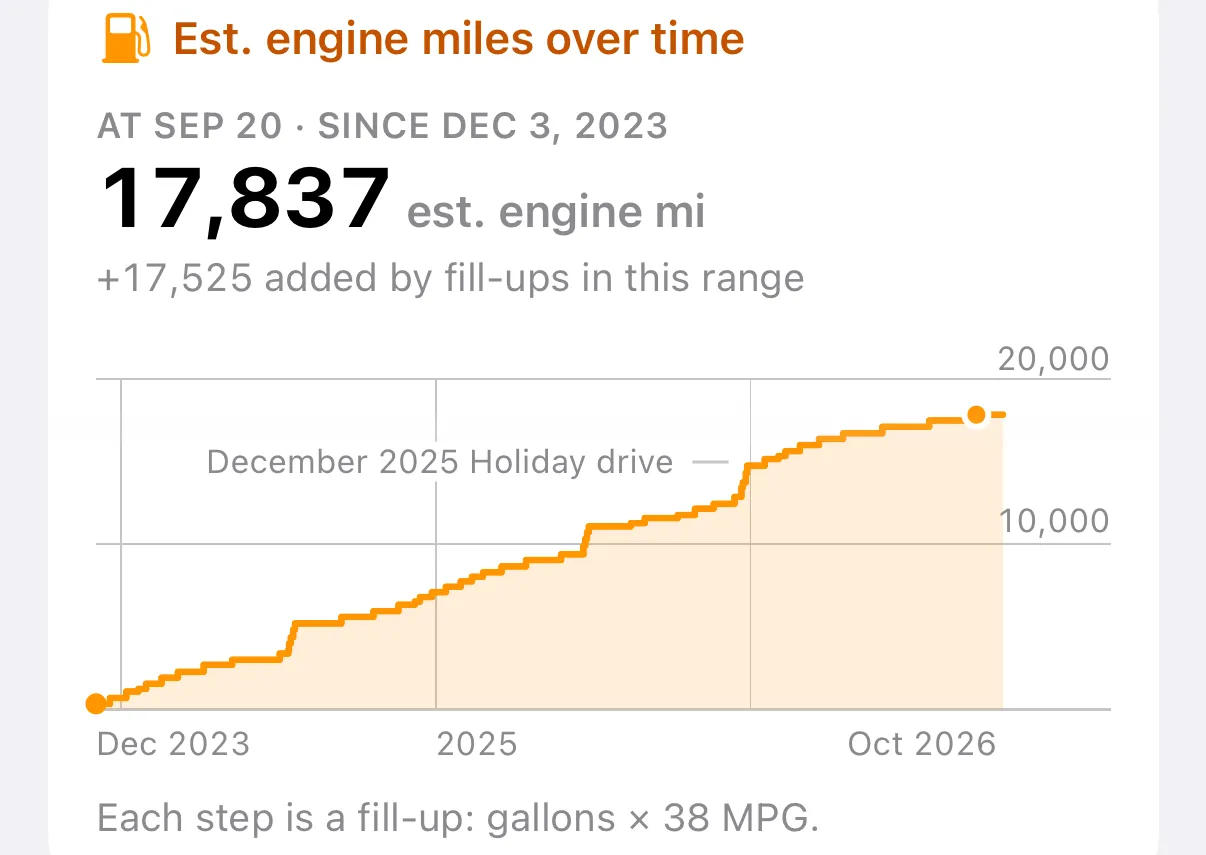
Engine miles over time. Each step is a fill-up.
- Fuel bought by month
- In gallons or in est. engine miles. Hold a bar to read it.
- MPG over time
- The MPG you actually got, electric miles included, next to the gas-mode MPG the app counts with.
- Engine miles over time
- The running total as a line, with your busiest month called out.
- Key numbers
- Fill-ups, average fill-up and how often, average price paid, and your cheapest gas and where.
Money and electricity
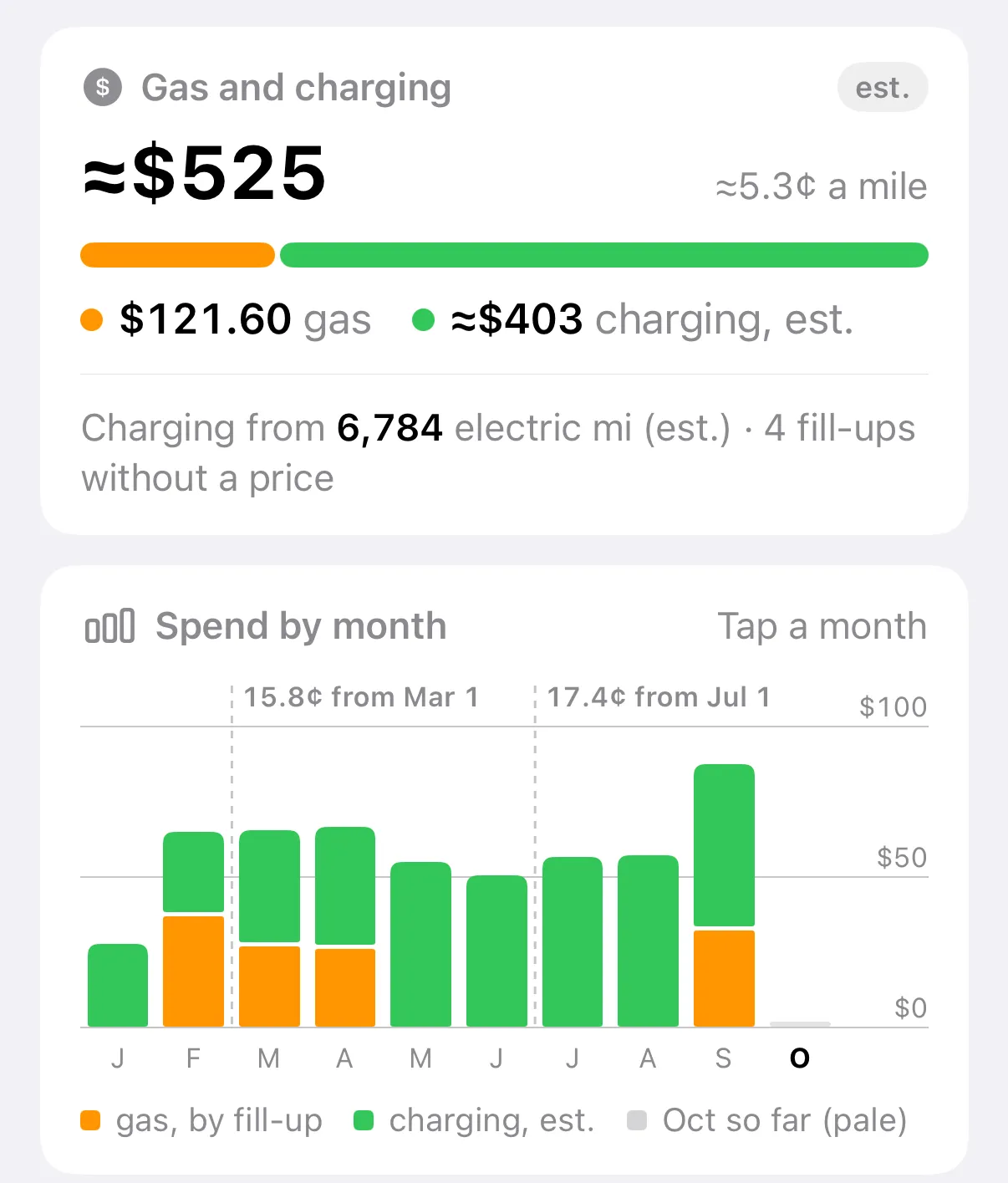
Gas and charging together, and spend by month. 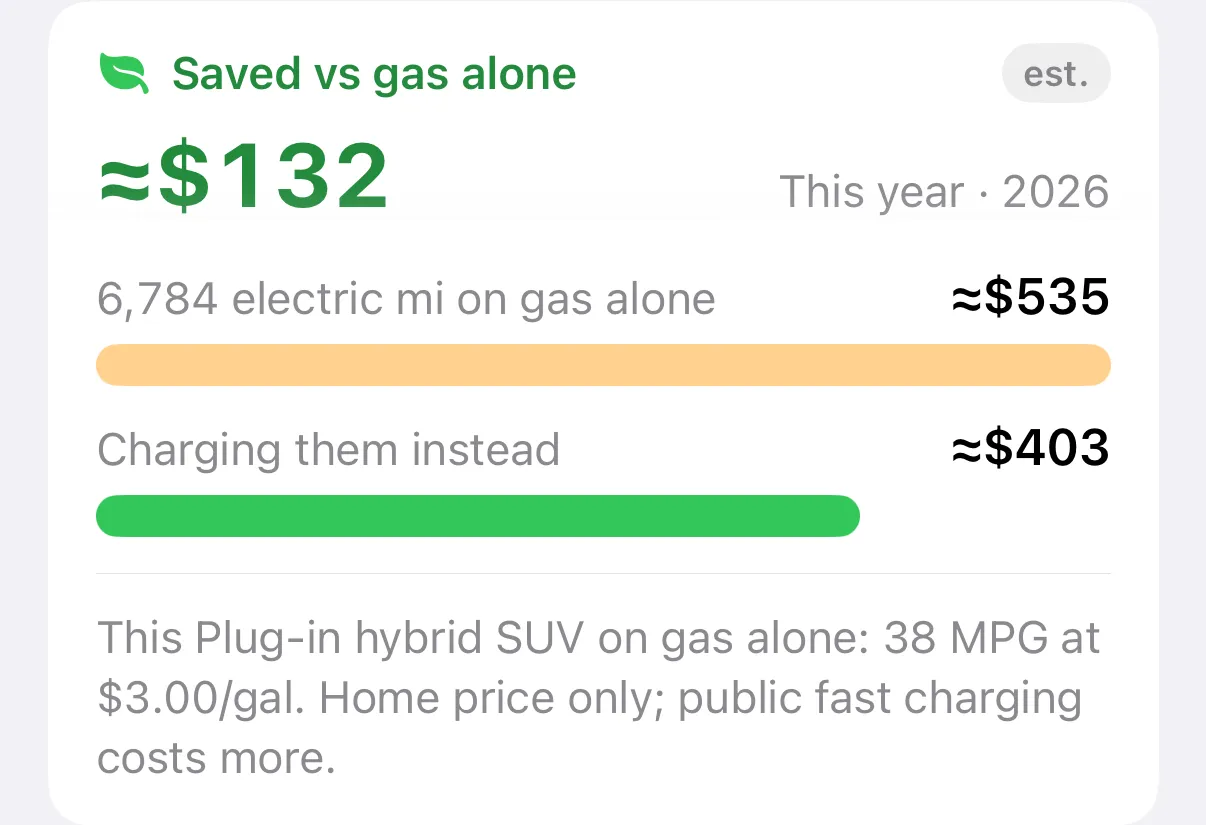
What your electric miles would have cost in gas. 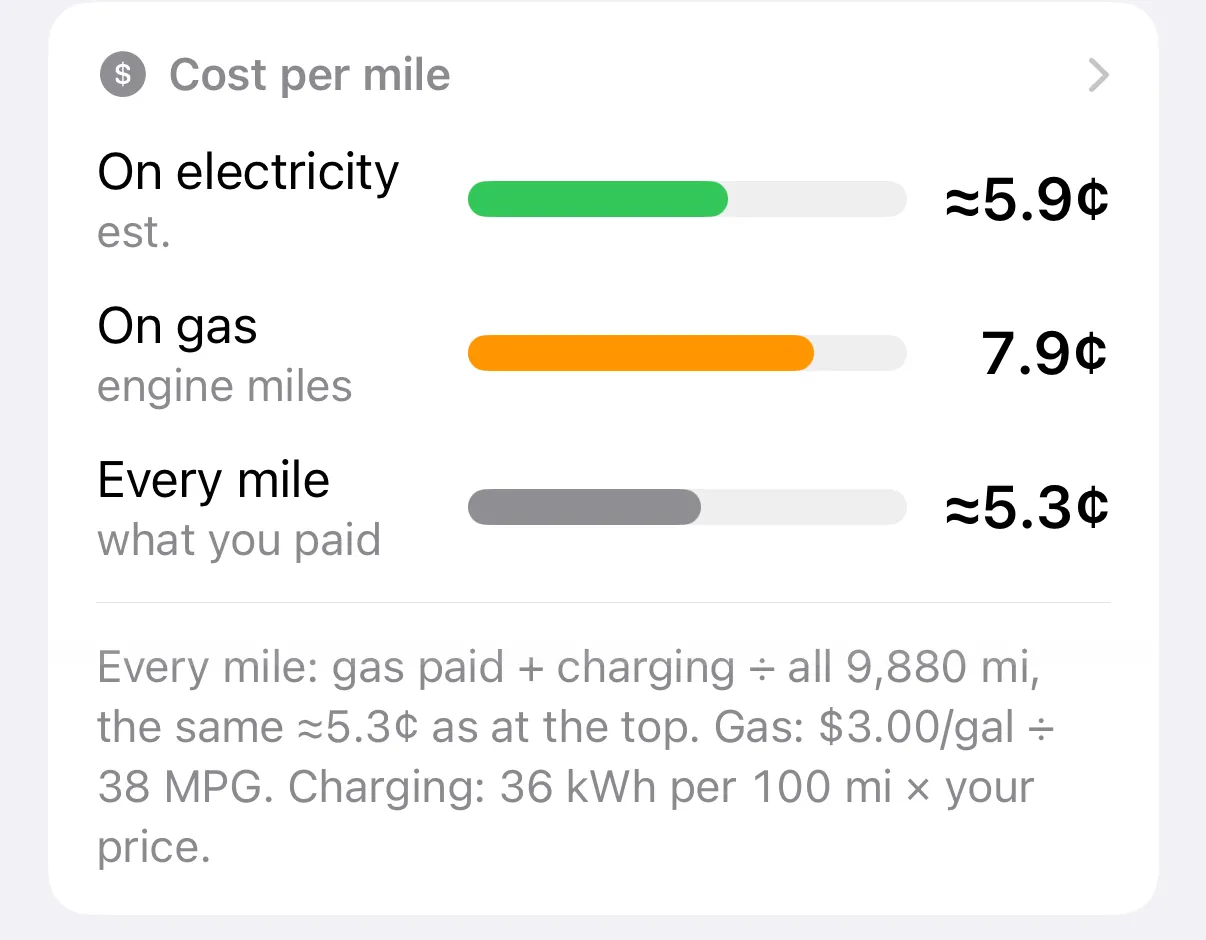
Cost per mile, on electricity, on gas, and all of it. 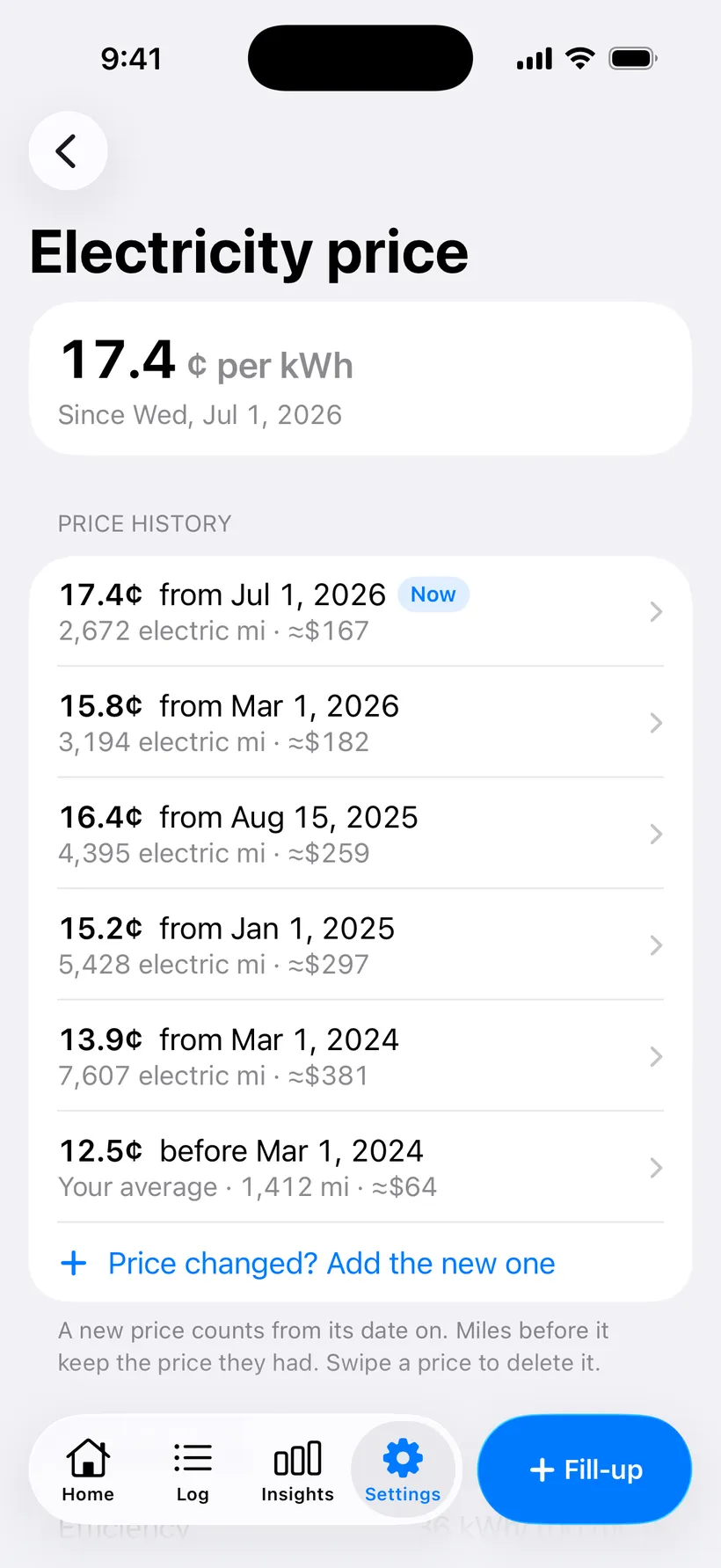
Your electricity price, with a history when it changes. 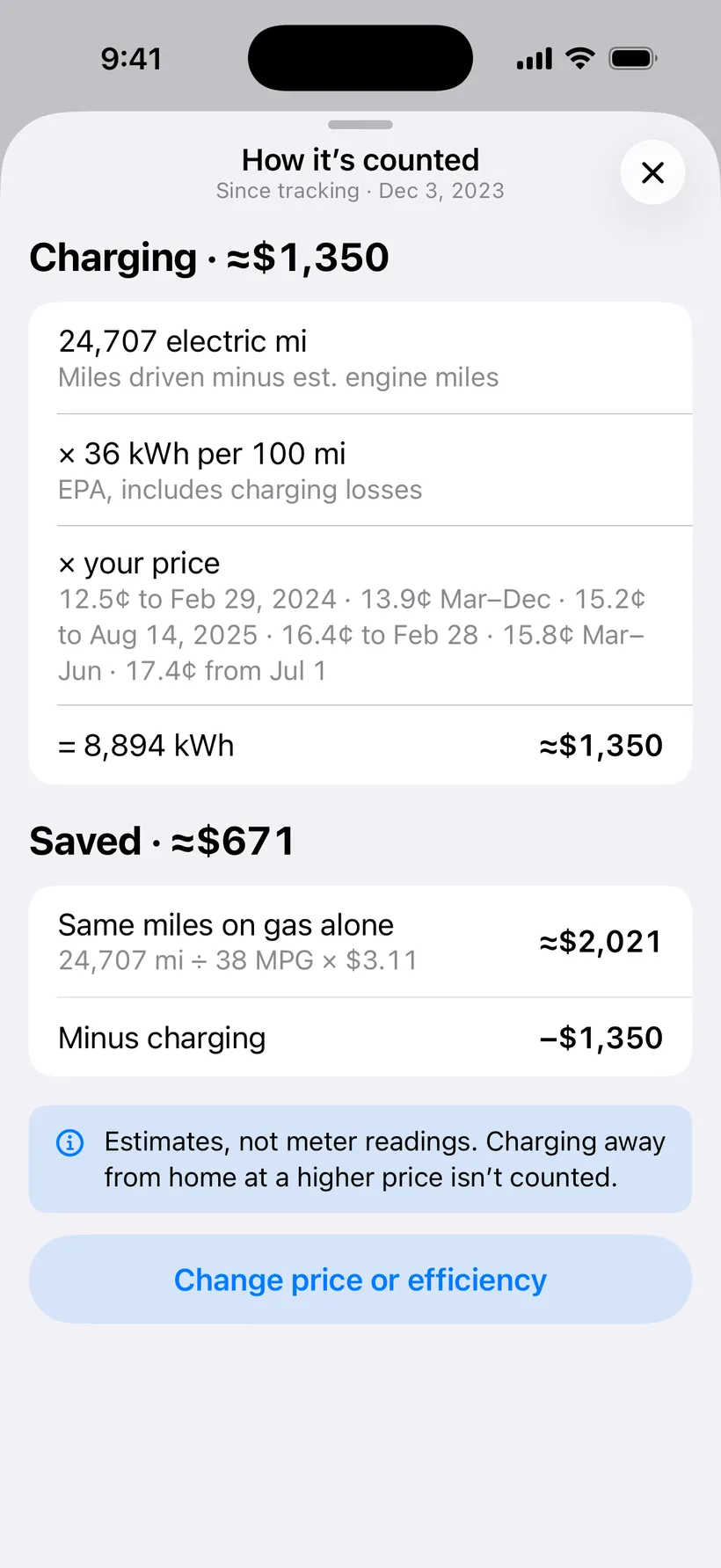
Every input of the charging math, in one sheet.
- Fuel spend by month
- What you spent on gas each month, and about how much a month on average.
- Cost of an engine mile
- Price per gallon divided by MPG for every priced fill-up, with the cheapest and priciest named.
- Your electricity price
- Your home price per kWh, with a short history when the rate changes. The app never guesses it for you.
- Gas and charging, side by side
- Receipts for gas, an estimate for charging from your car’s EPA kWh per 100 miles or your own number.
- Saved vs gas alone
- What your electric miles would have cost in gas in this car, against what charging them cost.
- Cost per mile
- On electricity, on gas, and every mile together, in cents.
Year recap
Your year with the car in five pages. Here is all of 2025 for the sample SUV, page by page, then a month zoomed in and the pictures you can share.
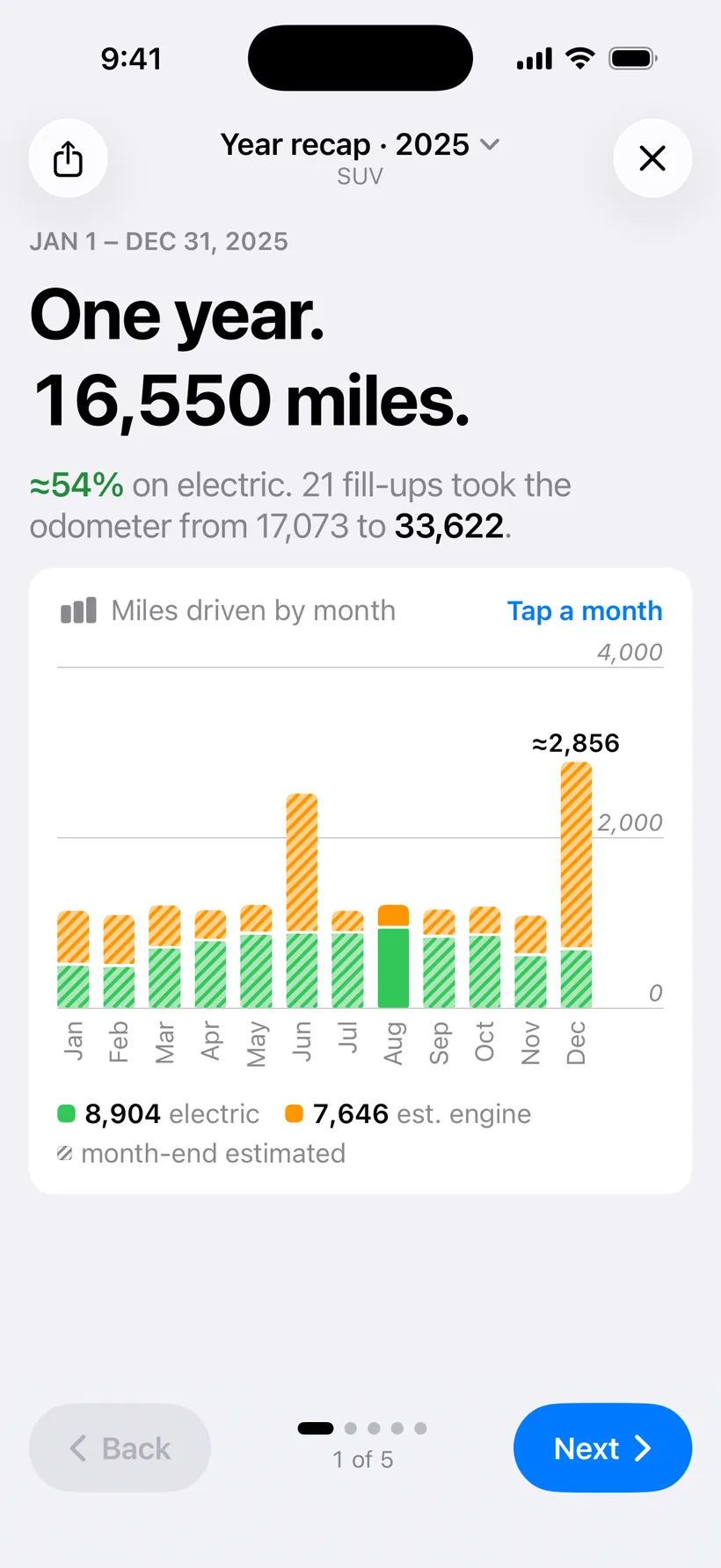
Page 1. The year in miles. Tap a month to zoom in. 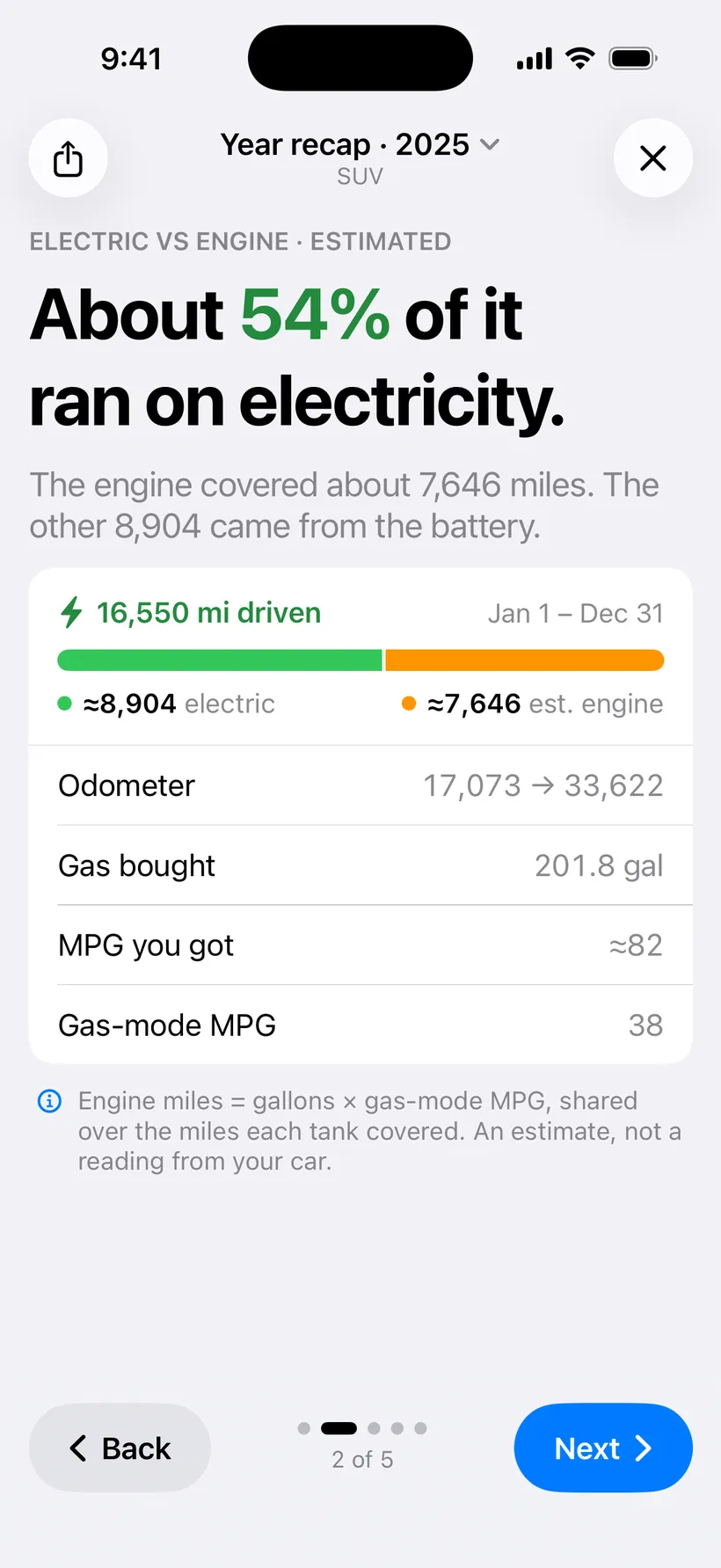
Page 2. How much ran on electricity. 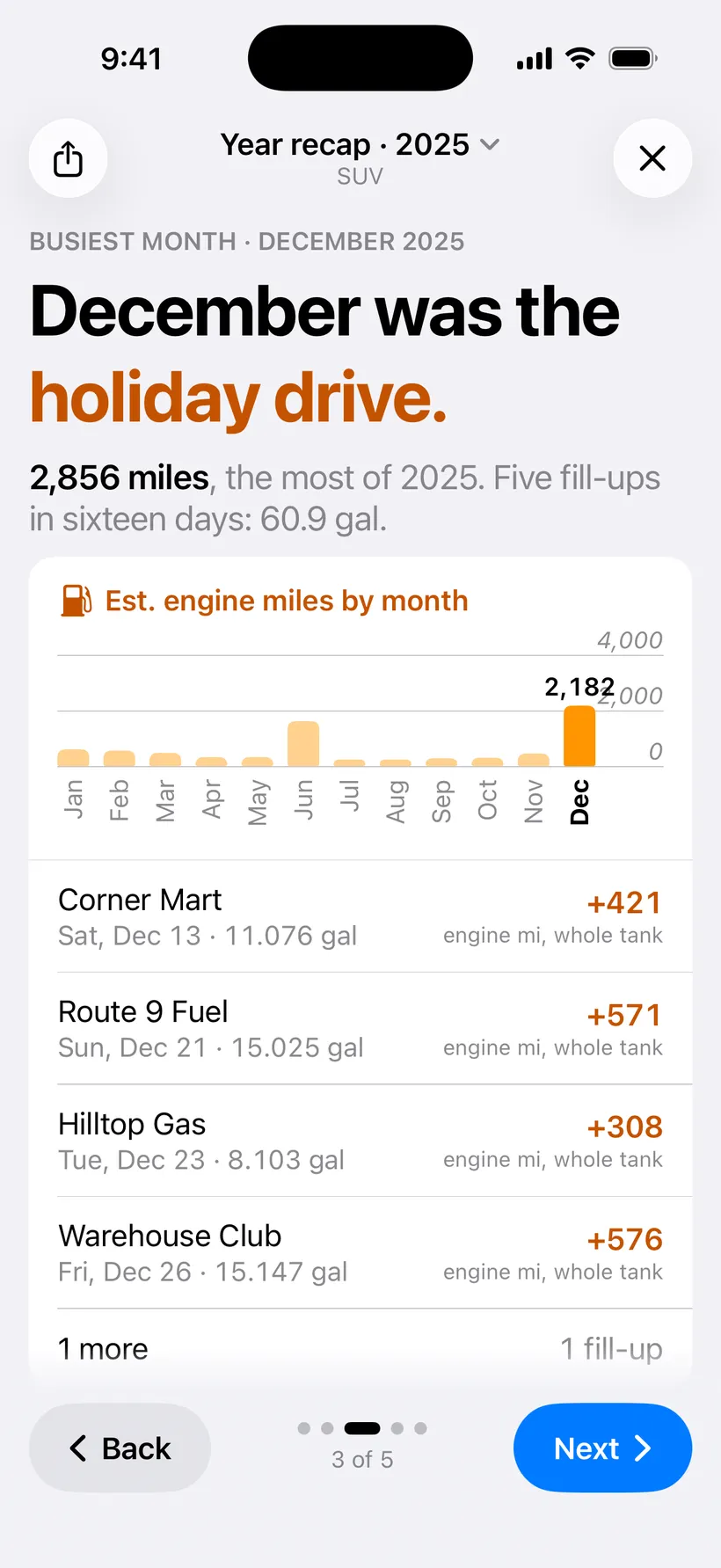
Page 3. Your busiest month, and why. 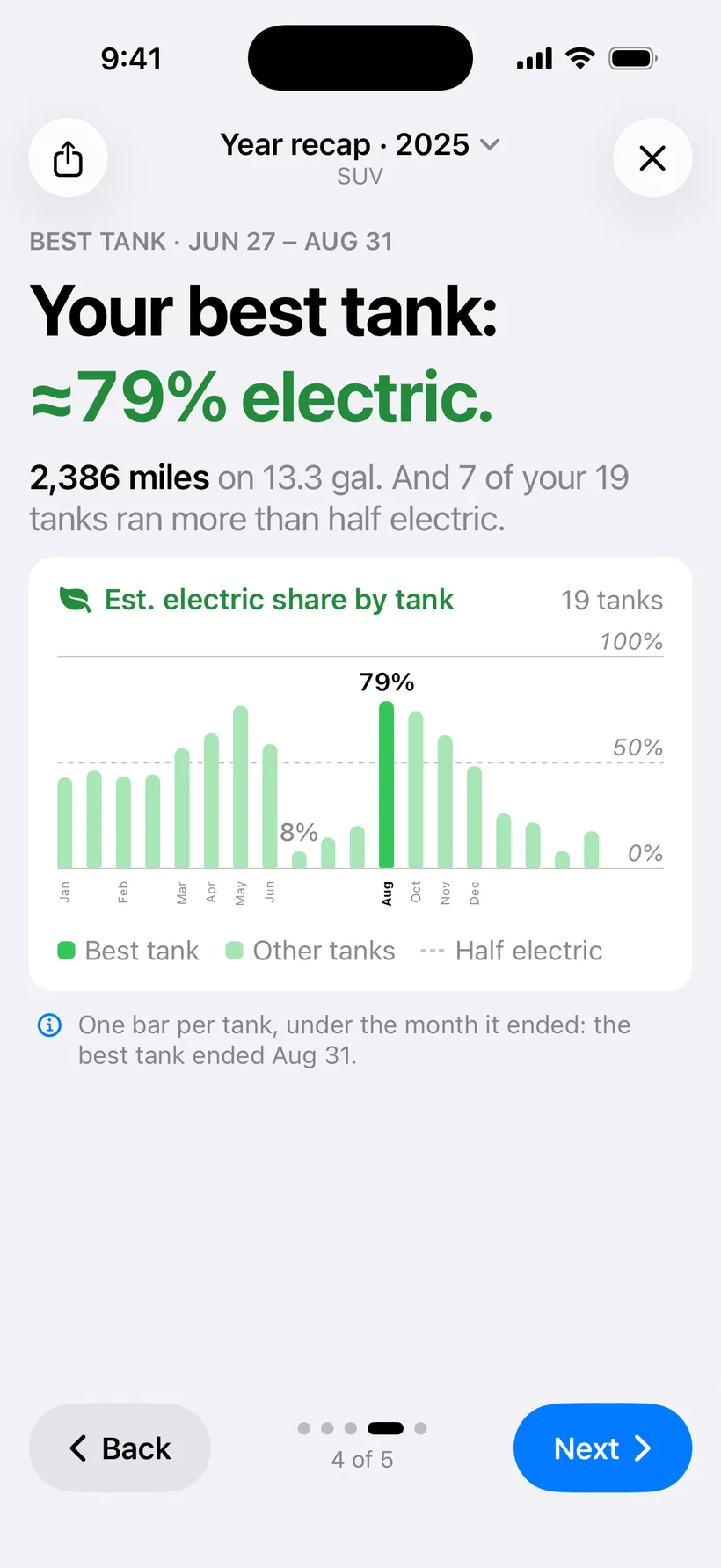
Page 4. Your best tank. 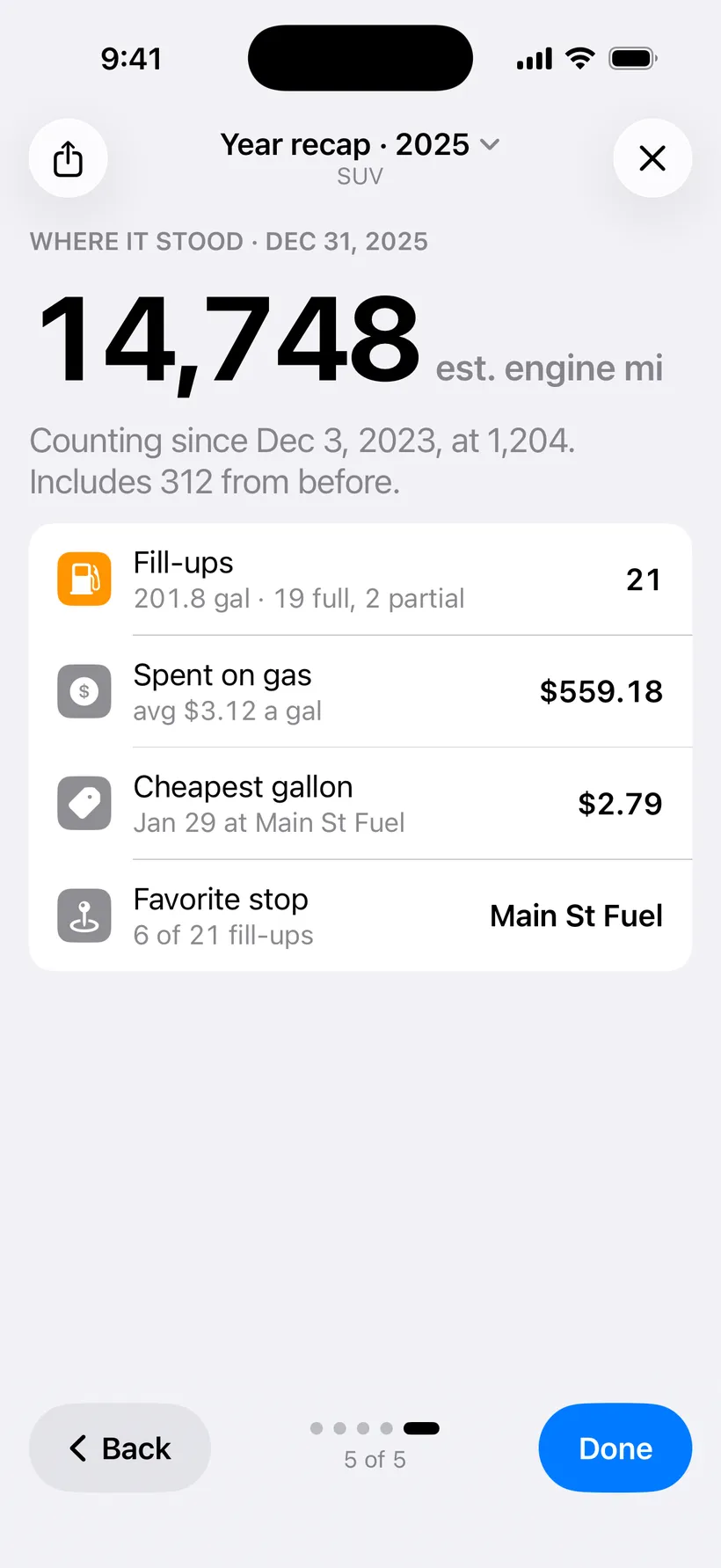
Page 5. Where the total stood on Dec 31. 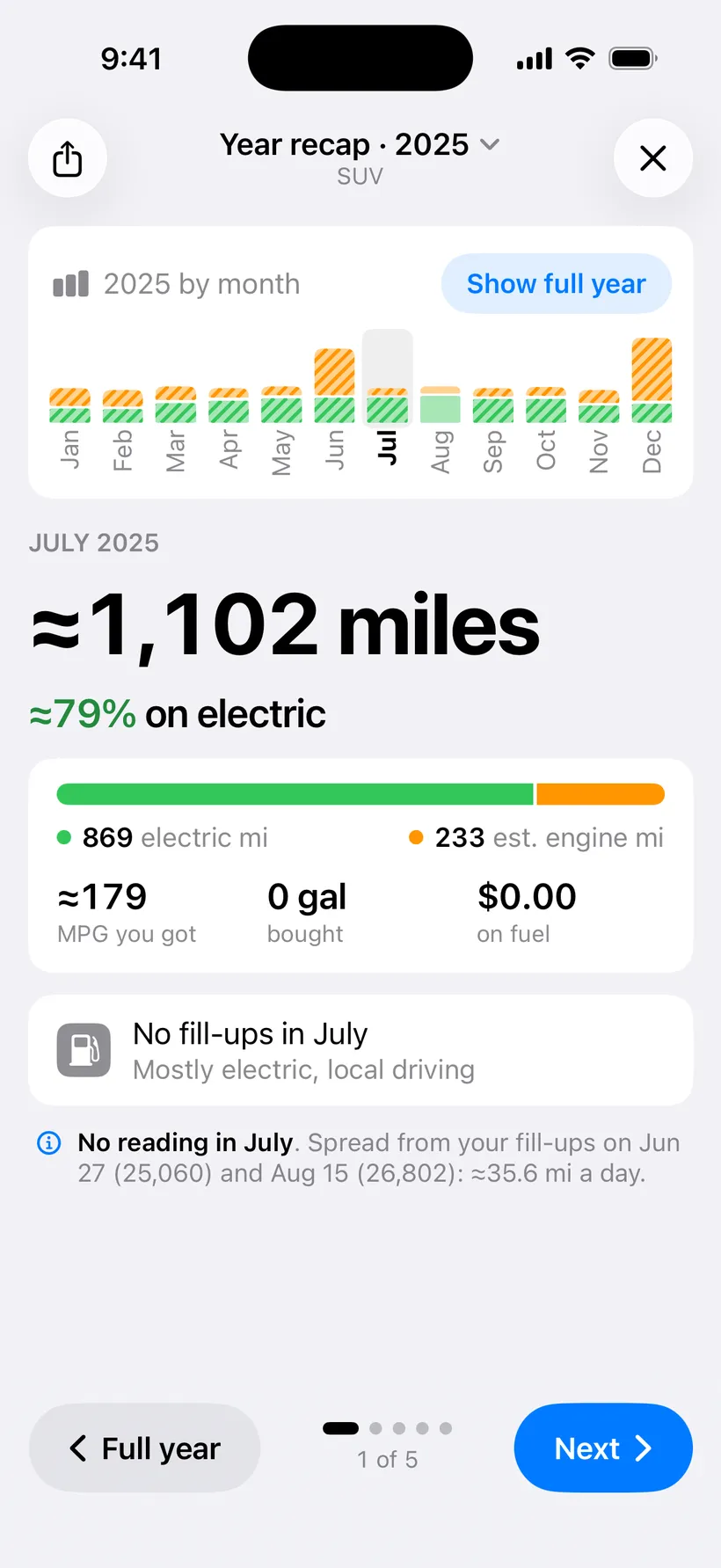
Tap a month: July 2025 up close. 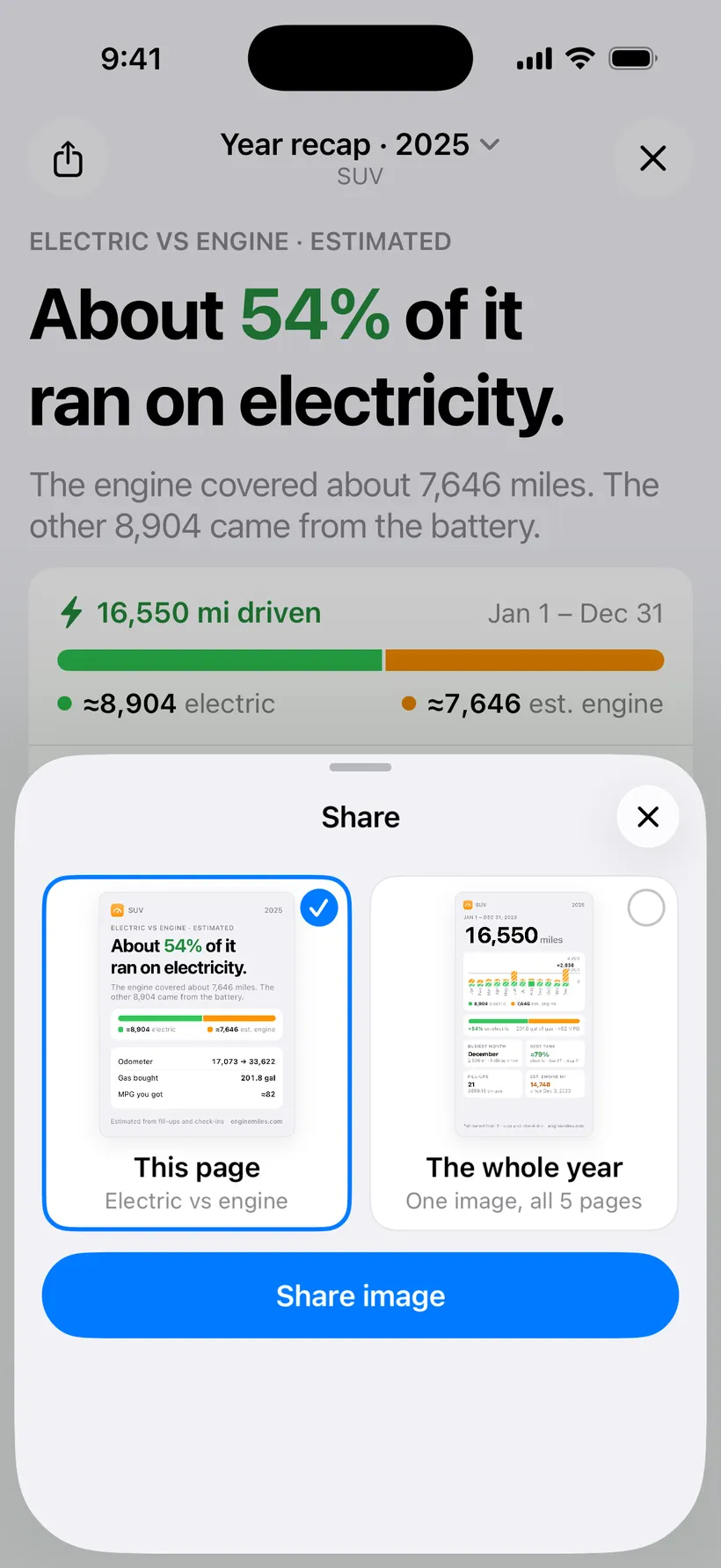
Share one page or the whole year. 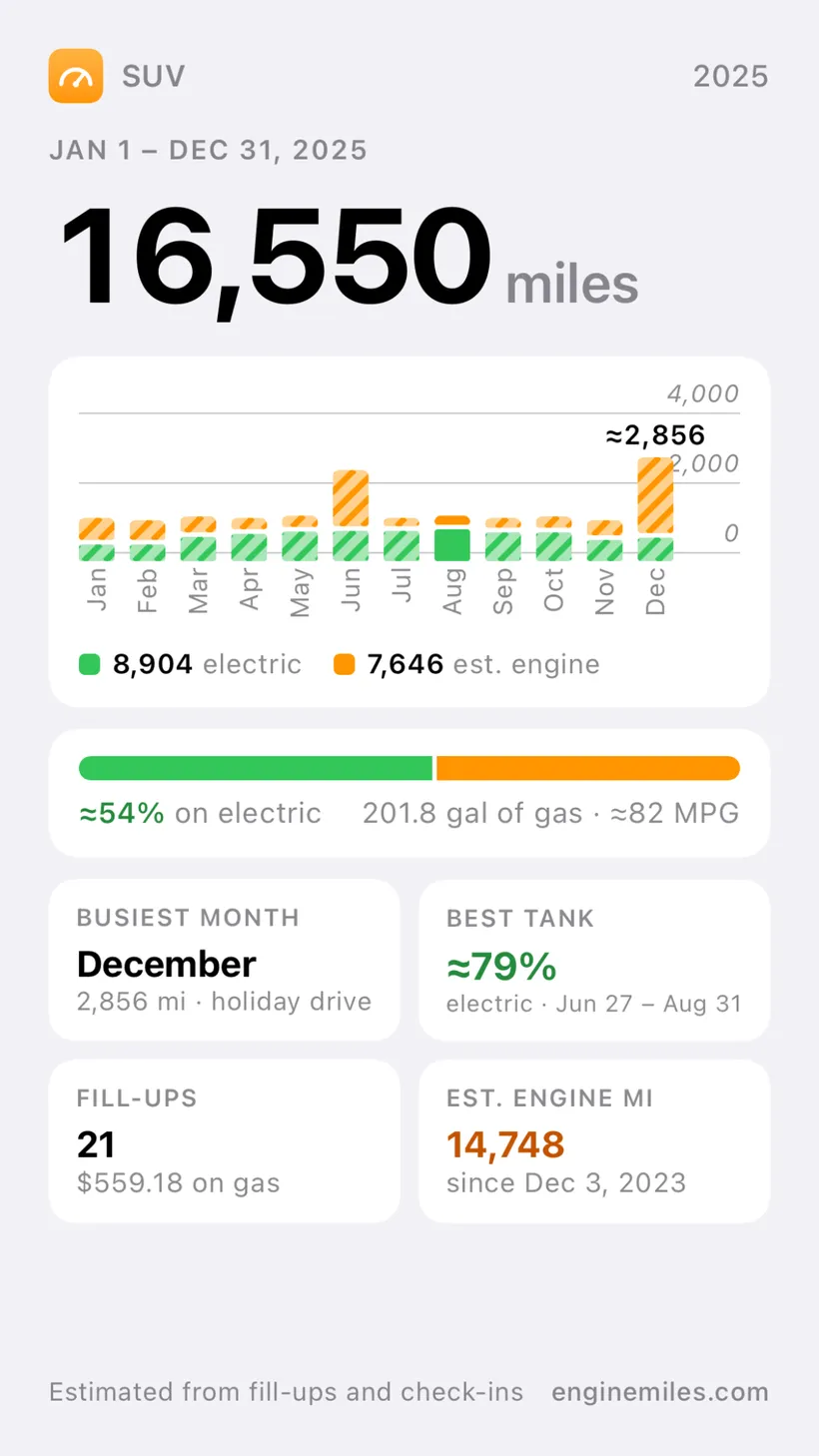
The whole year as one picture. 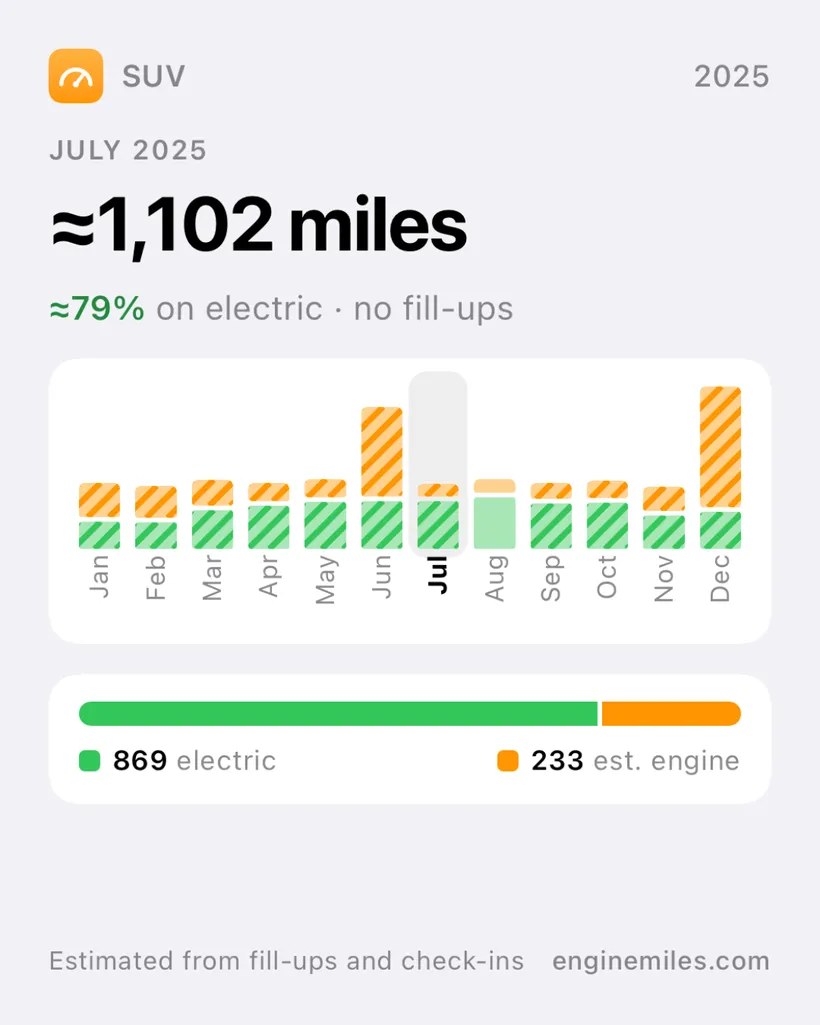
Or one month as a picture. 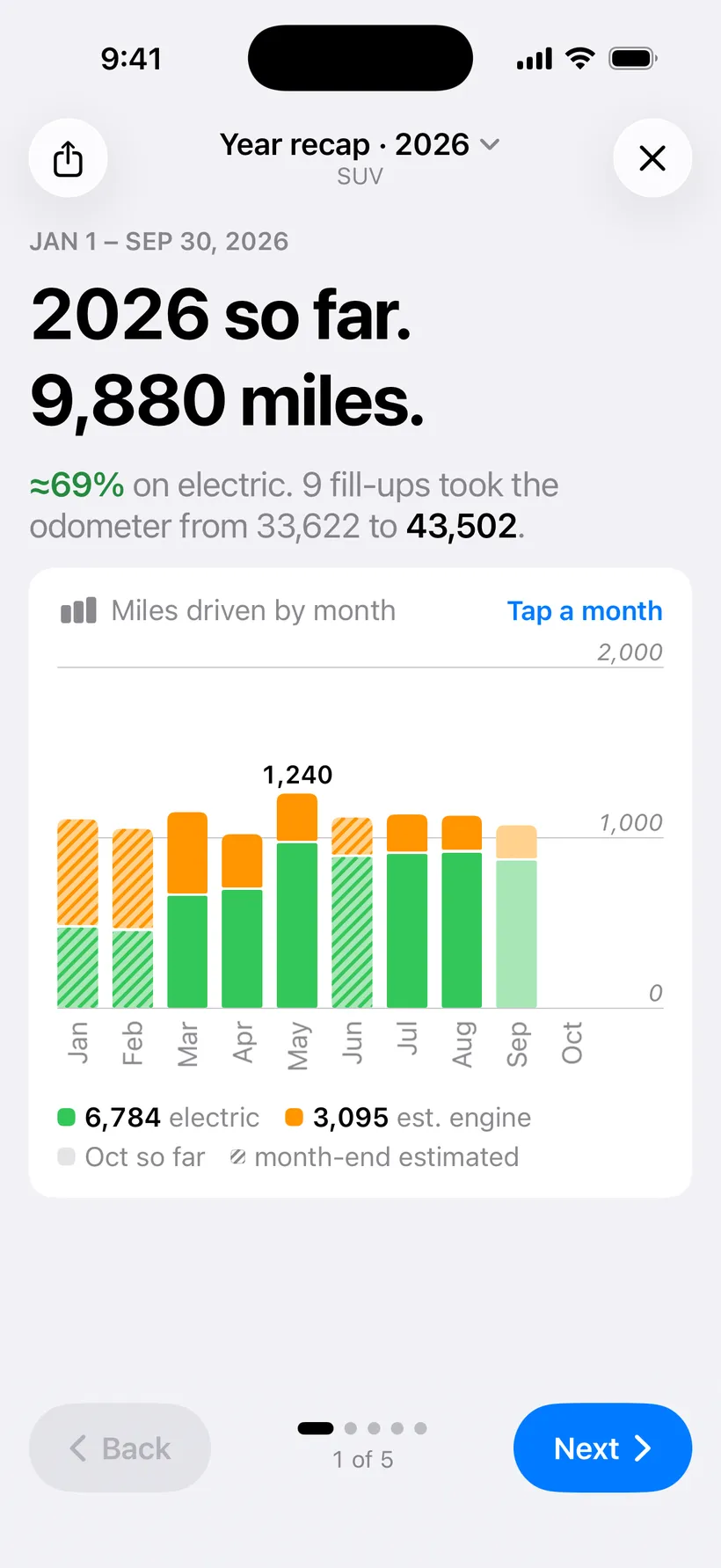
This year has one too, “2026 so far”.
- Five pages a year
- Miles driven, the electric split, your busiest month, your best tank, and where the total stands.
- Every calendar year
- A recap for each year from your first fill-up, “2026 so far” included. Switch years from the top.
- Any month, up close
- Tap a bar on page 1 for that month’s miles, split, MPG and fill-ups.
- Share a picture
- Send one page, the whole year in one image, or a single month.
Widgets
The numbers without opening the app. Eight Home Screen widgets and a set for the Lock Screen, all Pro.
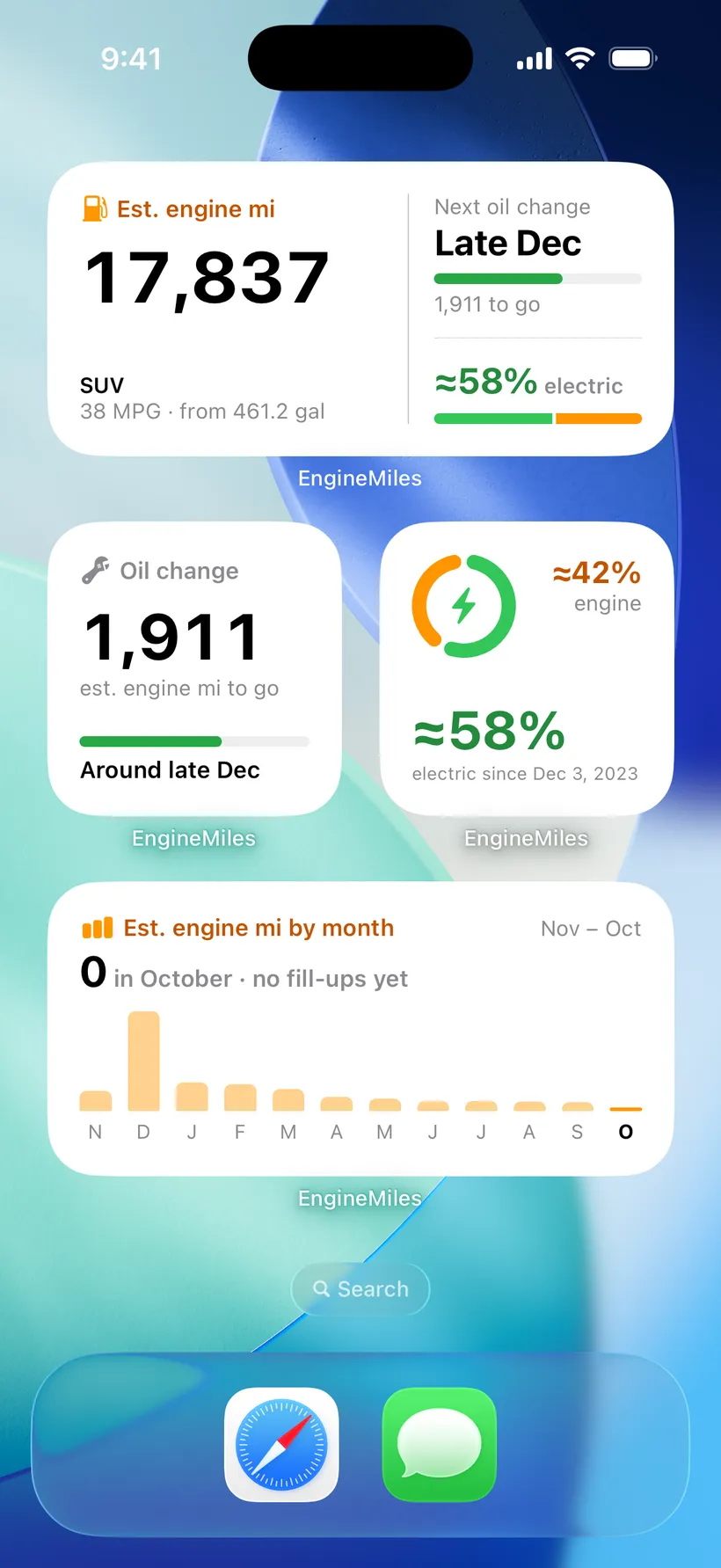
Engine miles, oil change, electric split and by month. 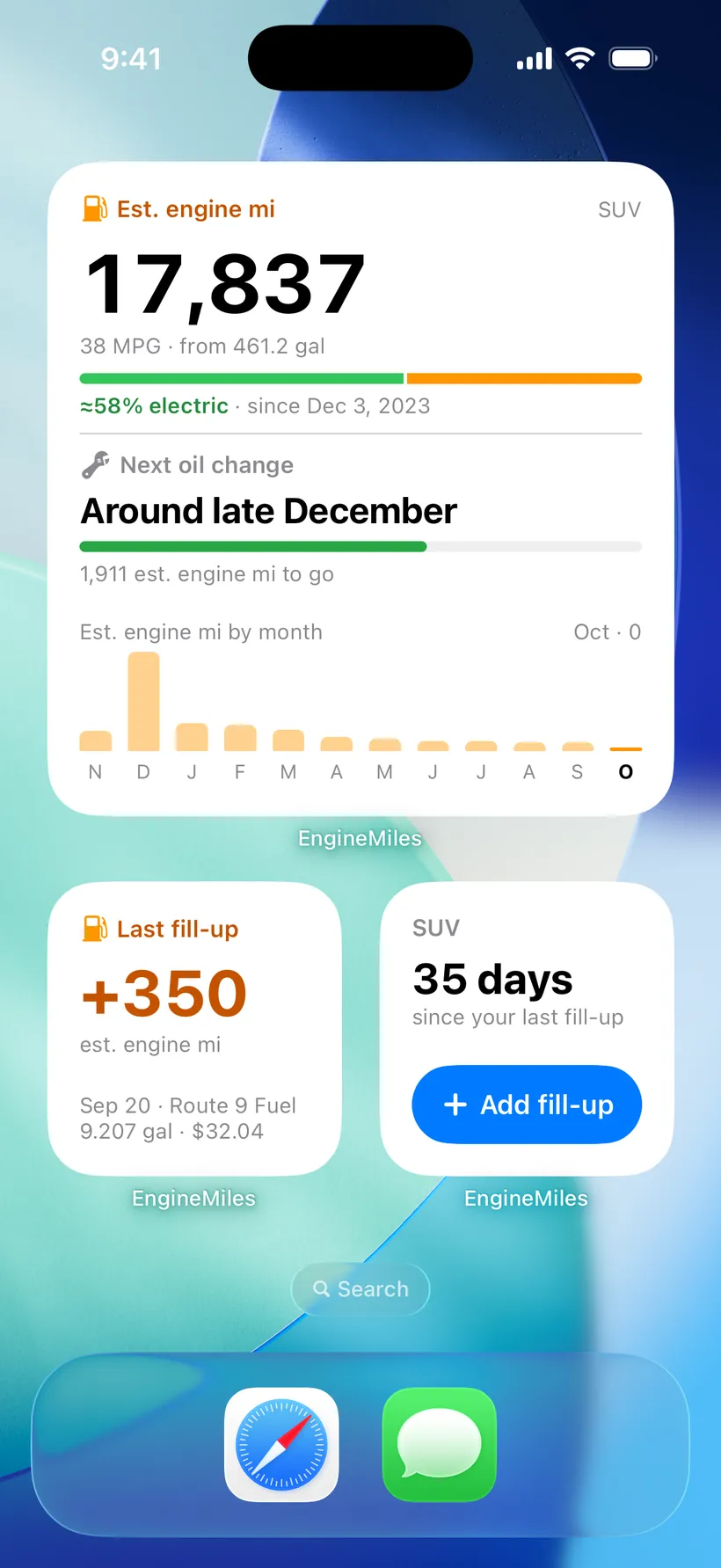
The large widget, last fill-up and Add fill-up. 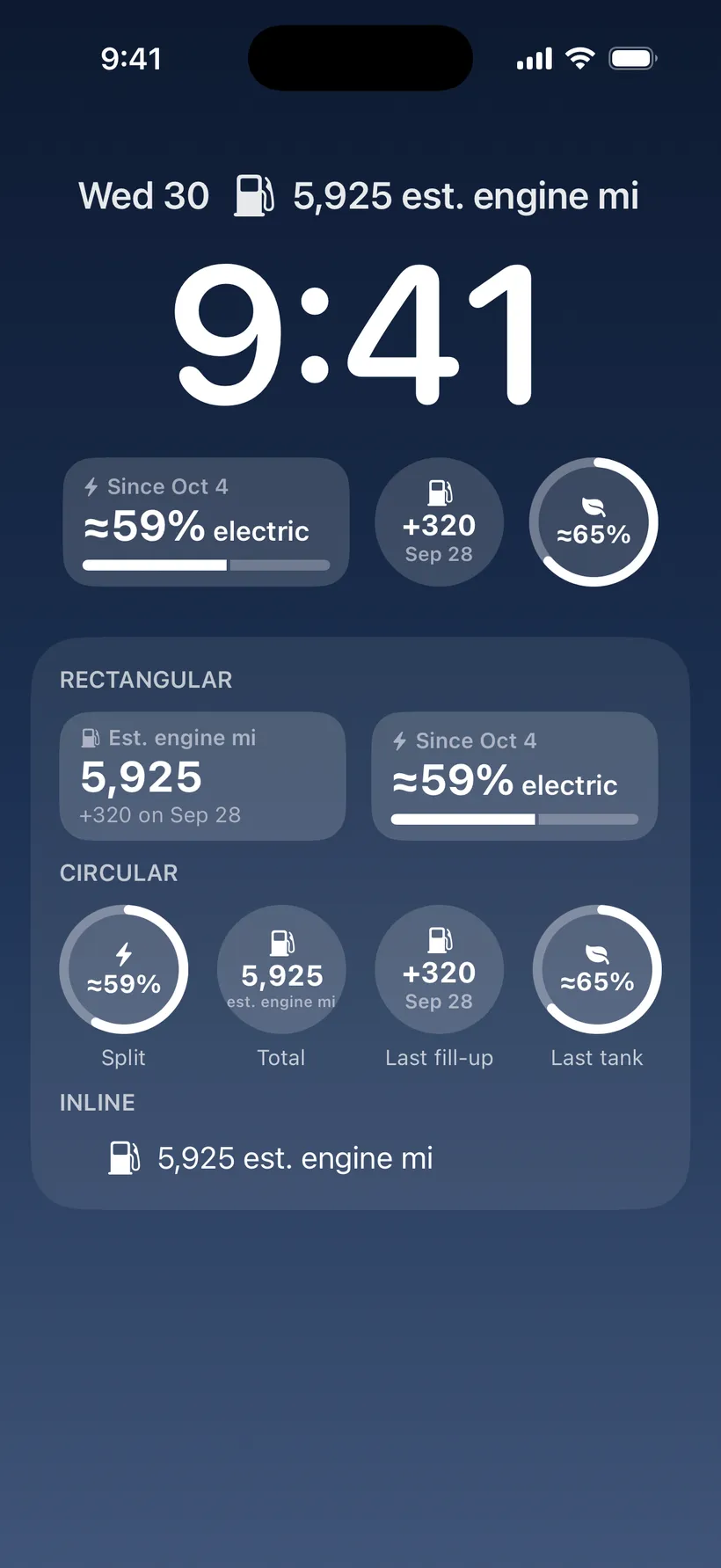
Lock Screen widgets, shown with sample numbers.
- Engine miles
- The total in small, medium and large, and on the Lock Screen. The bigger sizes add the next oil change.
- Oil change
- Est. engine miles to go and the date, on the Home Screen or the Lock Screen.
- Electric split
- How much of your driving was electric, as a bar or a ring.
- Engine miles by month
- The last 12 months as bars, medium size.
- Last fill-up and last tank
- What the last fill-up added, and how electric your last full tank was.
- Add fill-up
- One tap from the Home Screen to a new fill-up, with how long it’s been since the last.
More than one car
Free covers one car. Pro adds the rest, in one Garage.
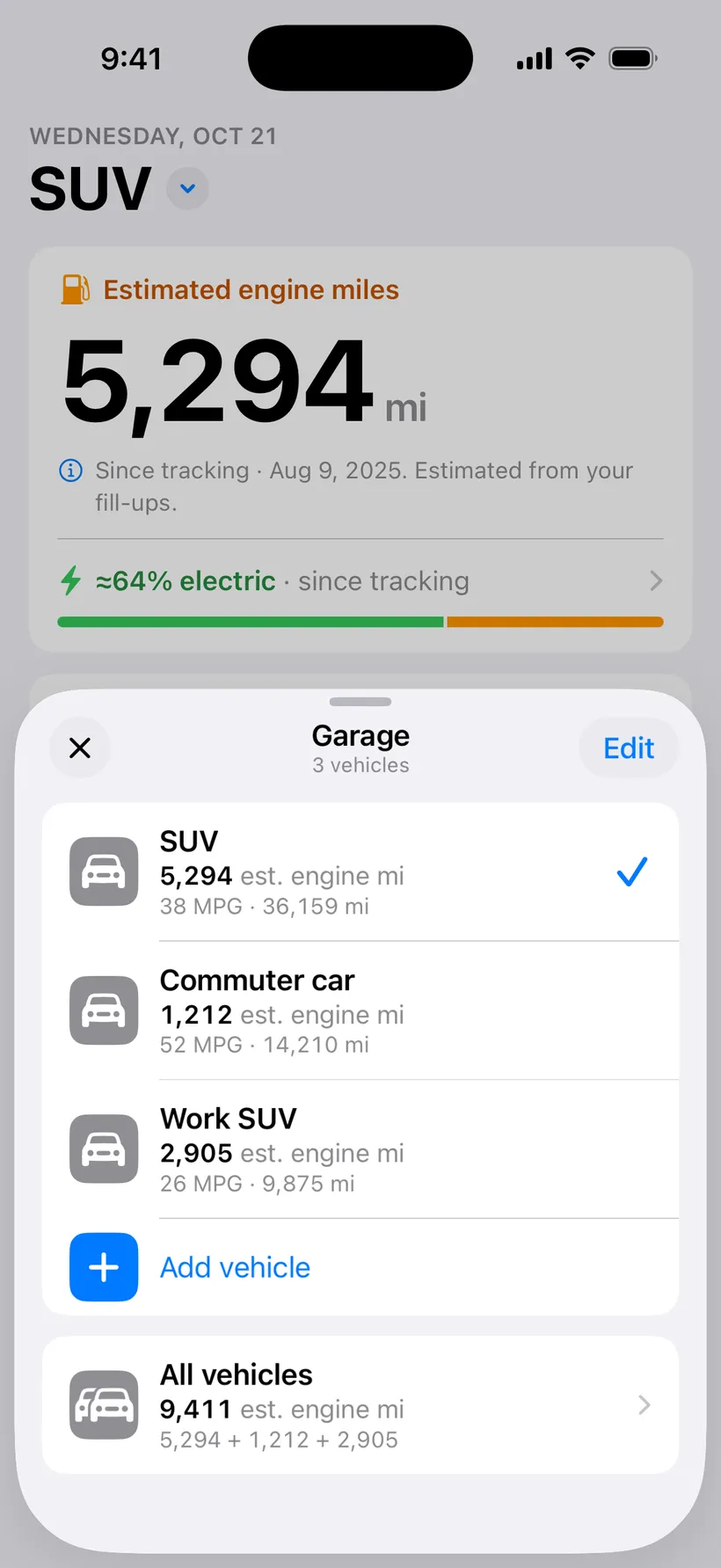
The Garage. Each car keeps its own total. 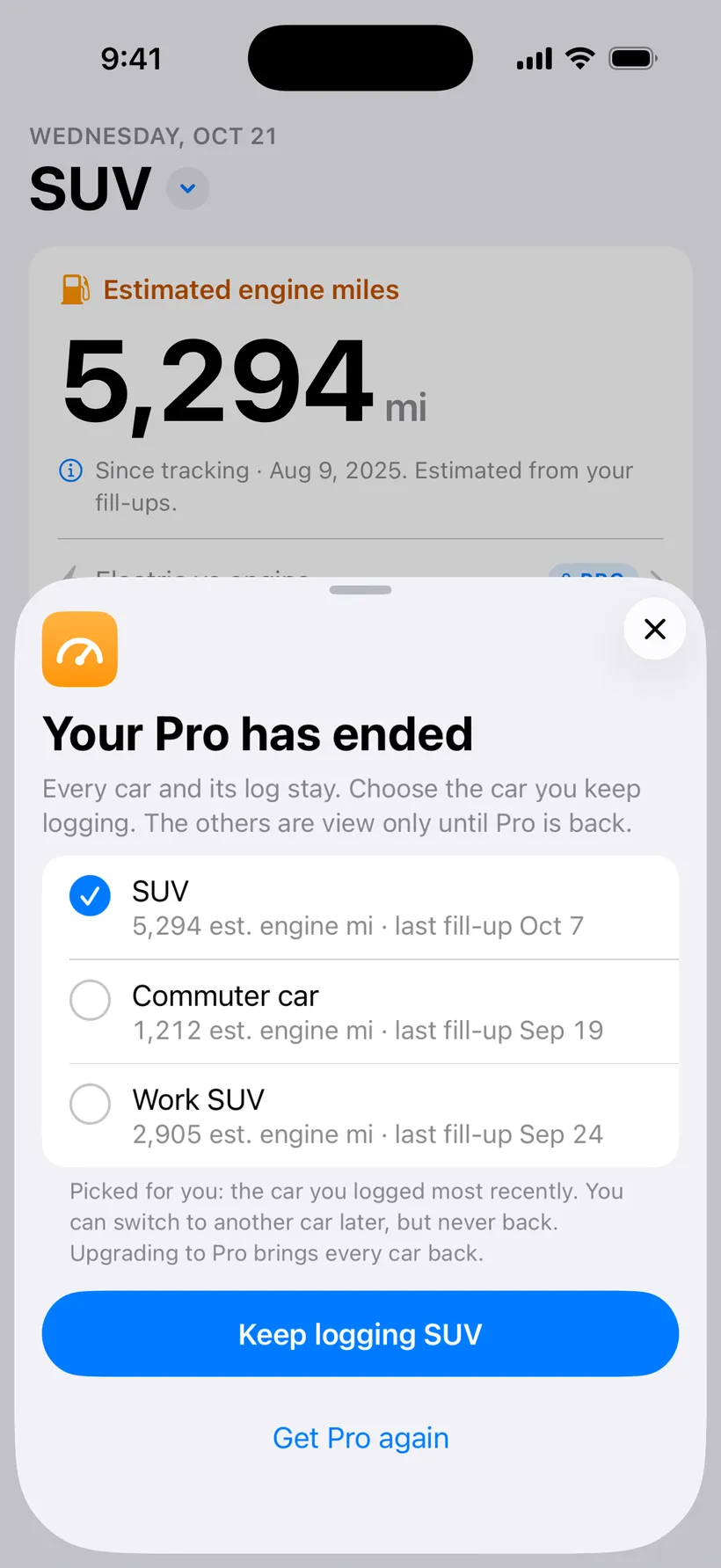
If Pro ends, you pick the car you keep logging. 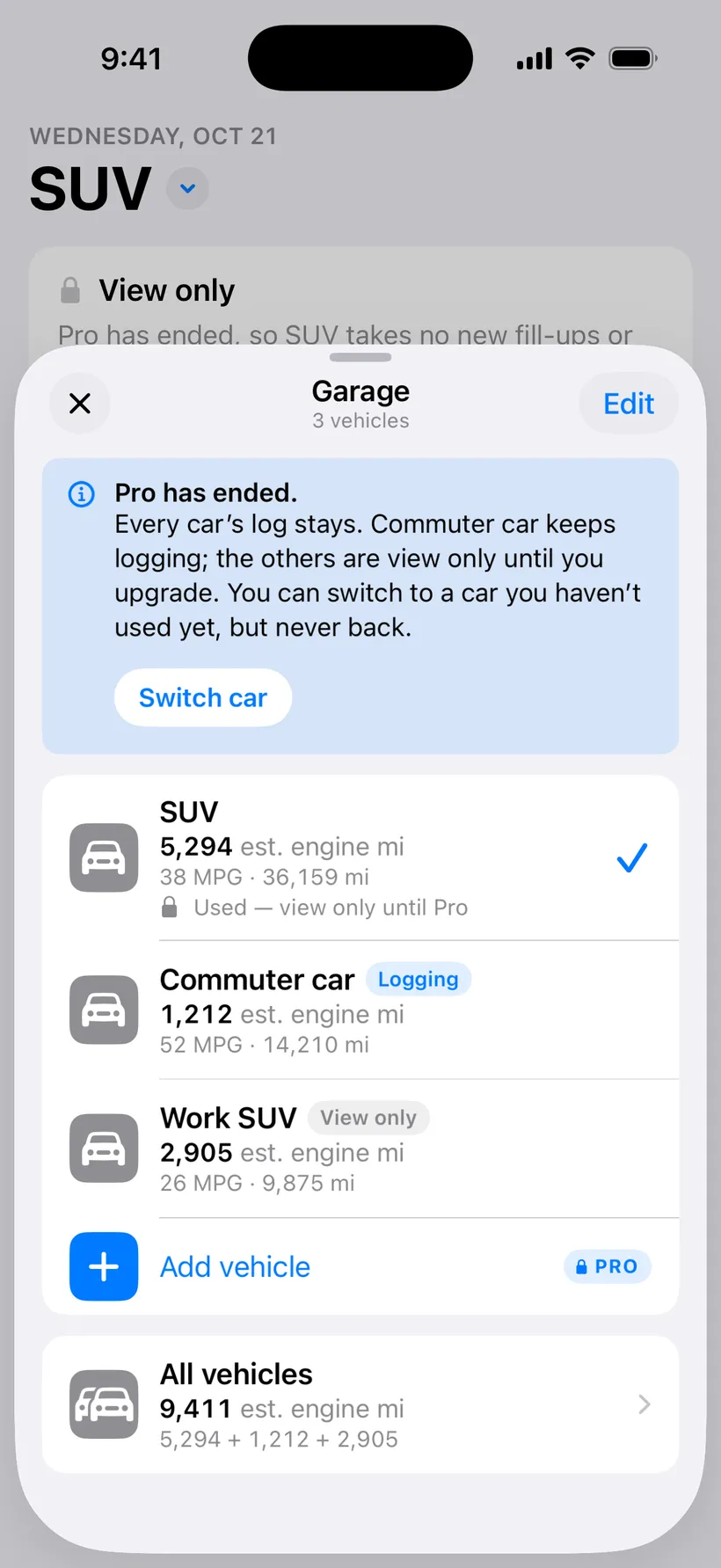
The others stay in the Garage, view only.
- One car, free
- Your first car, its total and its whole log stay free, always.
- Every car in one Garage
- Add as many as you have and switch from the top of Home. Each keeps its own MPG, units and oil goal.
- All vehicles
- One combined engine-mile total across every car, with each car listed below it.
- Archive a car
- Sold it? Archive it and its log stays. Bring it back any time.
- If Pro ends
- Every car and its log stay. You choose the one you keep logging; the others are view only until Pro is back. You can switch to a car you haven’t used yet, never back.
Notifications
Sent by your iPhone. Nothing goes through a server.
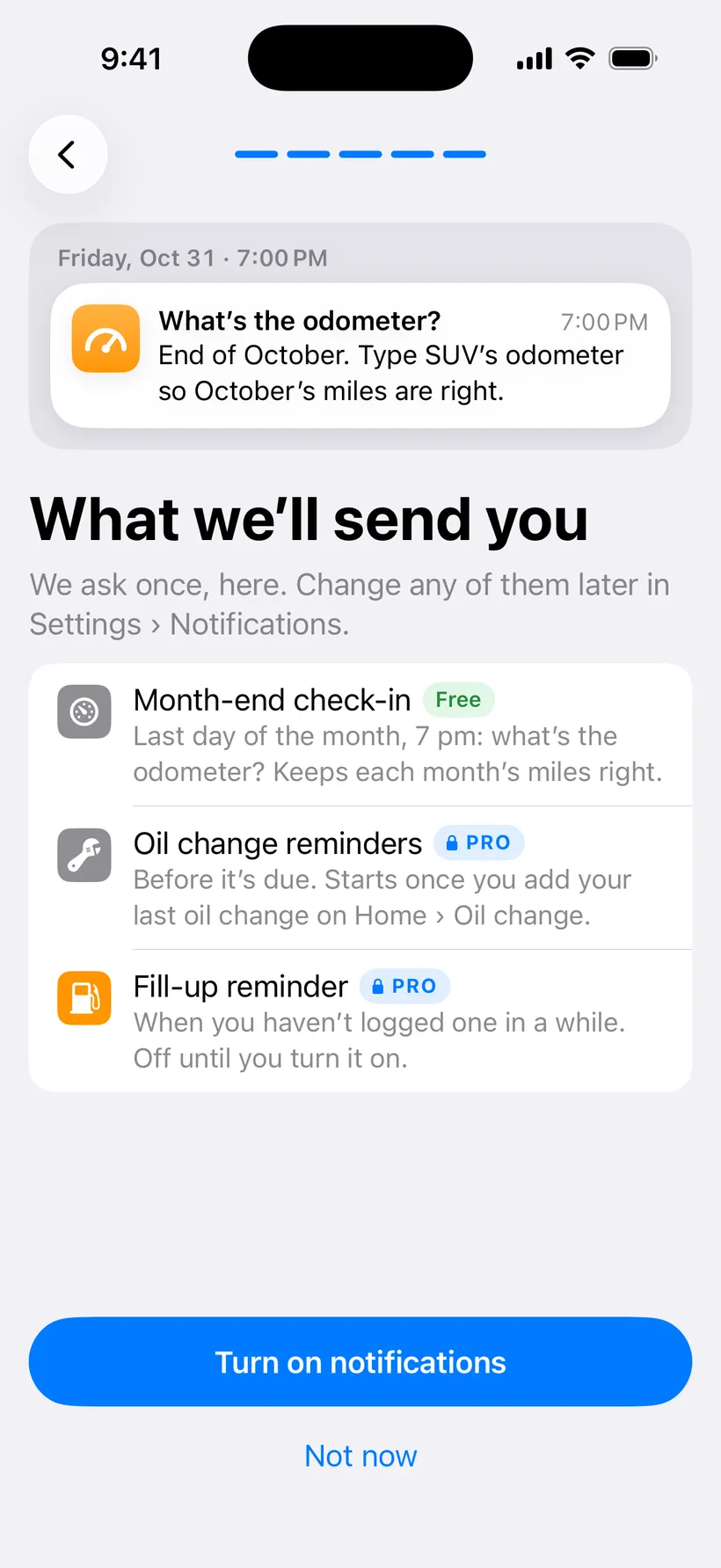
Asked once, during setup, with a preview. 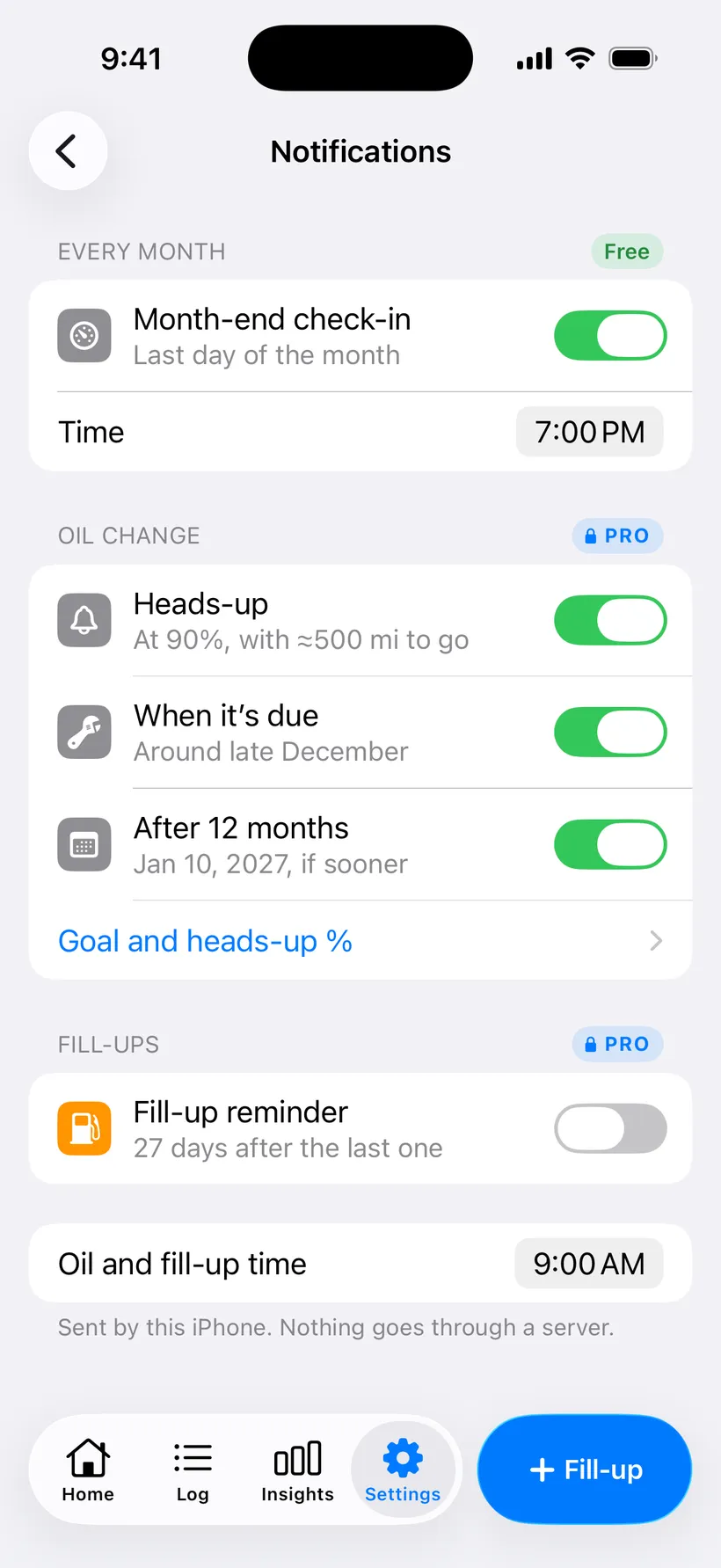
Every notification in one place in Settings.
- Asked once, in one place
- The app asks during setup, and every notification lives in Settings › Notifications.
- Month-end check-in
- The one free notification: the odometer on the last day of the month.
- Oil change reminders
- A heads-up, a due date and a months limit, per car.
- Fill-up reminder
- A nudge to log gas, timed from how often you usually fill up.
Import, export and backup
Bring an old gas log in from a spreadsheet, and take everything out again.
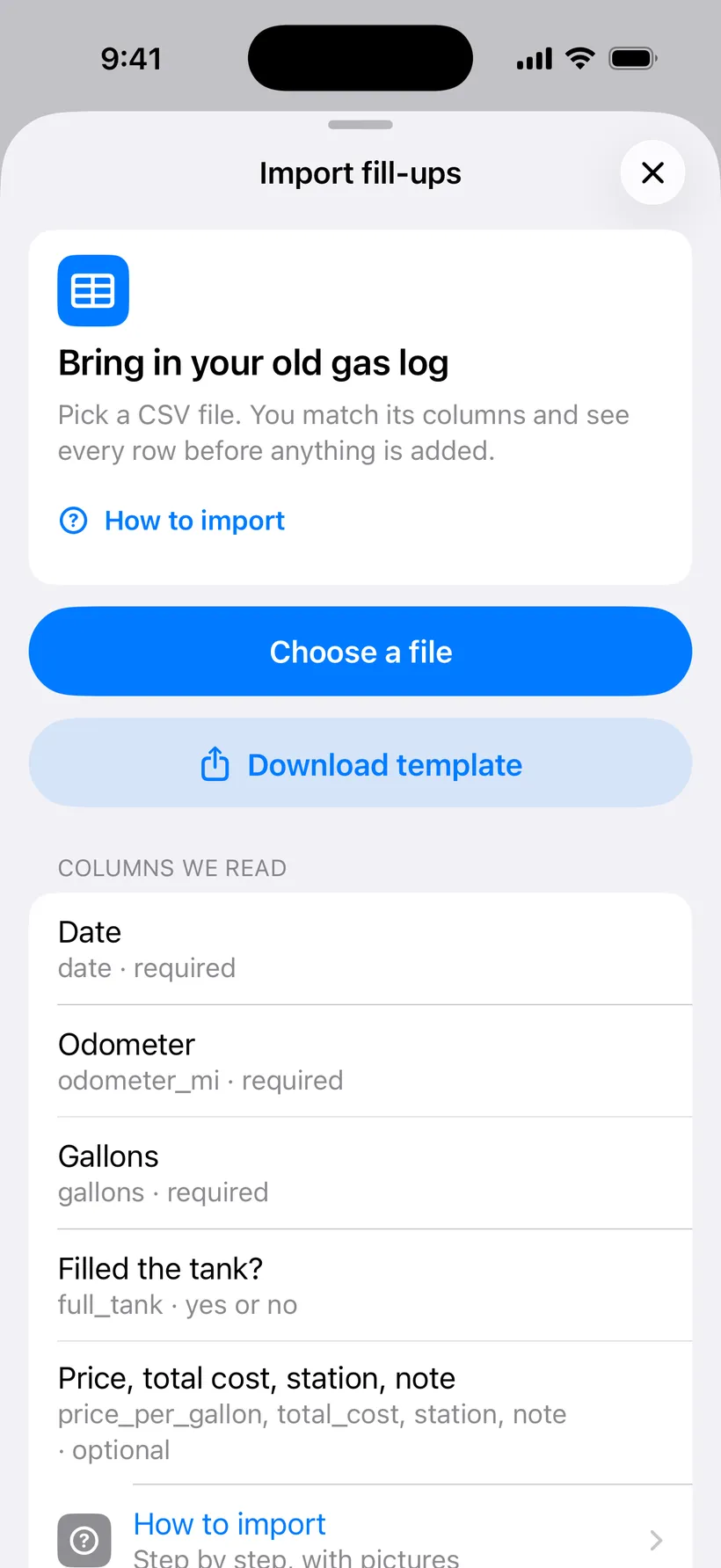
Pick a CSV, or start from the template. 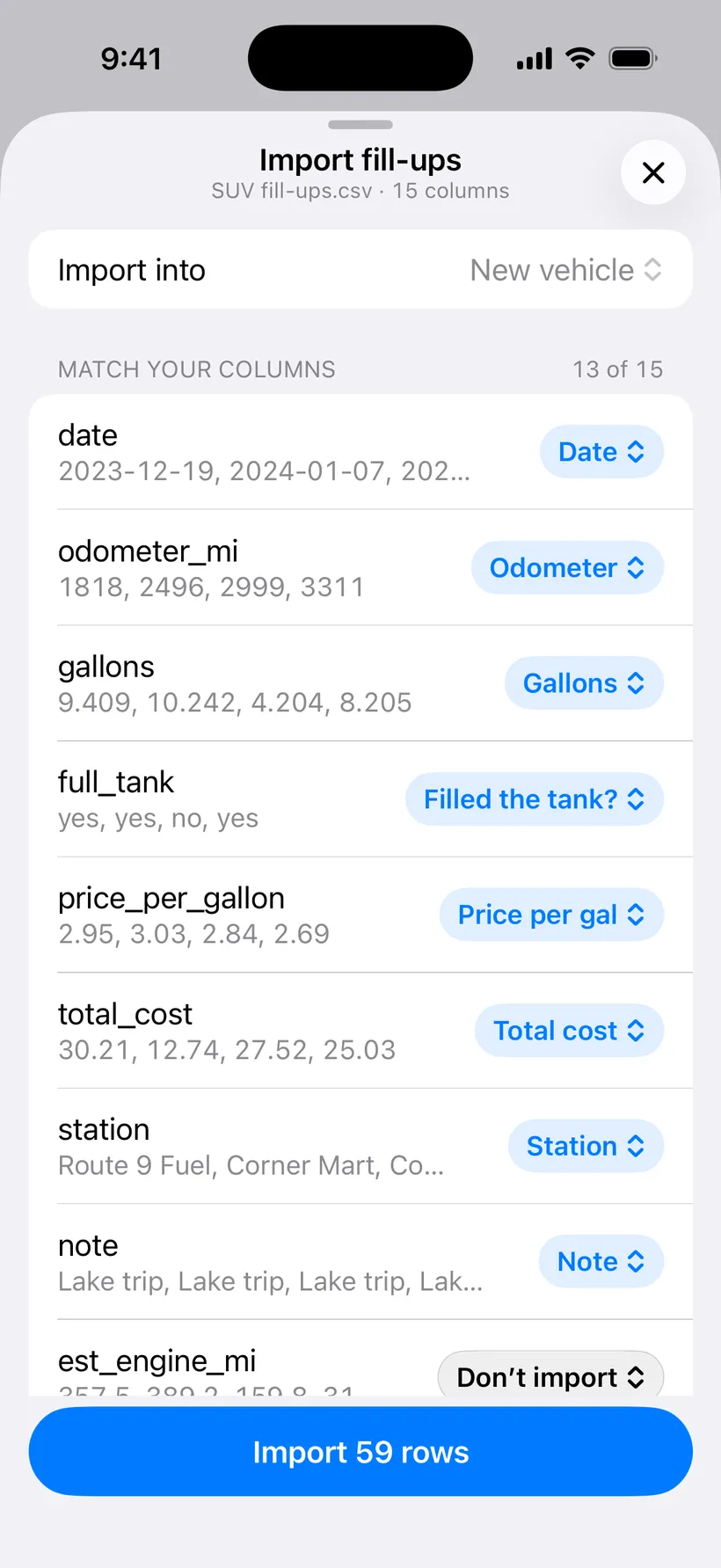
It matches your columns and shows a sample of each. 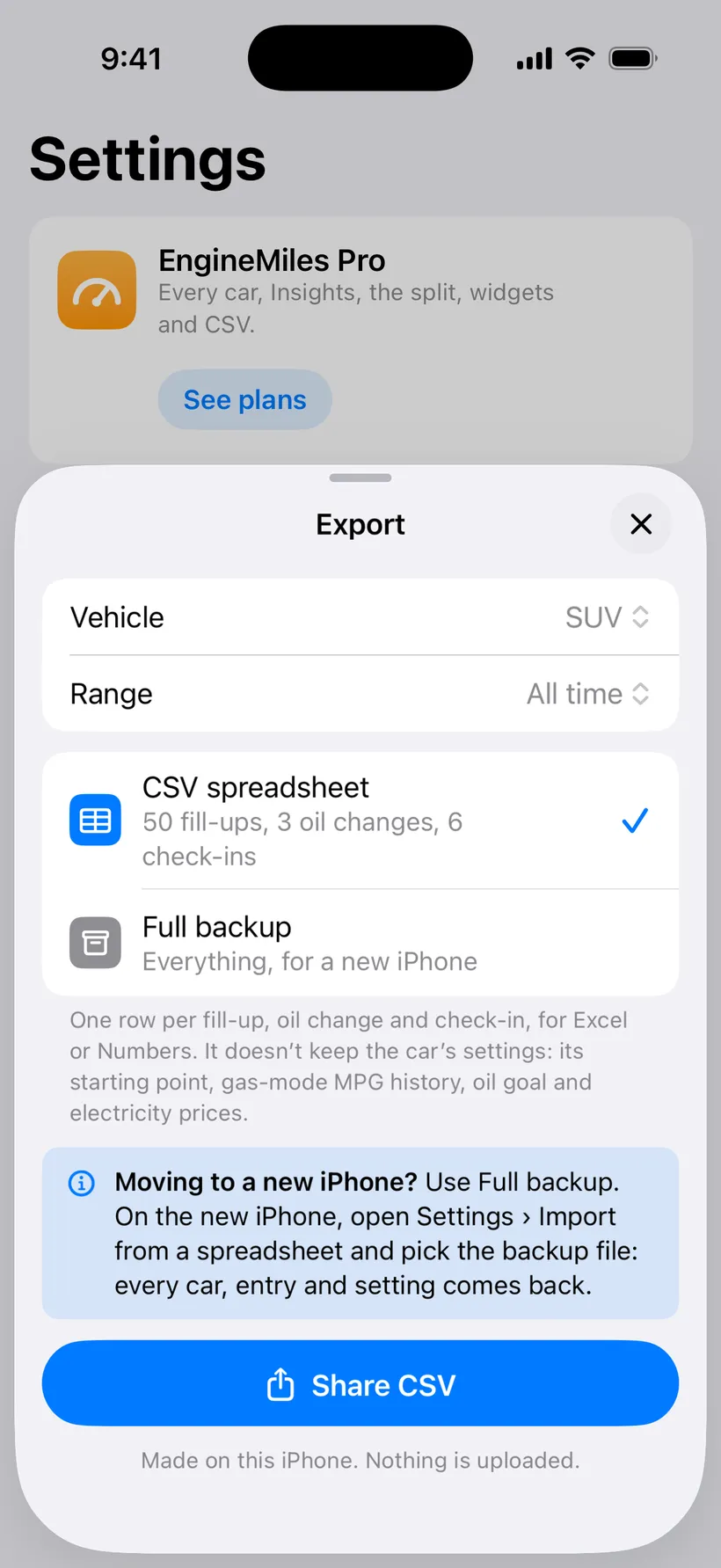
Export a CSV, or a full backup for a new iPhone.
- Import a spreadsheet
- Bring in an old gas log from Excel, Numbers or Google Sheets. Match your columns; rows with a problem come in flagged to fix later. The preview is free.
- A template to start from
- Download a CSV with the columns already named, then fill it in.
- Export a spreadsheet
- Your whole log as a CSV for Excel or Numbers.
- Full backup
- One file with every car, entry and setting, for moving to a new iPhone. Open it from the import screen.
- Oil changes and check-ins in the CSV
- Export and import carry oil changes and month-end check-ins too, so a move between phones keeps them.
- An importer that guesses more
- It reads more column names and date styles, says what’s wrong in one line, and tells you when a file is an Excel workbook rather than a CSV.
Privacy and your data
No account. Your log stays on your iPhone.
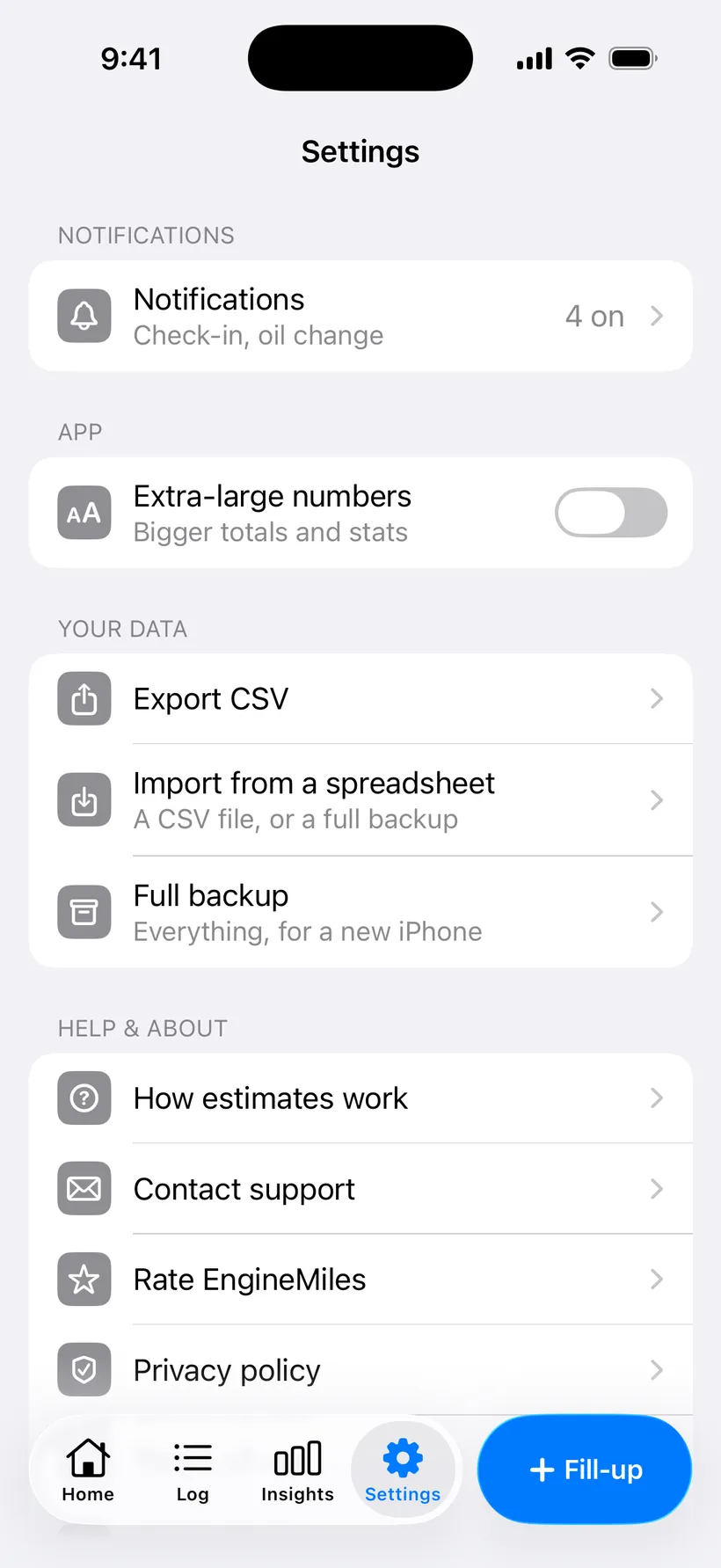
Your data rows in Settings: export, import, backup and the privacy policy.
- Your log stays on the phone
- Fill-ups, odometers, car names and notes aren’t sent anywhere, and usage sharing never includes them.
- Usage sharing you control
- Anonymous screen and feature counts help fix the app; turn it off in Settings. In the EU, UK and Switzerland it stays off until you say yes.
- Ask for your data or its deletion
- One row in Settings writes the email for you.
Settings, units and dark mode
Units are set per car. Everything else follows your iPhone.
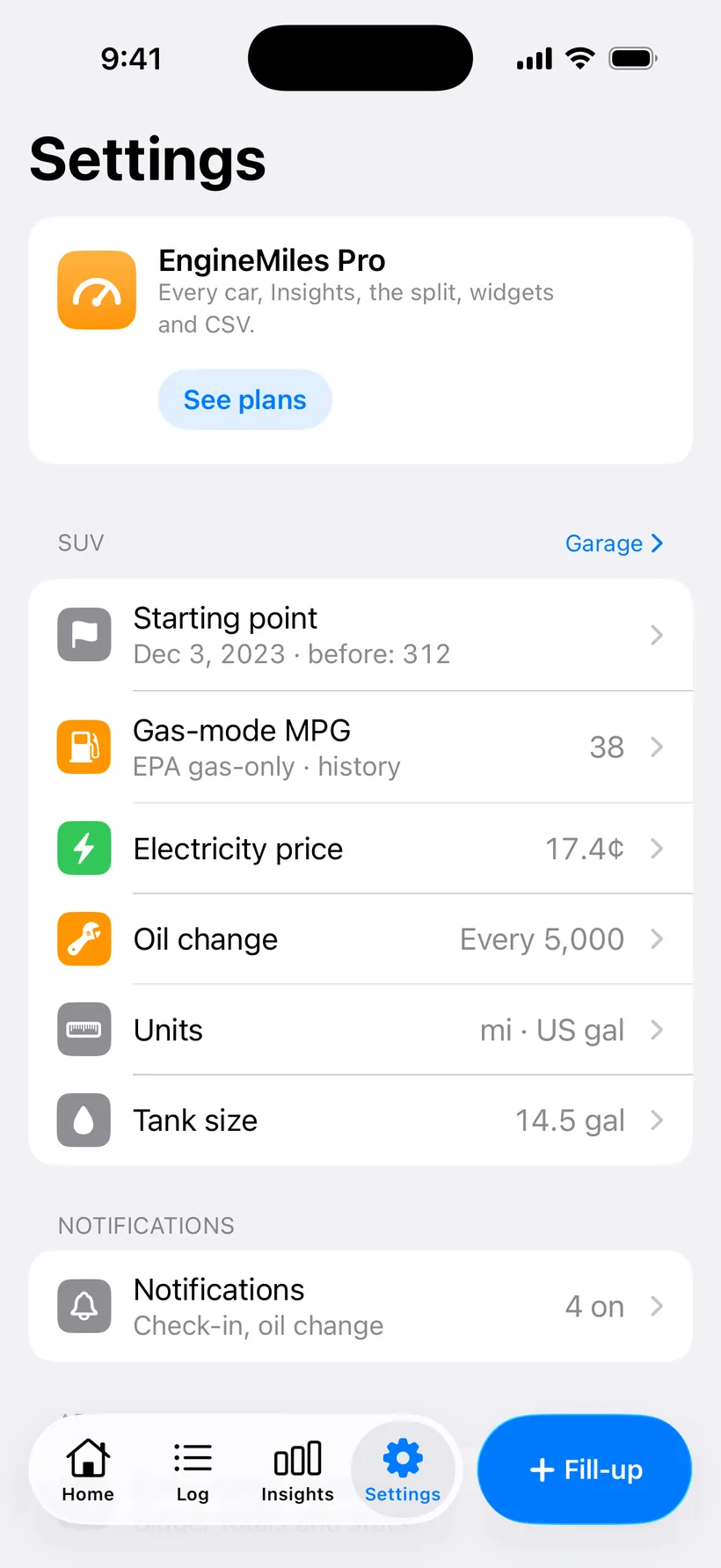
Settings for each car: start, MPG, electricity, oil, units, tank. 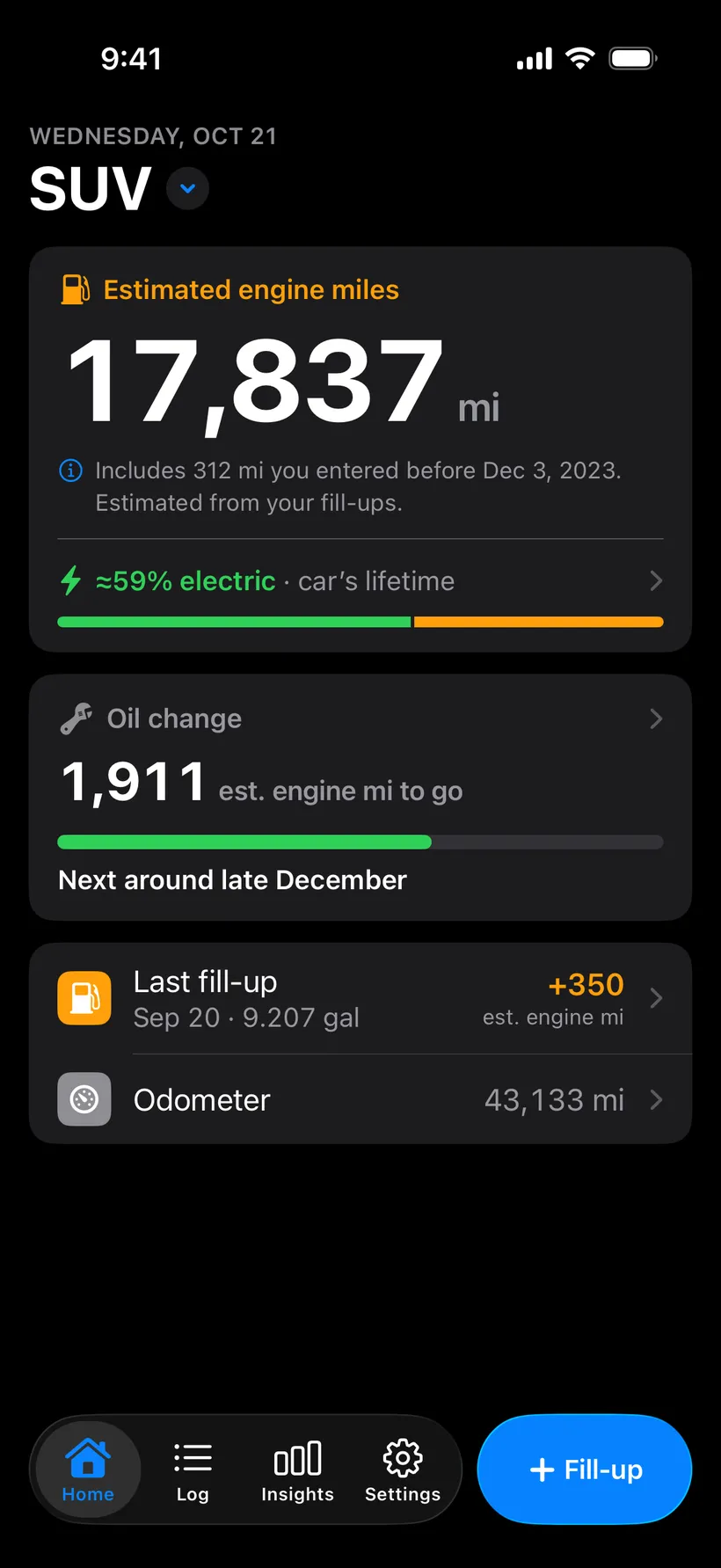
Dark mode follows your iPhone. 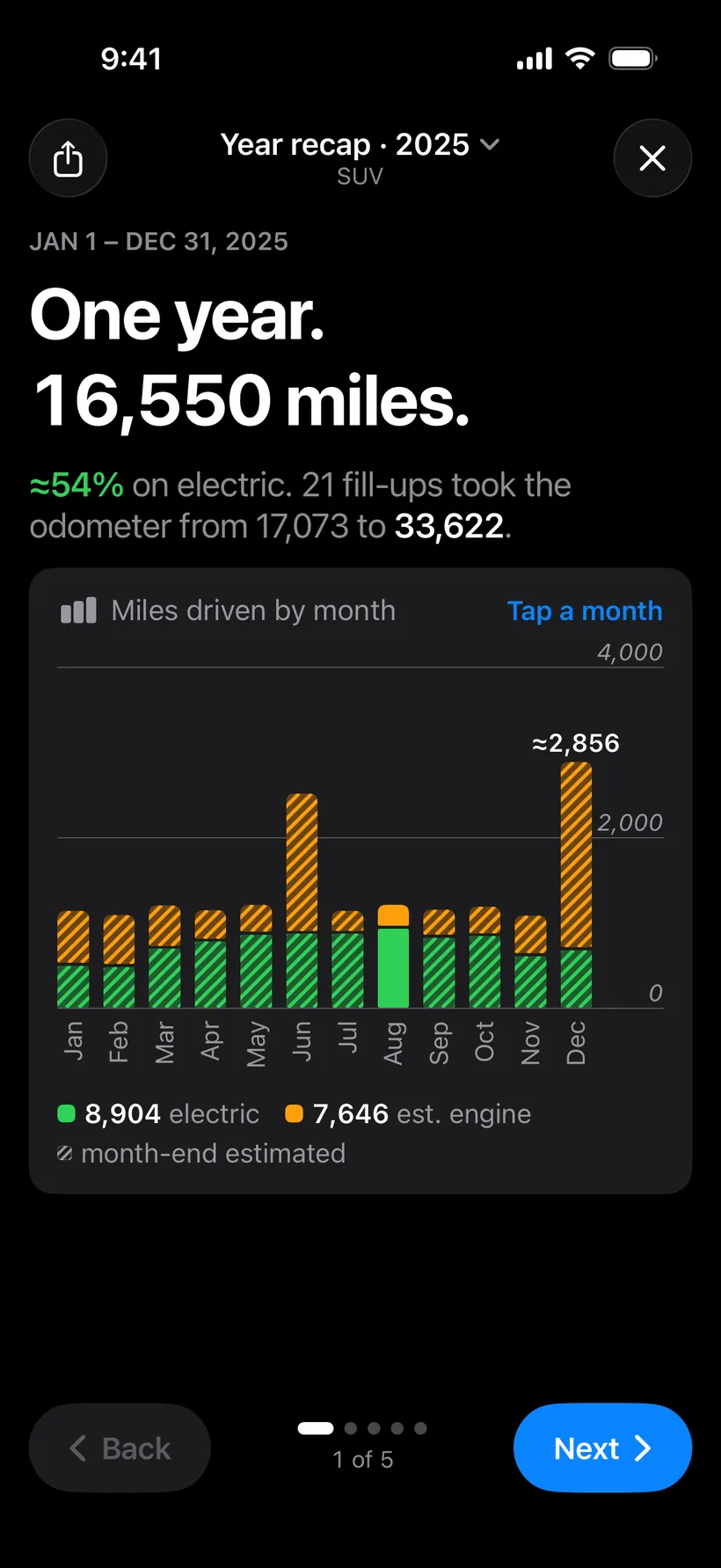
The year recap in dark mode. 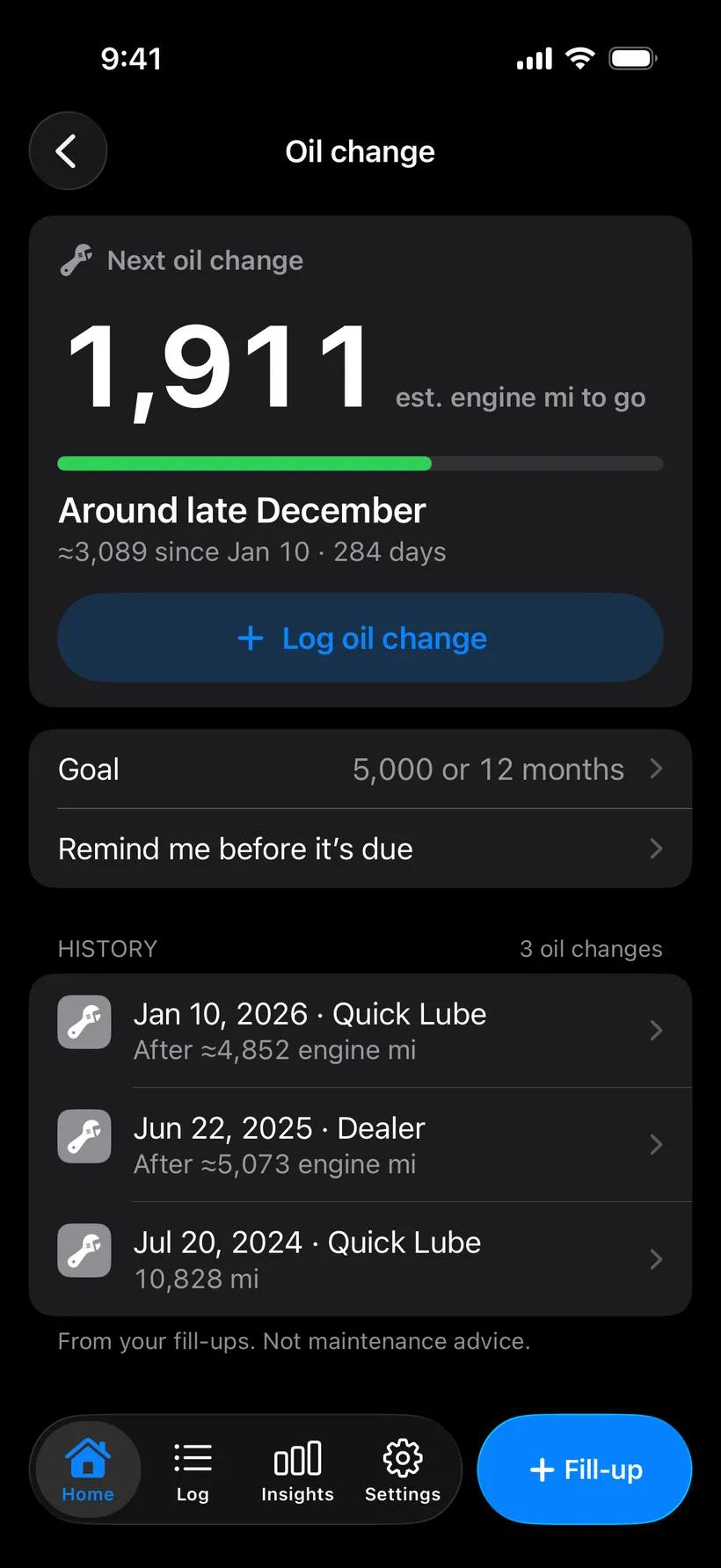
The oil countdown in dark mode.
- Five languages
- English, Spanish, French, German and Brazilian Portuguese.
- Miles or kilometers
- US gallons, imperial gallons or liters, and MPG, L/100 km or km/L to match.
- Text that grows
- It follows your iPhone’s text size, and an “Extra-large numbers” switch makes the totals bigger still.
- Dark mode
- Follows your iPhone.
- VoiceOver
- Numbers and charts read out as plain sentences.
Free does the main job. Pro is for people who like charts.
42 of the 84 features on this page are free, including the estimate, every fill-up, the log, the month-end check-in and oil tracking.
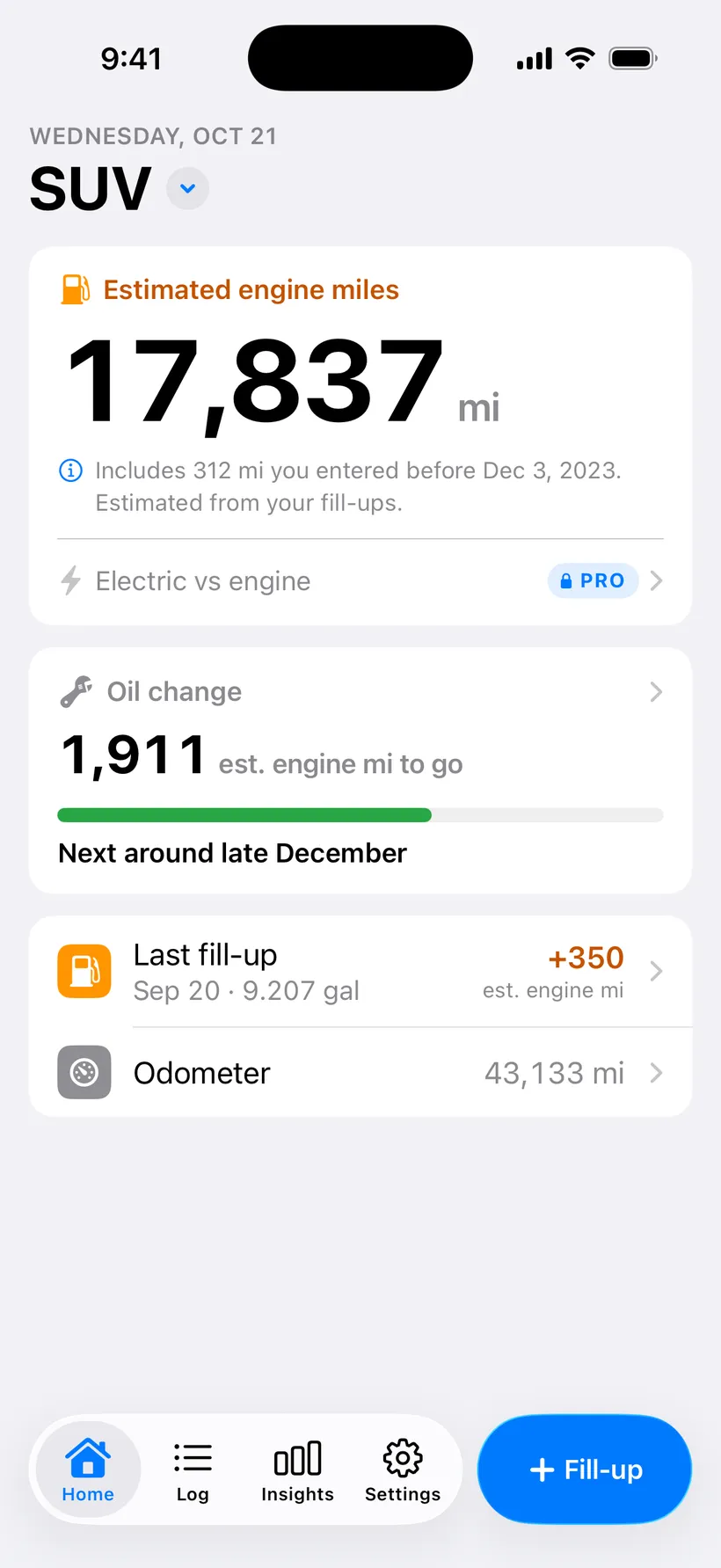
Home on Free. The estimate and the oil countdown are all there. 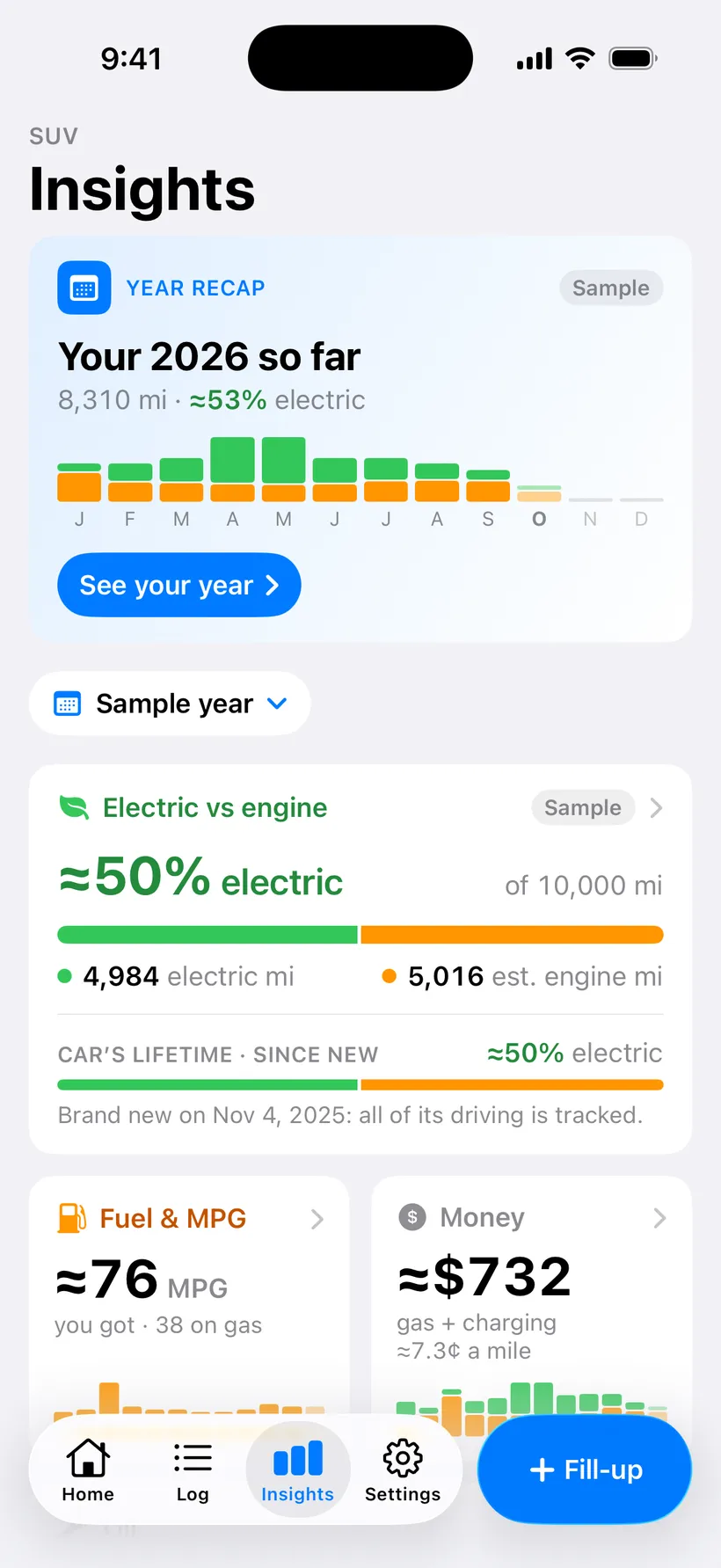
Free users can open Insights on a sample year. 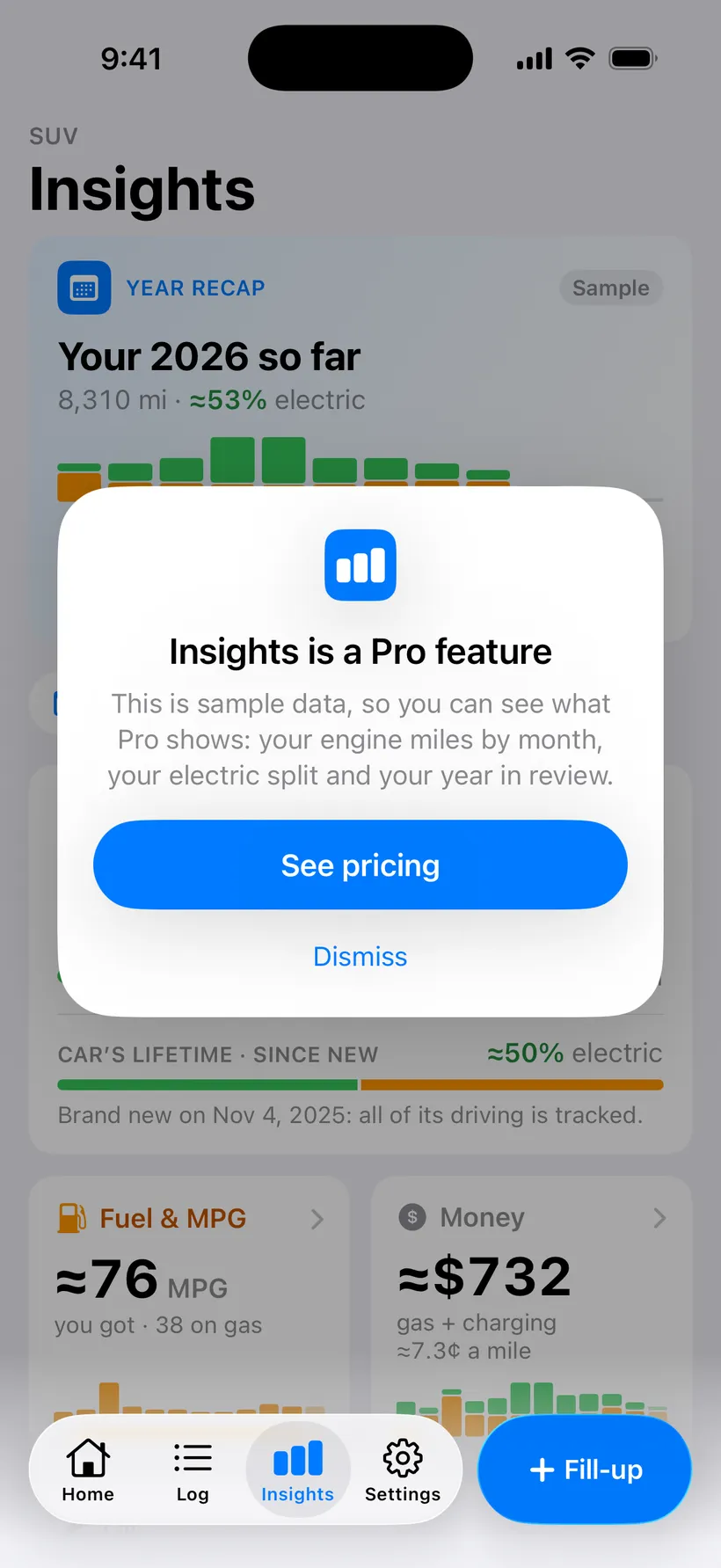
It says plainly that it’s a sample. 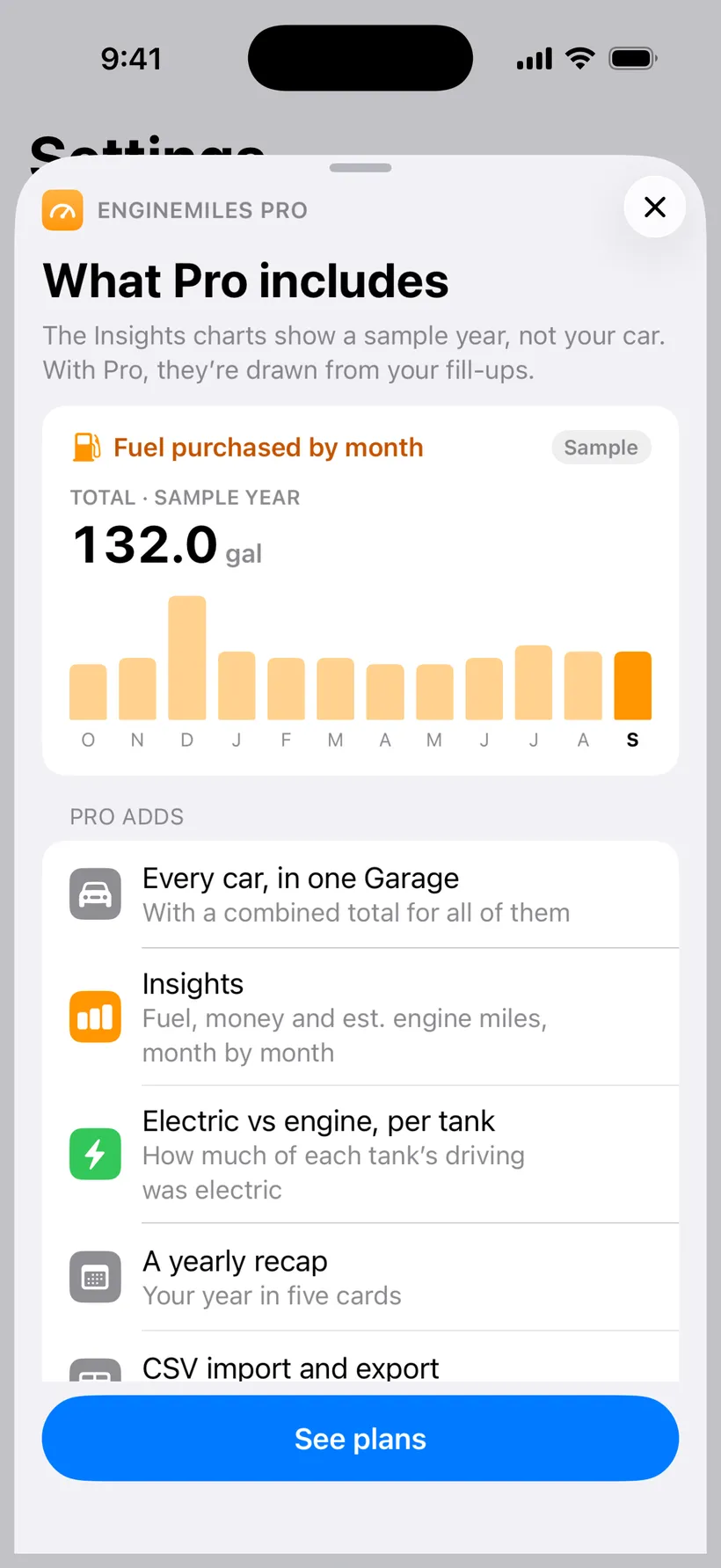
What Pro adds, listed in the app.
Free
$0
- One car
- Unlimited fill-ups
- The engine-mile estimate
- Oil-change countdown
- Your full log, editable
Pro
$1.99a month
$9.99a year
$29.99once
- More than one car
- Insights and a year recap
- Lifetime electric share (plug-in hybrids)
- Home and Lock Screen widgets
- Oil-change reminders
- CSV import and export
US prices. Monthly and yearly renew until you cancel in your Apple Account. Lifetime is a one-time purchase. You buy Pro inside the app.

Try it on your next tank.
Log the gallons and the odometer when you buy gas. Everything on this page builds on those two numbers.

Free on iPhone. No Android version yet.